Smart Matrix Code
SMART MATRIX TWIST - 2-13 -
Smart Matrix Code
This function allows you to assign an identification code to the SMART MATRIX terminal, in case of
application that uses multiple terminals.
+ For the applications using a SMART MATRIX MASTER terminal and a SMART MATRIX SLAVE
terminal, the SLAVE terminal identification code must be equal to the MASTER terminal identification
code + 1.
For more details about the MASTER - SLAVE connection, please refer to the “SMART MATRIX Master
– SMART MATRIX Slave Connection” paragraph on Section 1.
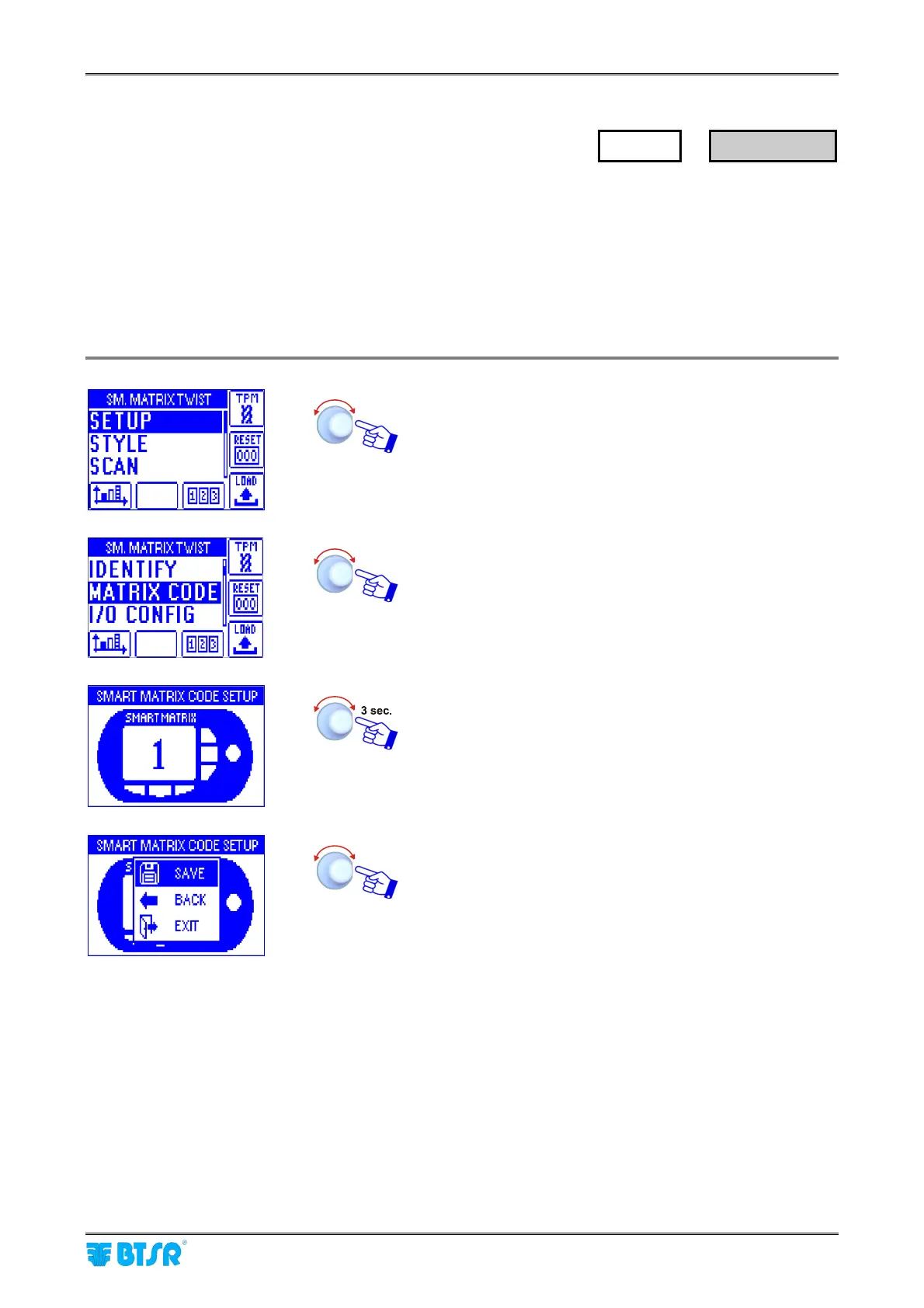
Enter the SETUP menu.
Select MATRIX CODE.
Choose the SMART MATRIX identification code and
activate the save function.
SAVE to save the choice, BACK to return to the previous
screen without saving, EXIT to return to menu.
SETUP
→
MATRIX CODE





 To Next Page