Sensor Configuration and Numbering
SMART MATRIX TWIST - 2-12 -
Single Sensor Numbering
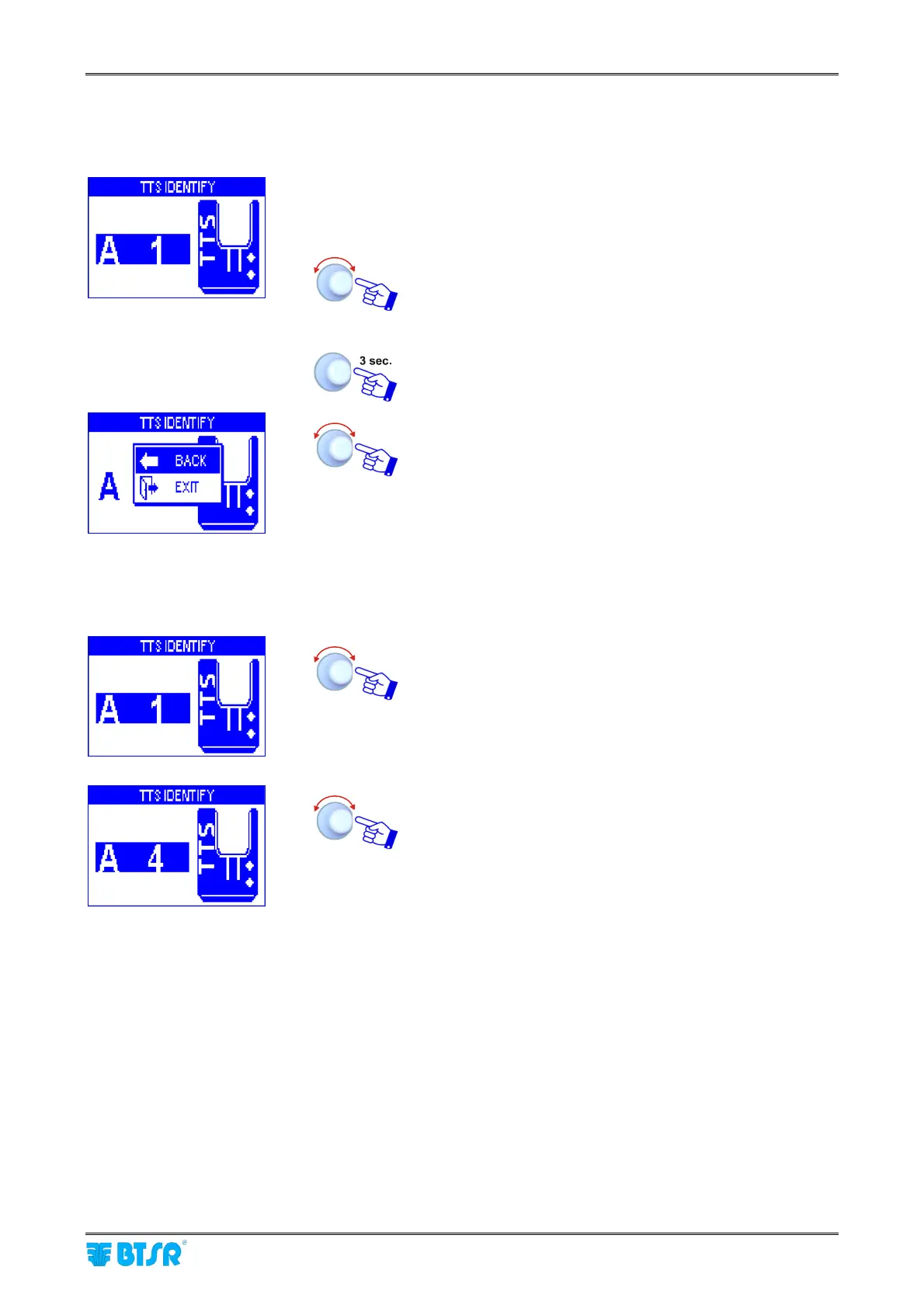
To number a single sensor (for instance in case of sensor replacement) operate as follows:
• Carry out all the operations described for sensor
configuration and numbering until the first sensor
identifier (A1) appears on the screen.
• Select the coordinates of the sensor to be re-numbered
(See Note 1).
• Skim the touch light of the relevant sensor; The
sensor’s led changes from flashing green to red.
To quit the identification procedure after the sensor re-
numbering.
EXIT to return to configuration menu.
Note 1: To select the coordinates of the sensor you wan to renumber (e.g. A4), operate as follows:
• Turn the selector to select the desired side or sensor.
Press the selector to alternately switch between side
and sensor selection.
• Select the sensor A4.









 To Next Page