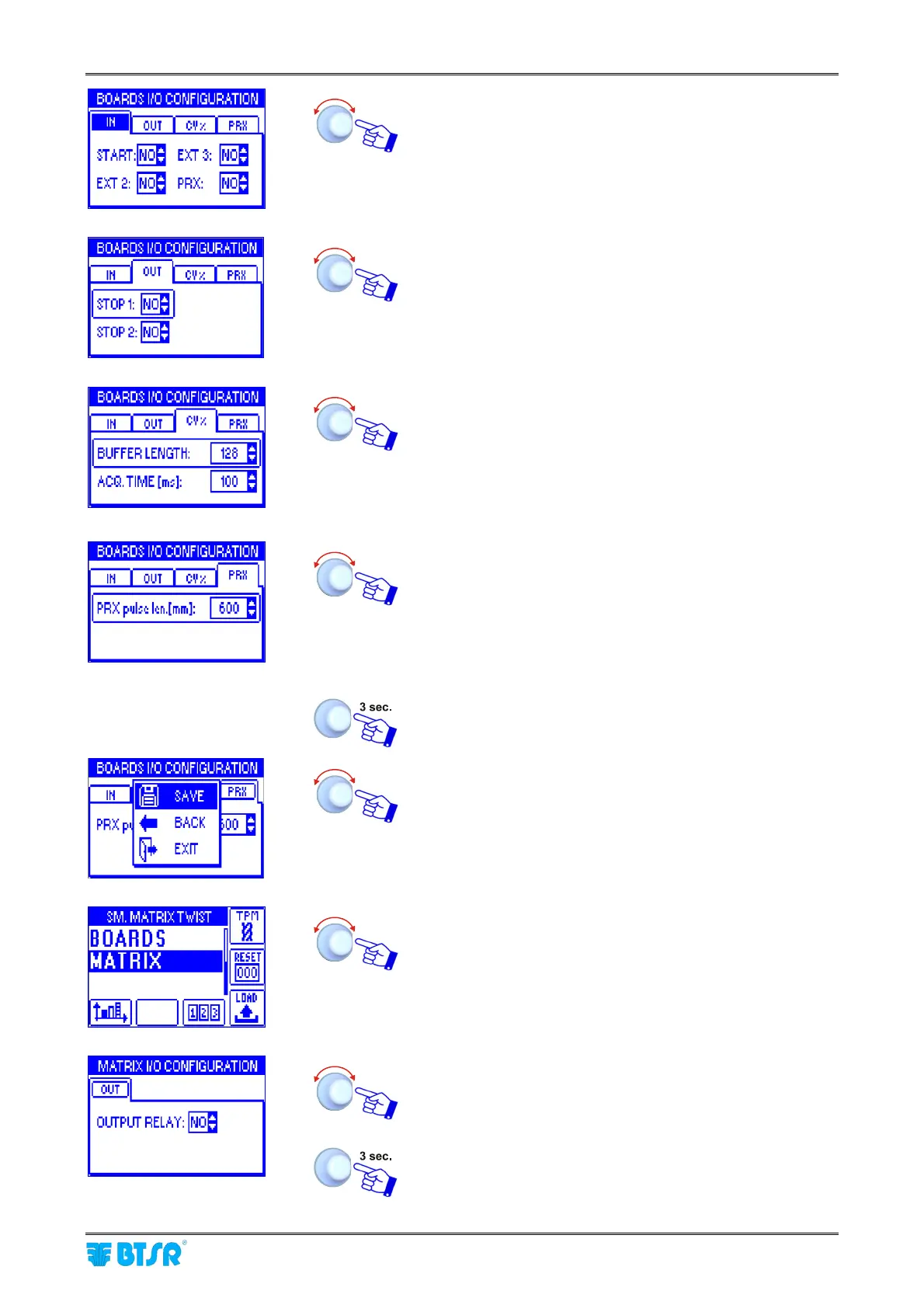
Input/Output Configuration on SM-DIN/Smart Matrix
SMART MATRIX TWIST - 2-15 -
Turn the selector to select the OUT window and click to
enable access to the relevant parameters.
Select sequentially and set the polarities [either NO or NC]
of STOP 1 and STOP 2 output signals, then select the
CV% window (twist variation coefficient).
Set the Buffer length used by the SM-DIN module for the
CV% calculation.
BUFFER LENGTH: [2, 4, 8, 16…256, 512, 1024 bytes].
Set the data acquisition time (ms) for the CV% calculation
ACQ.TIME: [100…30000 ms].
(See Note 1 on next page)
Then select the PRX window
Set the yarn amount (expressed in mm) processed by the
machine in the interval between two PRX pulses
[1…10000]. This value is used by the system to determine
the yarn collection speed when a synchronism signal is
provided and the "Auto speed" option is chosen in the Style
creation stage
(See Note 1 on next page)
To activate the saving function, once you have setup all the
required parameters
SAVE to save the settings, BACK to return to previous
screen without saving, EXIT to return to menu list.
During the saving operation a LOAD I/O CONFIG…
message briefly appears
Select MATRIX.
Configure the output relay contact of SMART MATRIX
terminal as NO or NC.
To activate the save function.











 To Next Page