IS3x/TTS Sensor Features
SMART MATRIX TWIST - 3-5 -
IS3F-TTS Sensor Features
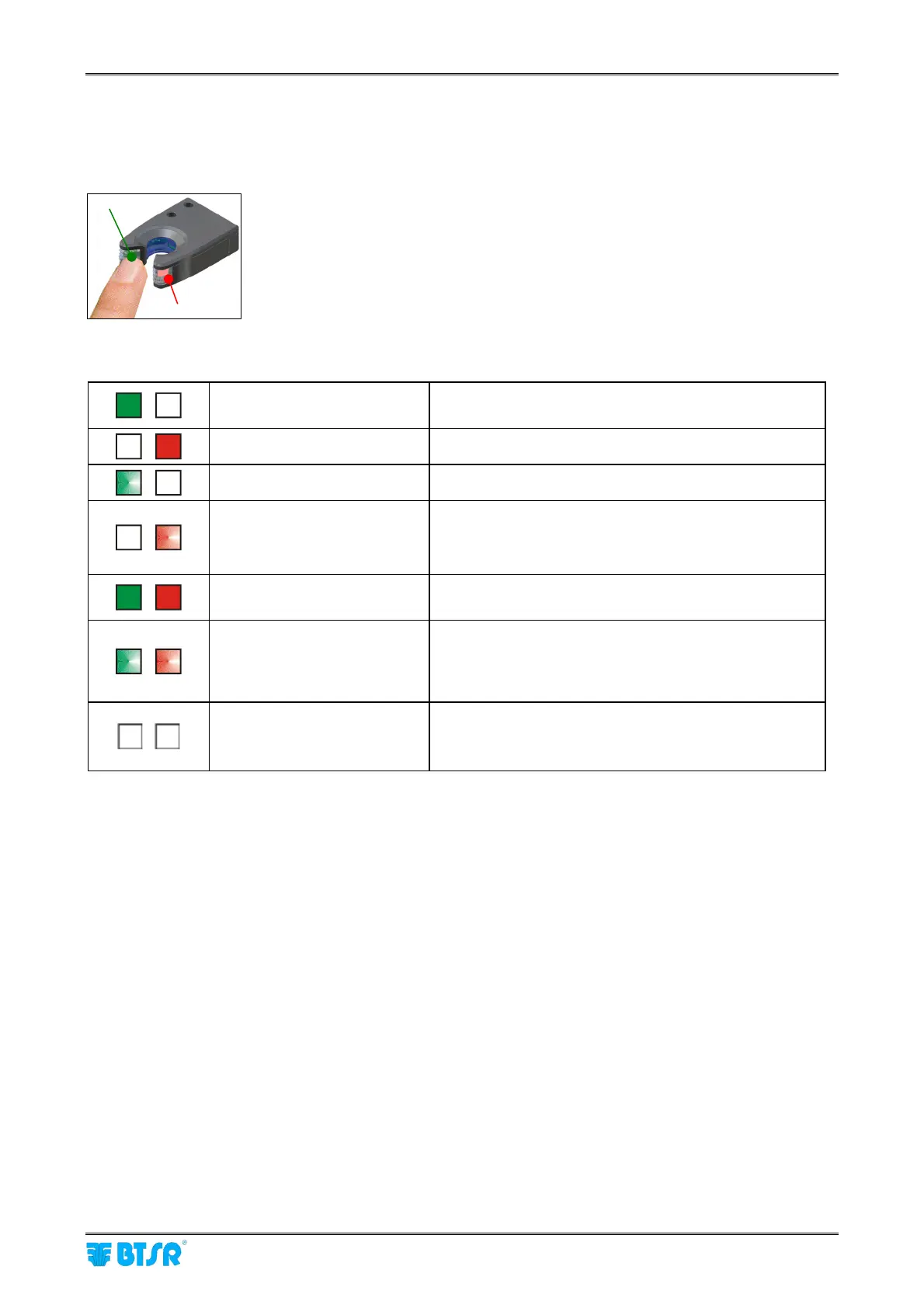
Optical interface of IS3F-TTS sensors
The IS3F-TTS sensors have two signalling lights (green LED, red LED) and a
“Touch Light” optical button.
During the automatic numbering of the sensors (flashing green LED), touch the
optical button to give the sensor the number shown in the devices configuration
screen.
Interpretation of the signaling lights located on the sensors
Green LED ON Normal operation, the yarn is running inside the sensor;
No technical fault detected by the sensor.
Red LED ON Yarn stopped.
Green LED FLASHING The system is in automatic numbering phase.
Red LED FLASHING During machine operation the sensor detected a defect.
1 flash TPX-L error (*)
2 flashes TPX-H error (*)
Green LED ON
Red LED ON
Stopped sensor. Switch off, then power on the system.
If the condition is permanent, replace the sensor.
Green LED FLASHING
Red LED FLASHING
Indicates a technical fault in the sensor(e.g. a loss of
stored data).
Try to reprogram the sensor. If the fault remains,
replace the sensor.
Green LED OFF
Red LED OFF
Sensor not powered (check connections).
Sensor de-activated (“Touch Light” skimmed); to re-
activated it, skim again the “Touch Light”.
(*) For more details, please refer to paragraph “Parameters that affect the sensor detection features”.
Led rosso
Green Led
Touch
light
Red Led









 To Next Page