Gemini Series Electroporator User’s Manual
toll free 800.272.2775 • 508.893.8999 • www.btxonline.com
15
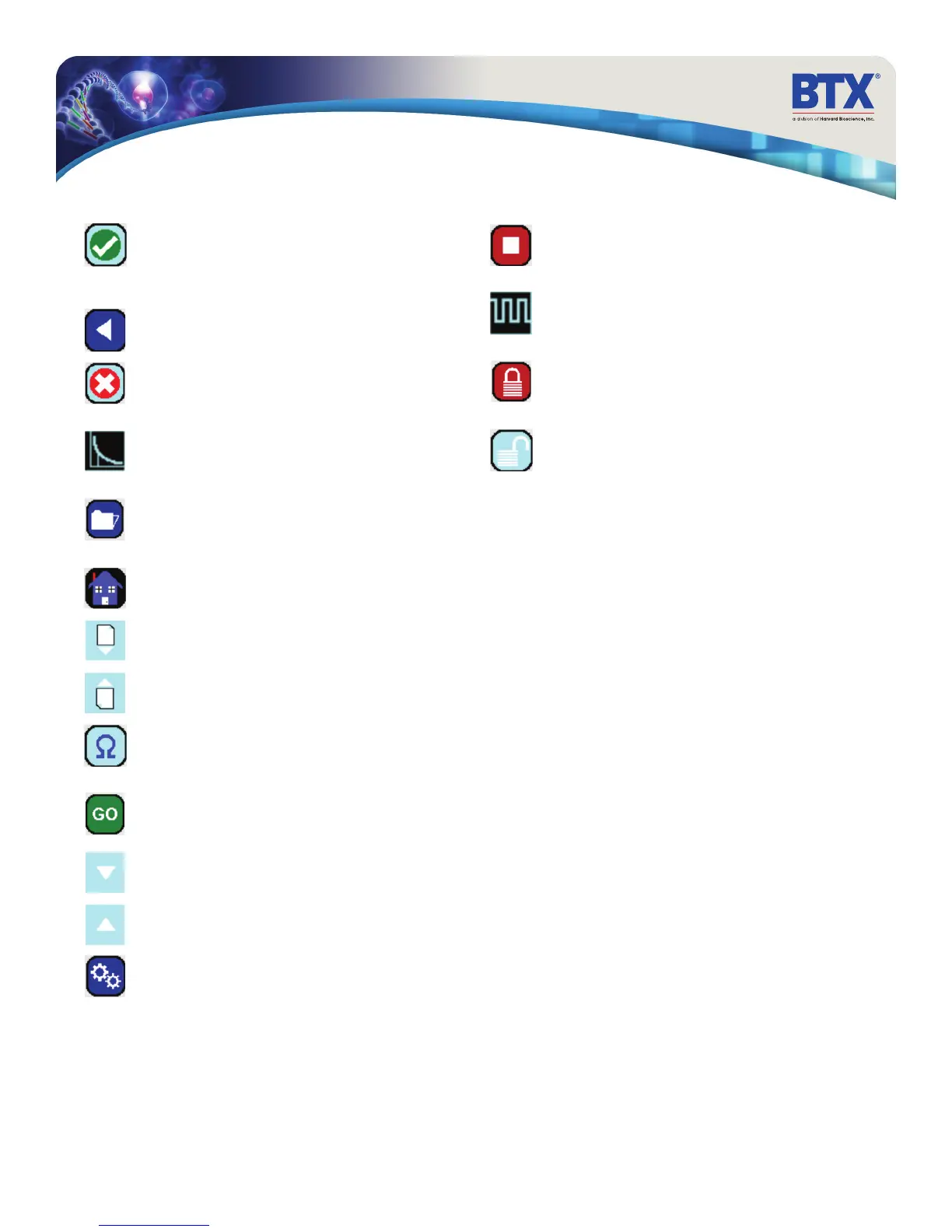
Accept
Used to accept the parameters/settings on a screen and
advance to the next screen in the menu, also used in
place of a double tap on various icons.
Back
Used to go back one screen.
Cancel
Used to cancel any changes/entries on a screen and
return to the previous screen in the menu.
Exponential Decay Wave Indicator
Used to indicate when a protocol utilizes exponential
decay wave pulses.
File Options
Access the File Option menu that is used to save,
rename and delete protocols.
Home/Main Menu
Access Preset Protocols, User Protocols and Settings.
Page Down
Used to page down in a display list.
Page Up
Used to page up in a display list.
Pre-Pulse Resistance Measurement
Used to measure the resistance of the sample prior to
delivering the DC pulse.
Run Protocol
Used to deliver the pulse protocol to the sample.
Scroll Down
Used to scroll down in a display list.
Scroll Up
Used to scroll up in a display list.
Settings
Access the settings menu used to adjust the following
parameters: Date and Time, Audible Alarms,
Backlighting, and software updates. Displays device
information.
Stop Protocol
Used during the pulse delivery sequence to stop the
progress of the protocol.
Square Wave Indicator
Used to indicate when a protocol utilizes square
wave pulses.
Touch Screen Locked
Indicates that the touch screen is currently locked. Press
the icon and enter password to unlock the touch screen.
Touch Screen Unlocked
Indicates that the touch screen is currently unlocked.
Pressing the icon twice will allow the user to password
protect the protocol.
Touchscreen Button Reference


 To Next Page