Gemini Series Electroporator User’s Manual
toll free 800.272.2775 • 508.893.8999 • www.btxonline.com
19
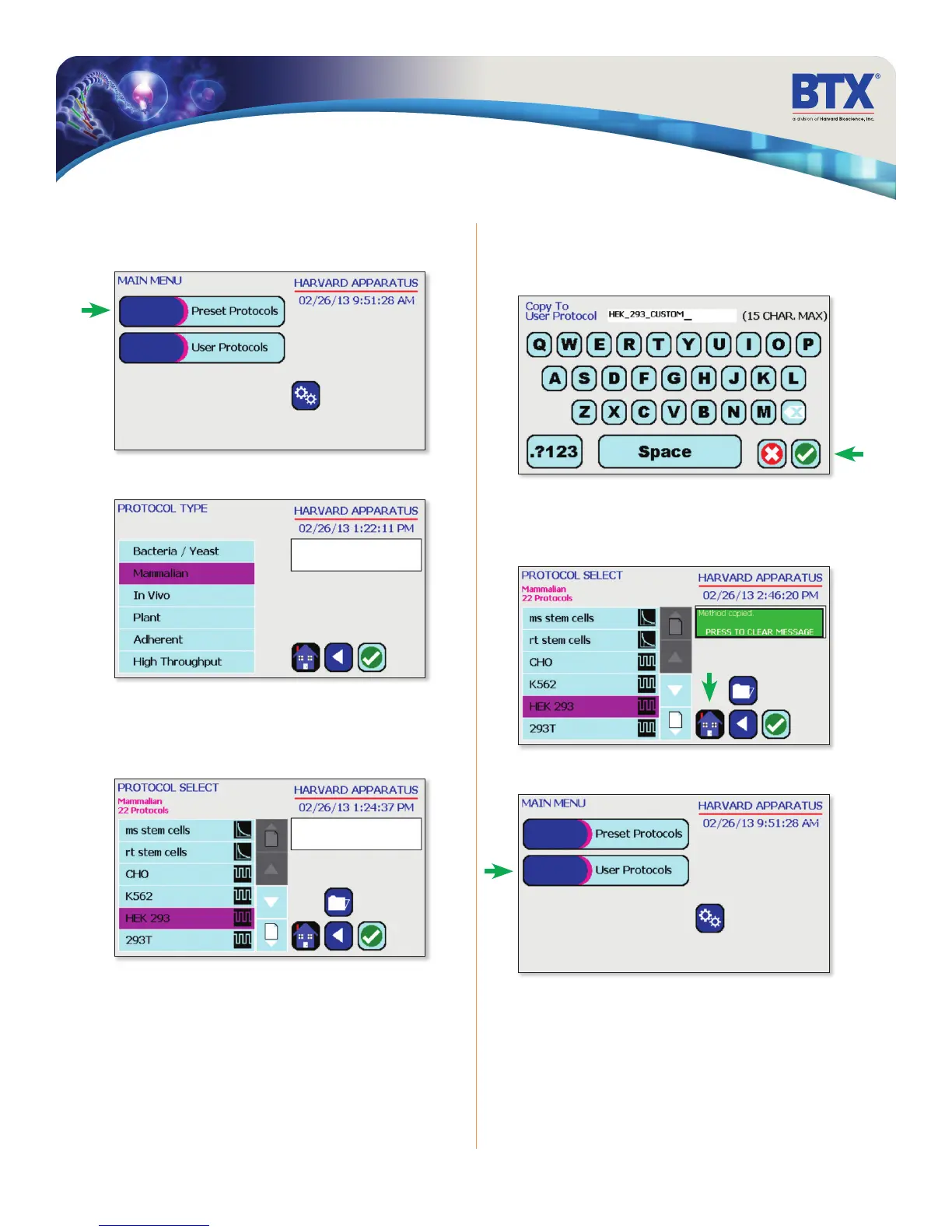
Customizing a Preset Protocol
On the home screen, tap the Preset Protocols icon.
Double tap desired cell type.
Scroll through available cells.
Tap desired cells.
Tap Folder icon.
Preset Protocols
Customizing a Preset Protocol (continued)
Use keyboard to name copy of protocol.
Tap the Green Check icon to save.
The message board will turn green and alert the user that the
method has been copied.
Tap the Home icon.
On the home screen, tap User Protocols icon.
KEYBOARD


 To Next Page