Gemini Series Electroporator User’s Manual
toll free 800.272.2775 • 508.893.8999 • www.btxonline.com
17
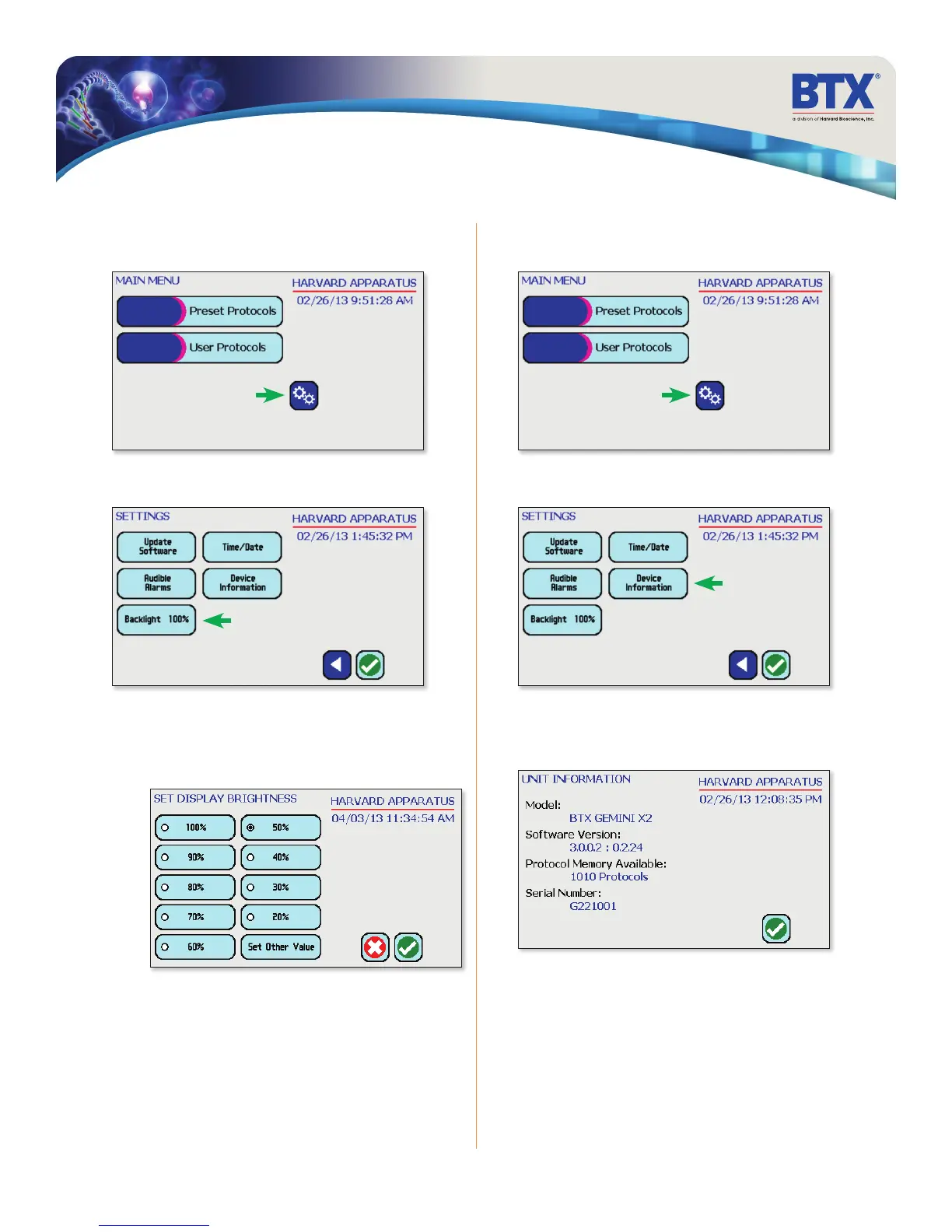
Setting Backlight Preferences
On the home screen, tap the Gears icon
Tap Backlight icon. Tap Device Information icon.
Select preferred brightness by tapping the icons indicating
% brightness.
Tap the Green Check icon to save and return to the settings screen.
View device information.
Tap the Green Check icon to return to the settings screen.
Software Setup
Displaying Device Information
On the home screen, tap the Gears icon.
INFO
BACKLIGHT
BACKLIGHT - KEYPAD
(not shown)


 To Next Page