12
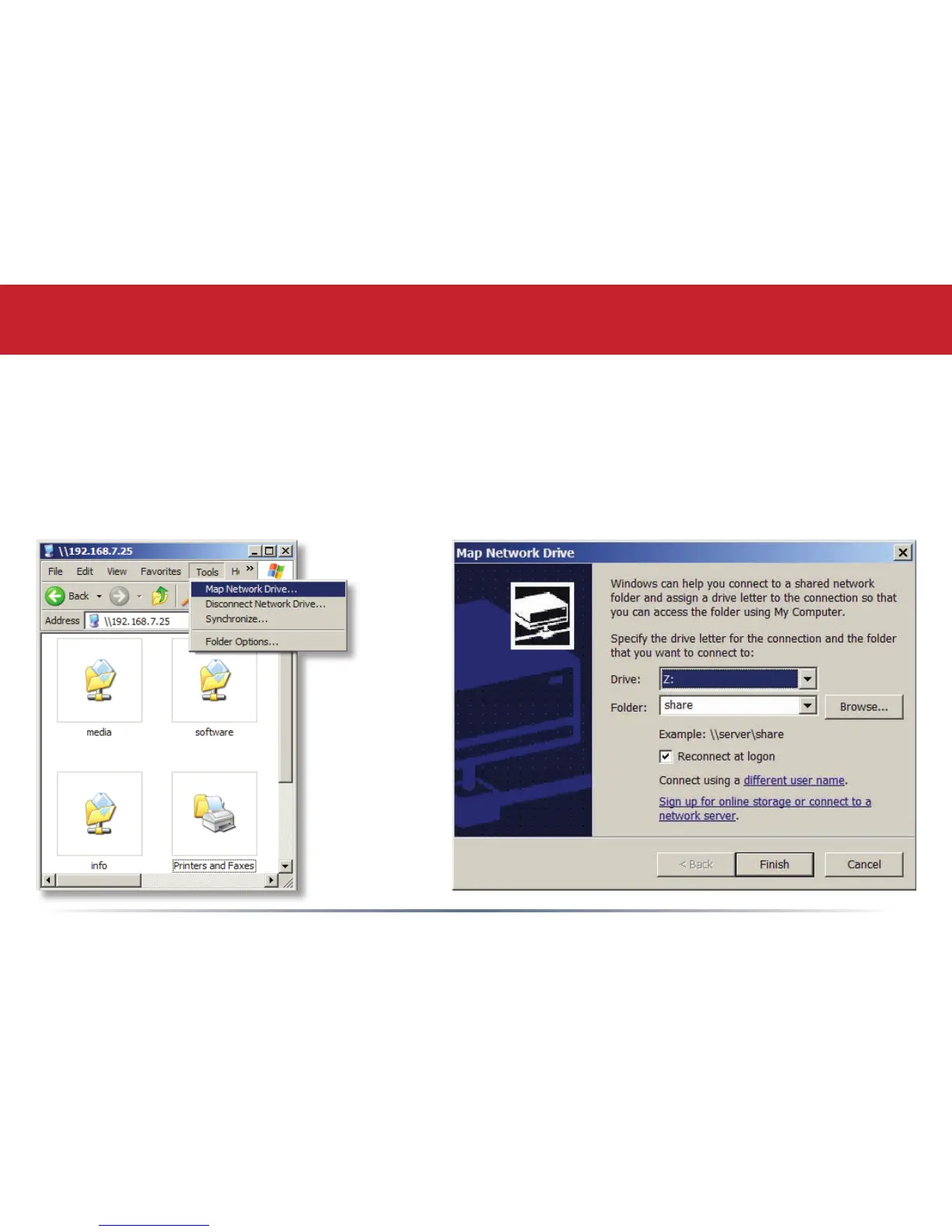
From the Tools pull-down menu, select Map Network Drive. Choose a drive letter from the Drive:
pull down menu. To specify the folder to map, either nd it with Browse or enter \\LinkStation_
Name\share_name in the Folder: eld, where LinkStation_Name is your LinkStation’s hostname
(page 21) and share_name is the name of a folder on your LinkStation. Check the Reconnect at
logon checkbox to have Windows connect to this mapped drive everytime it starts. When nished,
press the Finish button. Your share is now mapped to a drive letter.
Accessing LinkStation Data from your PC














 To Next Page