Home
Buffalo
Network Hardware
LinkStation Mini
Page 27 (Disk Management - Drive Properties)
Buffalo LinkStation Mini - Disk Management - Drive Properties
71 pages
Manual
Save Page as PDF
To Next Page
To Next Page
To Previous Page
To Previous Page
Loading...
27
Advanced Settings
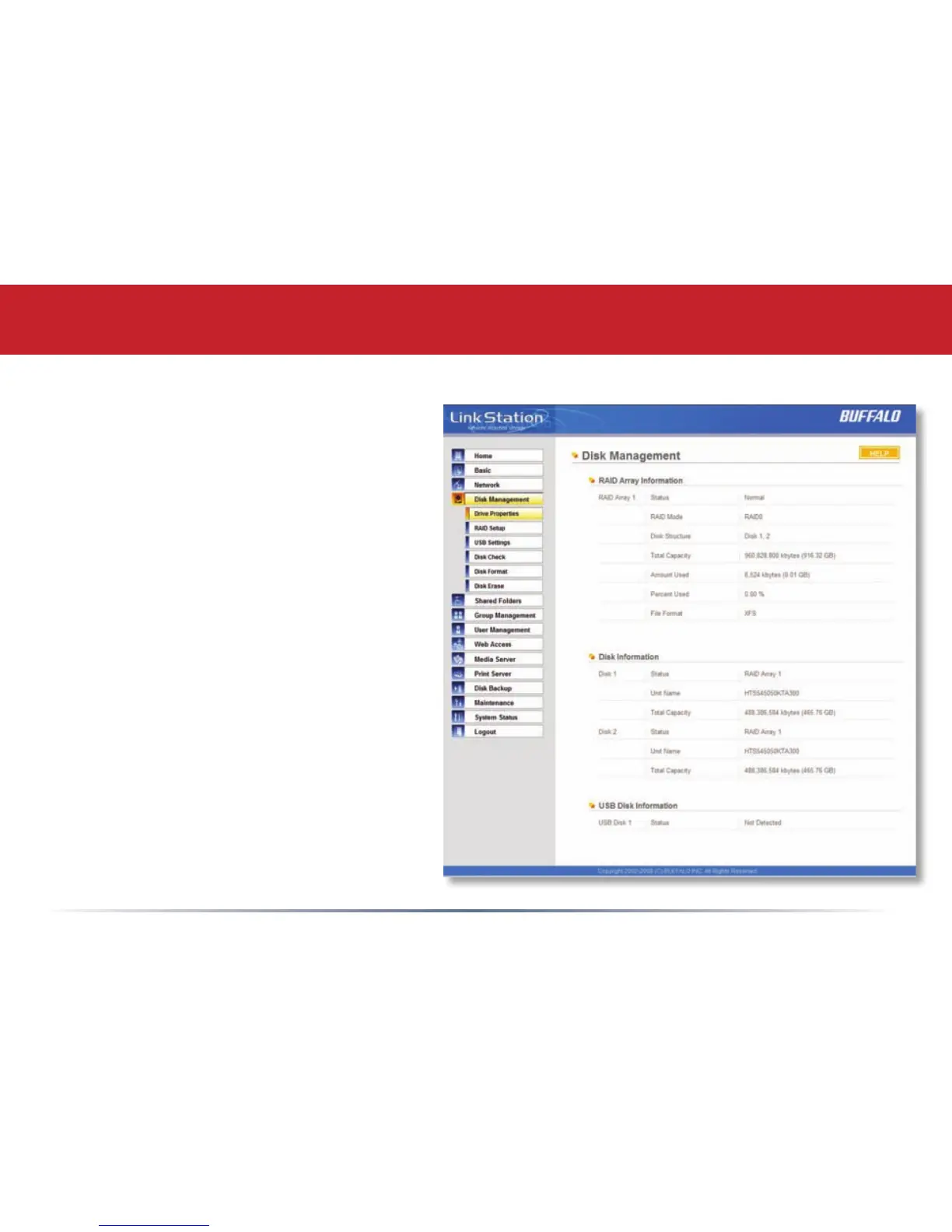
Disk Management (Drive Properties)
This page shows the properties
for the drives in your LinkStation
Mini. If you have a USB hard drive
plugged into the linkstation, its
properties will appear here as well.
26
28
Table of Contents
Main Page
User Manual
1
Table of Contents
3
Back Panel Layout
4
Installation
5
Power Mode Switch
8
Using Your Linkstation with a PC
9
Using Your Linkstation with a Mac
13
Accessing Linkstation Data from a Mac
14
Linkstation Expansion
17
Add USB Devices
17
Front Panel Layout
18
Using the Function Button
19
Advanced Settings
21
Network Settings
25
Disk Management
27
Shared Folders
33
Groups
37
Users
38
Passwords
39
Webaccess
40
Using Webaccess
42
DLNA Media Server
44
Printer Installation
45
Installing a Printer
45
Troubleshooting Multiple Shares
50
Backups
55
Maintenance & Notification
56
System Status
60
Client Utility
64
Troubleshooting
66
Technical Specifications
67
Contact Information (USA)
68
Contact Information (Europe)
69
GPL Information
70
Related product manuals
Buffalo LinkStation
173 pages
Buffalo LinkStation 500
141 pages
Buffalo LinkStation Pro LS-300GL
2 pages
LinkStation Live Shared Network Storage
76 pages
Buffalo LS-WXL
171 pages
Buffalo LS-XHL
92 pages
Buffalo LS410D
87 pages
Buffalo LS420D
87 pages
Buffalo LS421DE
87 pages
Buffalo LinkStation Live
76 pages
Buffalo LinkStation 420DS
77 pages
LinkStation LS220D Series
2 pages














 To Next Page