26
Advanced Settings
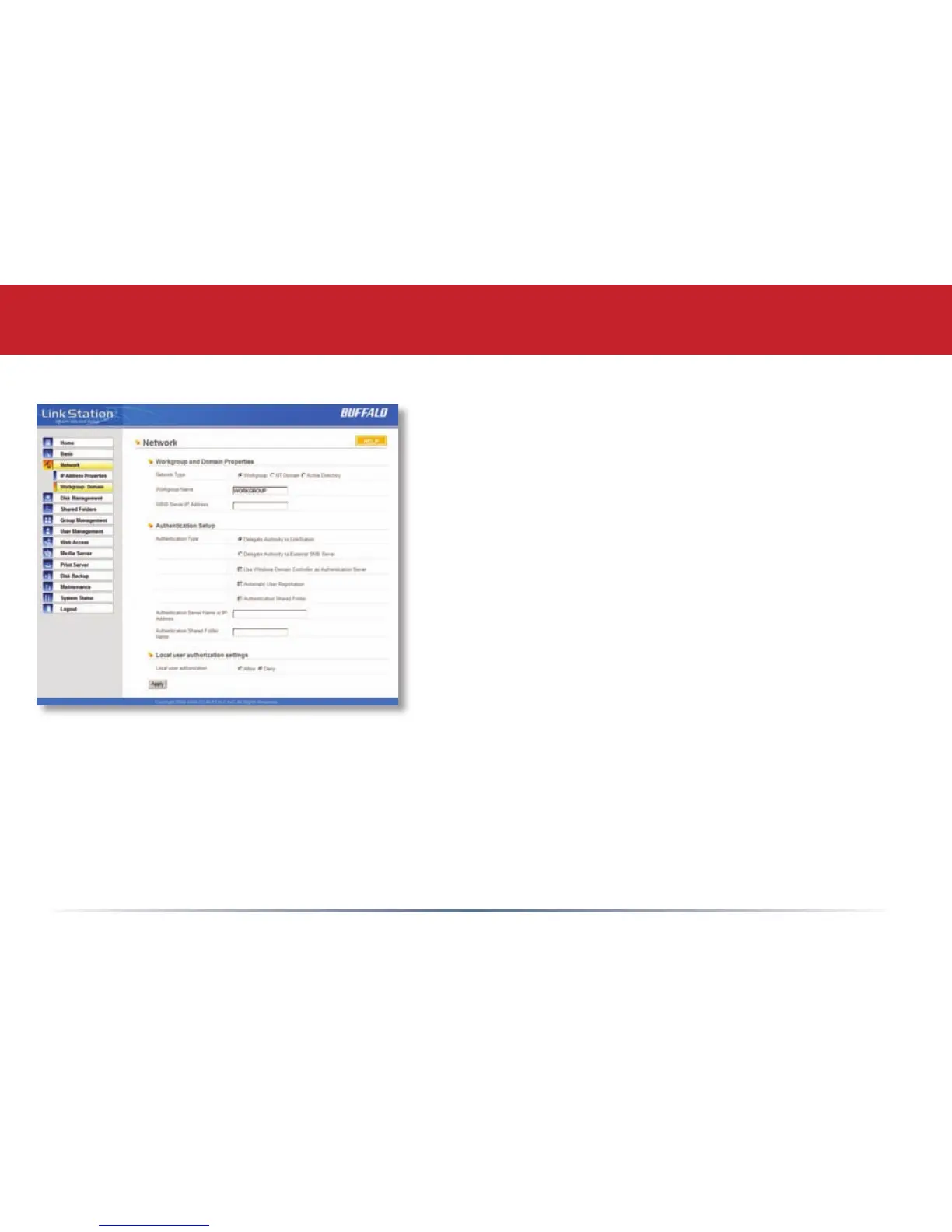
Network (Workgroup/Domain)
If you do not participate in a Domain/Active directory
network, then please leave the Network Type selected as
Workgroup and Workgroup Name set to the name of your
local workgroup.
To make your LinkStation a member of a workgroup or
an NT domain, enter the appropriate information into the
elds on this page and click Apply.
If using NT Domain or Active Directory, LinkStation must be
added as a member computer in the Domain Server.
Setting NT Domain or Active Directory for network type
integrates the LinkStation with a server. The LinkStation
Pro participates as a member device in the Domain and
Active Directory networks, allowing the LinkStation to use
Users and Groups that reside on the Domain or Active
Directory System. If Active Directory is used, then the
LinkStation will automatically receive update information from the domain controller(s). To congure the
LinkStation Pro on an Active Directory network, you must have the Domain Administrator login credentials.
Enter the Domain Name and Domain Controller into the appropriate elds. In an Active Directory
environment, check the Active Directory Domain checkbox and ll in the remaining elds. The Authentication
Setup elds will be automatically lled out, so no input is needed there. Once you have nished, press Apply.














 To Next Page