18
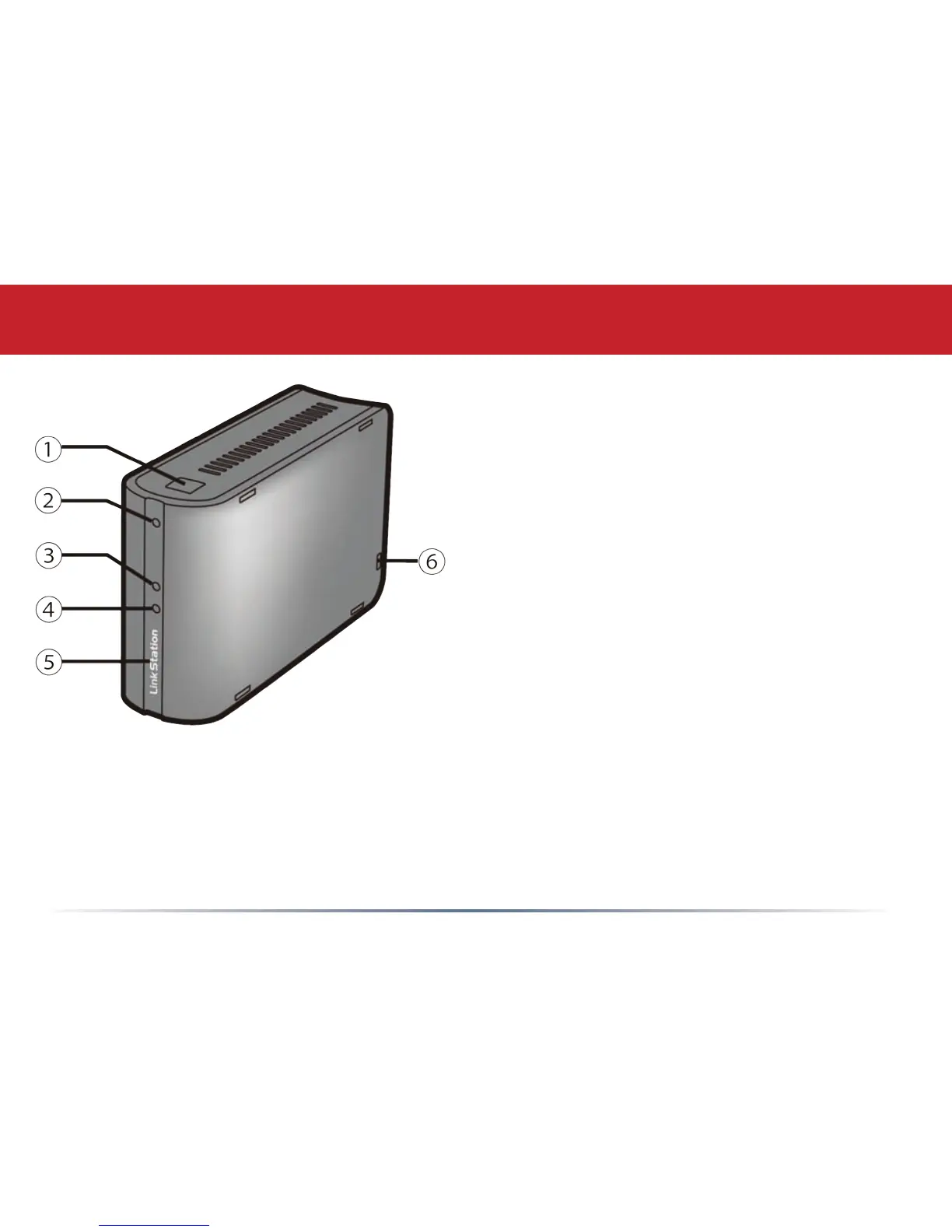
Front Panel Layout
Function Button - See the next page for
instructions on using the Function button.
Function LED - Blue. This ashes to indicate
various functionality of the Function button.
Link/Act LED - Green. This LED lights up
when connected to a network and ashes
when data is sent and received over the port.
Info/Error LED - Orange. This LED ashes to
indicate system errors and messages. See the
Troubleshooting section for error codes.
Power LED - Blue. Lit when the LinkStation
is on. Flashes during boot or shutdown.
Lock Mount - This slot is for mounting a
security lock to the LinkStation Mini.














 To Next Page