Chapter 4 Conguration
WCR-GN User Manual 57
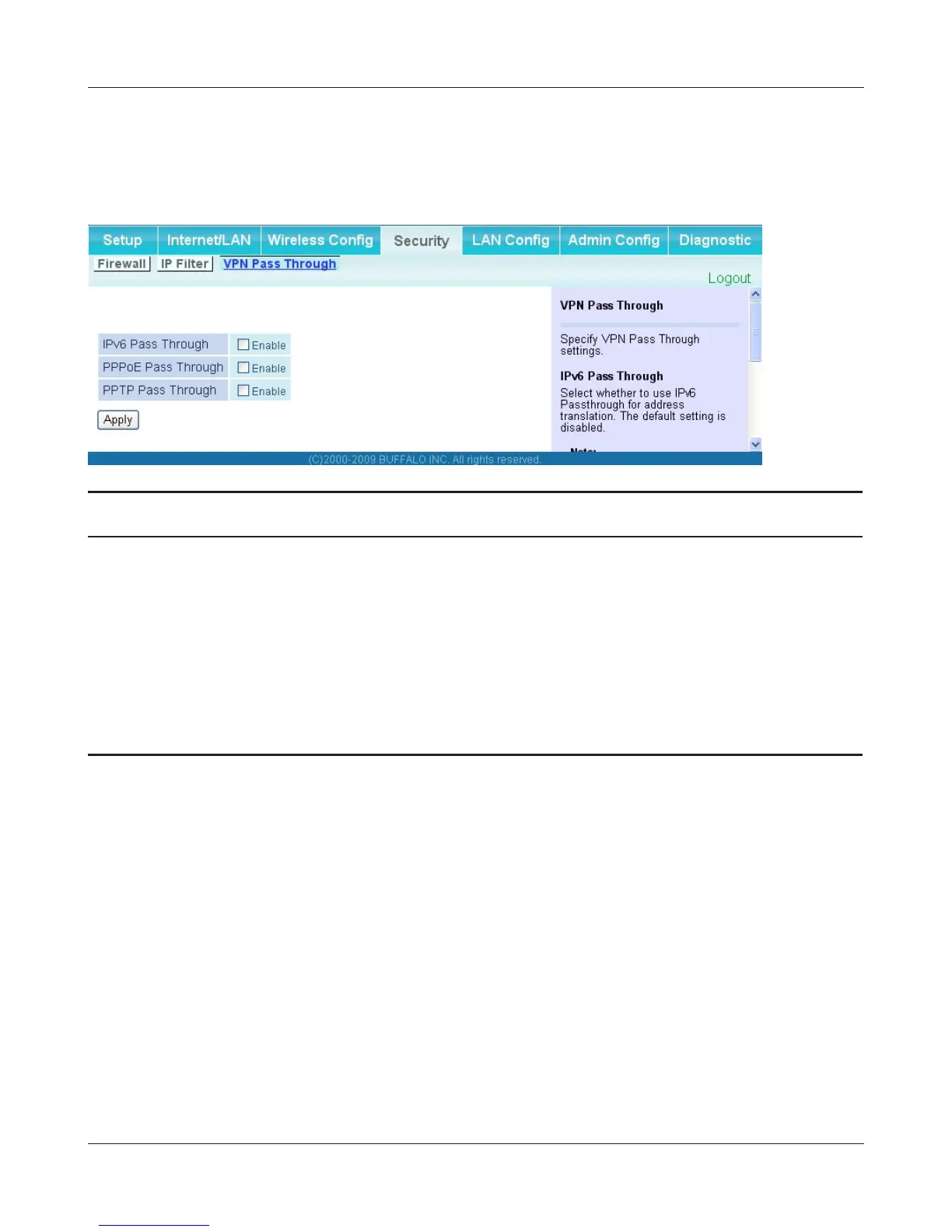
VPN Pass Through (Router Mode only)
ThescreentocongureIPv6passthrough,PPPoEpassthrough,andPPTPpassthrough.
Parameter Meaning
IPv6PassThrough EnabletouseIPv6PassThroughforaddresstranslation.
PPPoE Pass Through Enable to use PPPoE bridge. Using PPPoE bridge lets you
automaticallyobtainanIPaddressfromyourproviderusingthe
PPPoEprotocolfromyourcomputerconnectedtotheLANside
becauseallPPPoEpacketscanpassthroughbetweentheInternet
andLAN.
PPTP Pass Through Enable to use the PPTP Pass Through for address translation.




 To Next Page