Chapter 5 Connect to a Wireless Network
WCR-GN User Manual 81
3
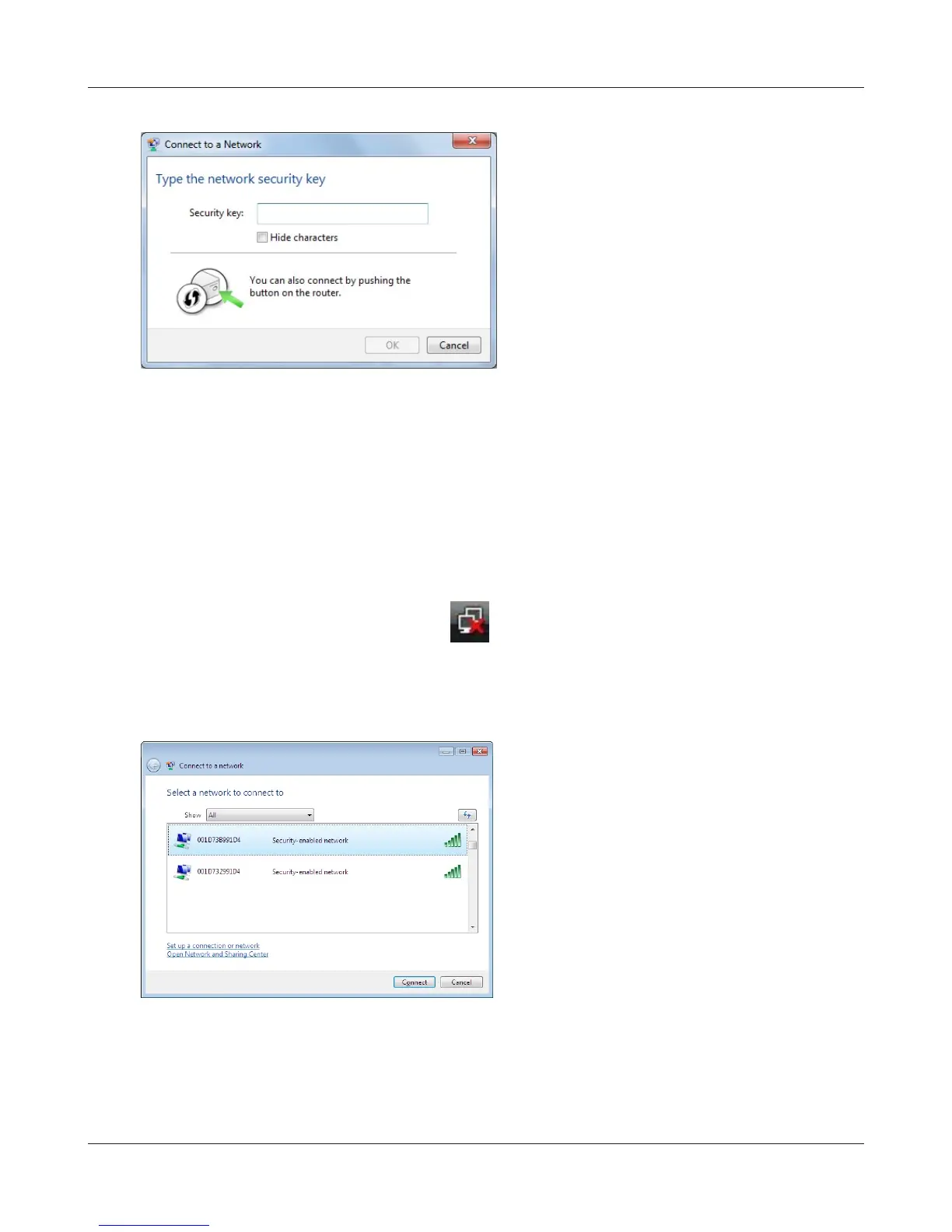
Ifthisscreenisdisplayed,enterthe
encryption key (such as WEP key or pre-
sharedkey)andclick“OK”.
1
Right click on the wireless network icon in the system tray
.
2
Click“Connect to a network
”
.
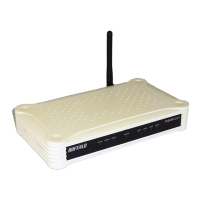
When the screen at left is displayed, select the
networktoconnecttoandclick“Connect
”
.
3
Windows Vista (WLAN AutoCong)
UseWindowsstandardutility(WLANAutoCong)toconnecttothefollowingAirStation.



 To Next Page