Chapter 5 Connect to a Wireless Network
WCR-GN User Manual 83
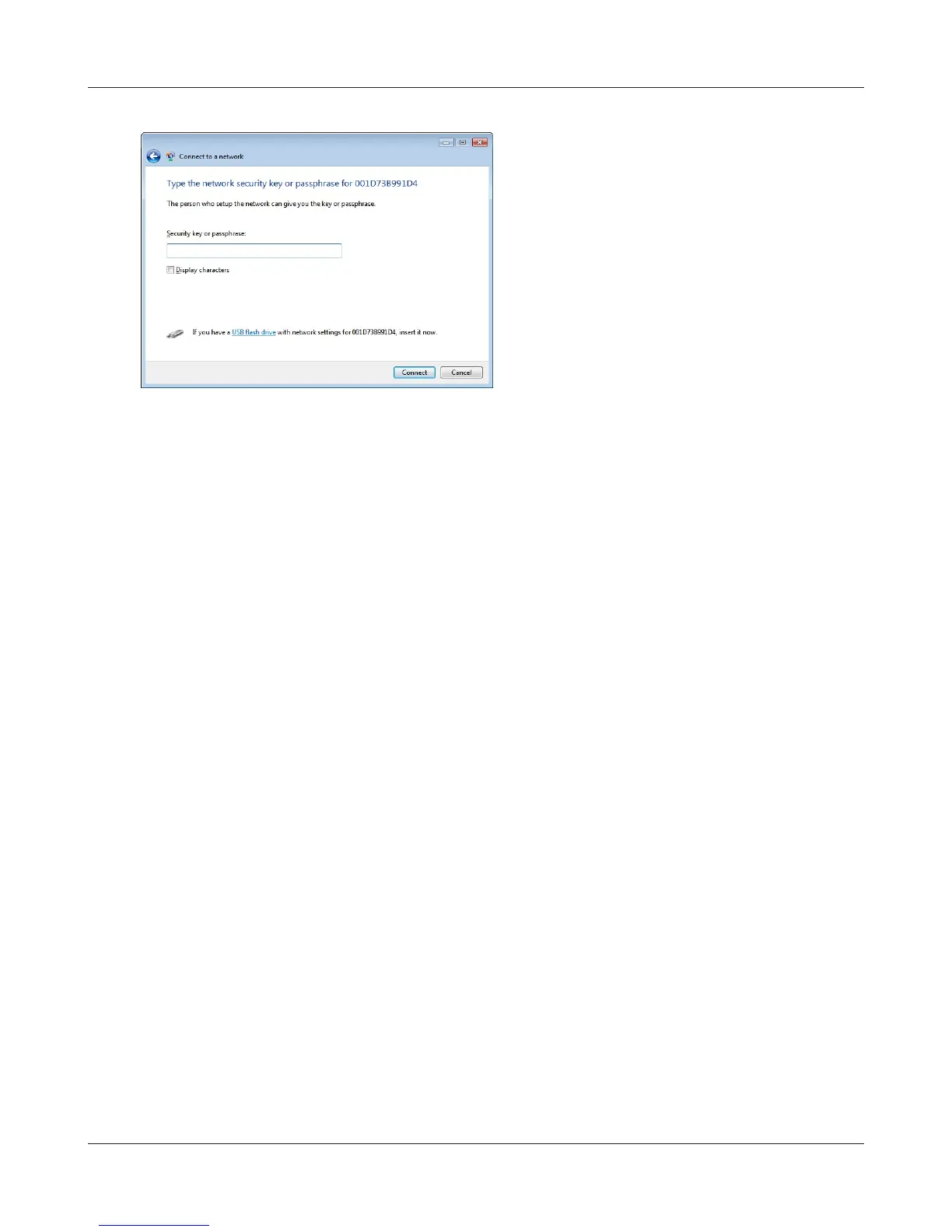
When the screen at left is displayed, enter an
encryption key (such as WEP key or pre-shared
key)andclick“Connect”.
4
Followtheinstructionsdisplayedonthescreentonishconguration.
(IftheSetNetworkLocationscreenisdisplayed,select“Home”, “ Work”,or“Public location“
depending where you’re using the AirStation.



 To Next Page