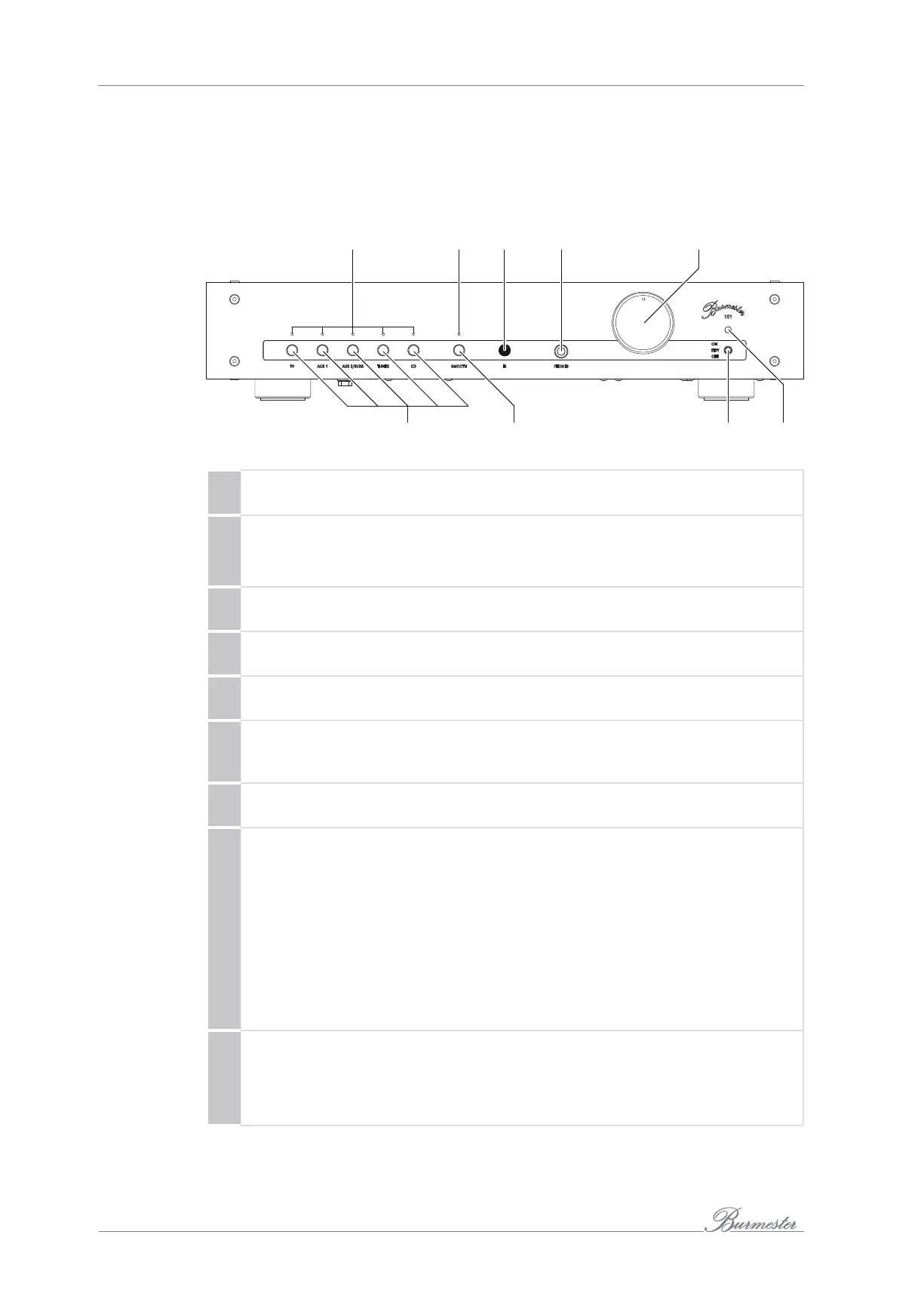
THE DEVICE AT A GLANCE
10
T D G
Front side
1 Input selection LEDs
The lit LED indicates the signal source selected with the input selection button (6).
2 LED (SMOOTH)
• LED lit: Smooth function active.
• LED not lit: Smooth function inactive.
3 IR receiver
Receiver for remote control commands.
4 Headphone output
Output socket for connecting headphones.
5 Volume control
Turning the control changes the volume.
6 Input selection button
The input selection button is used to select the signal source: TV set (TV),
external devices (AUX1/AUX2), tuner (TUNER), or CD player (CD).
7 SMOOTH button
Pressing the button turns the Smooth function on or off.
8 Power on/off switch
This switch is used to switch the device on, off, or into standby mode when the
device is plugged in and the power switch (15) is set to ON.
• OFF: The device is switched off and cannot be switched on using the remote
control. The LED(9) is not lit.
• STBY: The device is in standby mode and can be switched on using the
remote control. The LED(9) lights up in orange.
• ON: Briefly pushing the switch upward switches on the device. The switch
returns to the center position. The LED(9) lights up in red. Pushing the switch
upward again returns the device to standby mode.
9 LED (operation/standby)
• LED lights up in orange: the device is in standby mode.
• LED lights up in red: the device is in operation.
• LED flashes in red: an error has occurred (see page 22).



 To Next Page