CONNECTING THE DEVICE
101 Integrated Amplifier
15
Headphone output (4)
CAUTION
High-intensity sound
Loud output signals may damage your hearing.
►
Please note that the volume is controlled by the connected device when the
Surround Thruput is activated..
►
Do not increase the volume before putting on the headphones; increase to the
desired volume once you have put them on.
NOTE: Do not insert the headphone plug into the headphone socket until after you have
switched the device on with the power on/off switch, the remote control, or one of the
BURLINK commands, and unplug the headphone jack from the socket before switching
off the device.
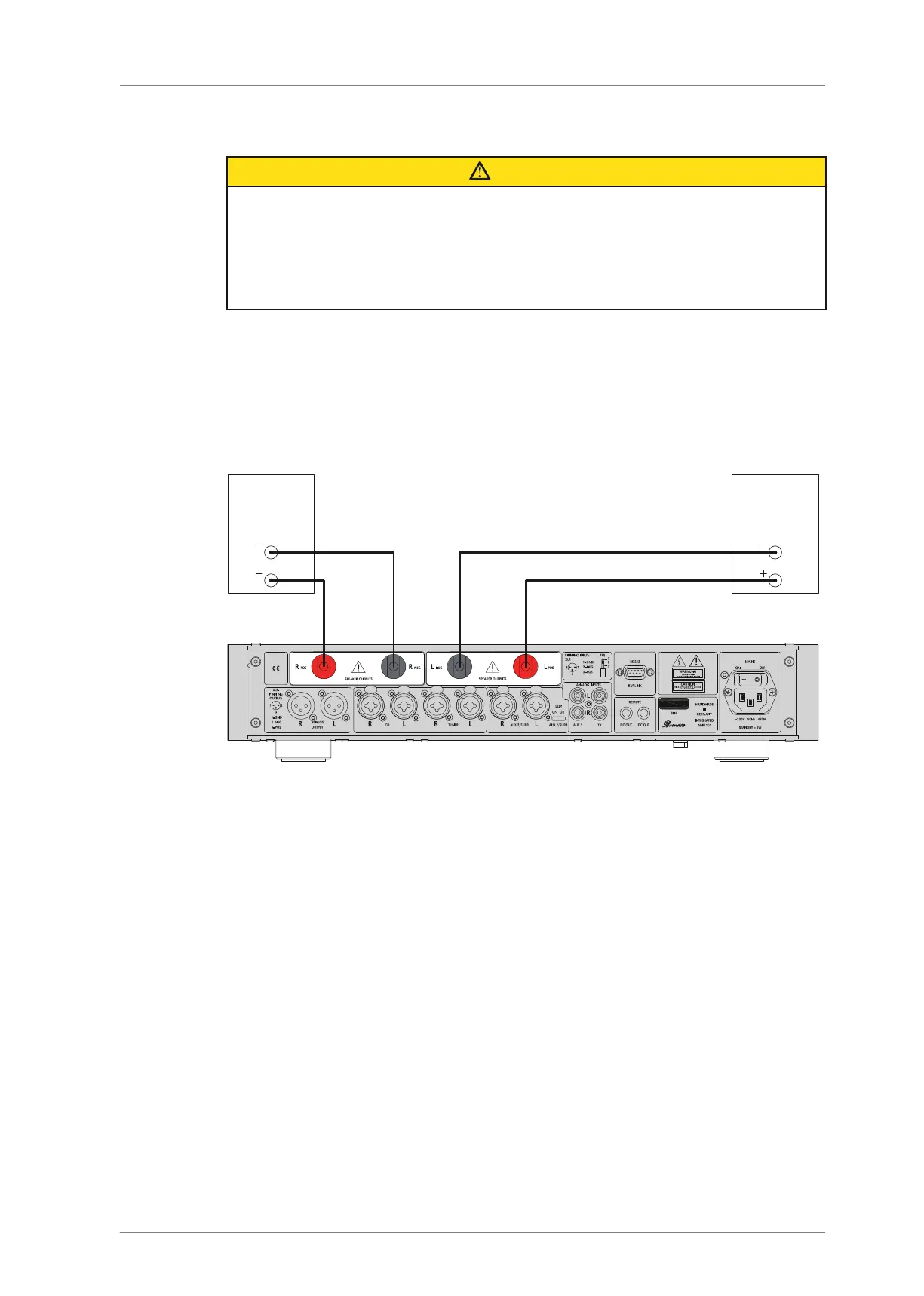
Connecting the speaker outputs
You have read the information on the speaker outputs on page14.
The device is switched off.
The left output on the integrated amplifier is connected to the left speaker and the
right output on the integrated amplifier is connected to the right speaker.
►
Connect a speaker cable to the right speaker and then connect the cable to the
RIGHT POS (10) and RIGHT NEG (11) connectors. Pay attention to the correct
polarity. With the 101, the positive connection is marked red and the negative
connection is marked black.
►
Connect a speaker cable to the left speaker and then connect the cable to the
LEFTPOS (13) and LEFTNEG (12) connectors. Pay attention to the correct polarity.
With the 101, the positive connection is marked red and the negative connection is
marked black.



 To Next Page