CONNECTING THE DEVICE
16
Connecting the preamplifier output
The device is switched off.
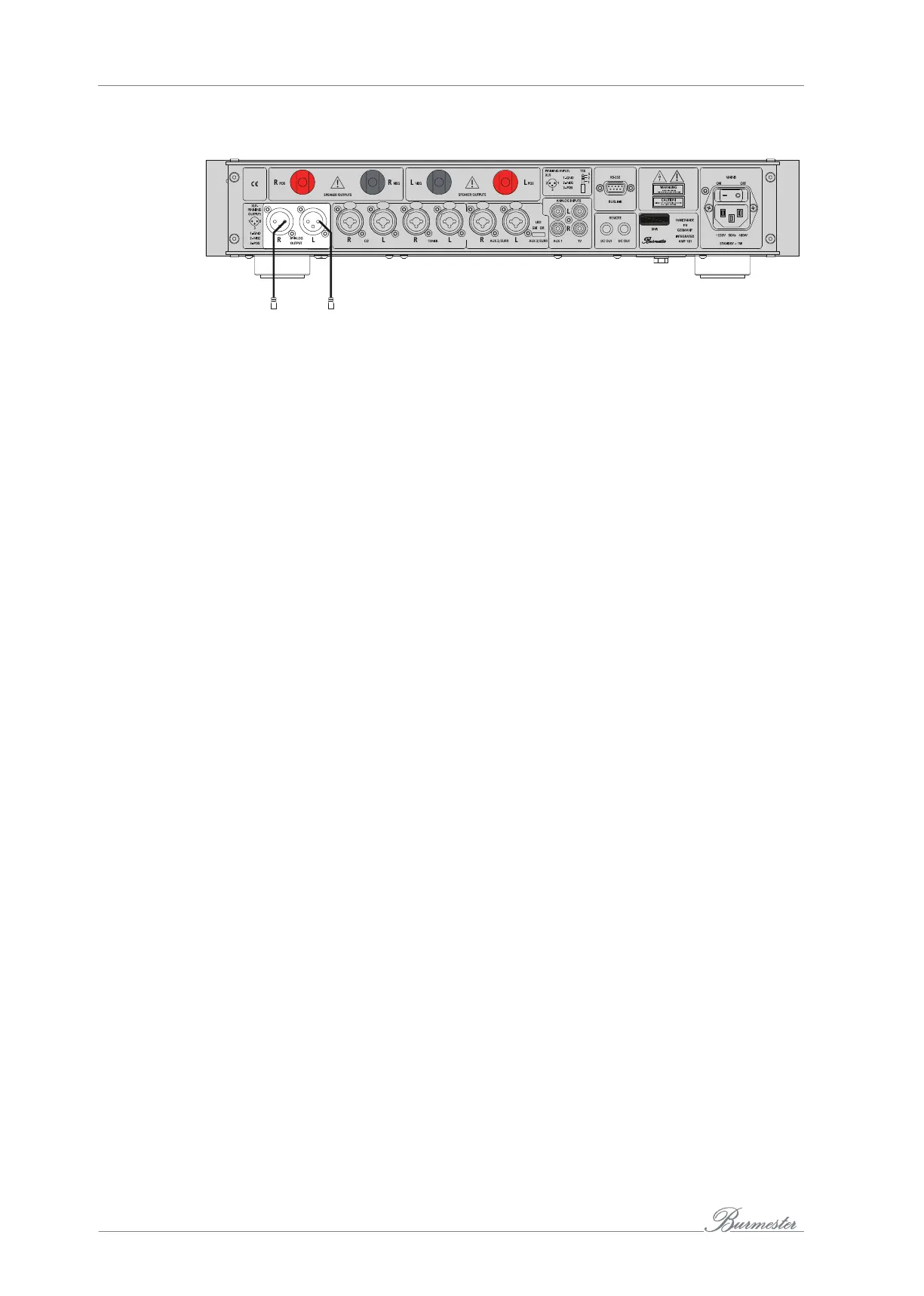
The 101integrated amplifier has a symmetrical preamp output ANALOGOUTPUT (17)
for connecting output amplifiers or self-powered speakers. The signal of the selected
input CD, TUNER, AUX2, AUX1, or TV is present at this output.
►
Connect the right output on the 101 integrated amplifier with the right input on the
output amplifier or self-powered speaker.
►
Connect the left output on the 101 integrated amplifier with the left input on the
output amplifier or self-powered speaker.
Connecting headphones
You have read the information on the headphone output on page 16.
The 101 integrated amplifier is turned on and the volume is turned down.
►
Insert the headphone jack with an impedance over 16Ω into the headphone output
(4) on the front side of the device.
NOTE: When inserting the headphone jack, the speaker outputs are automatically switched off
and the volume is reduced.
If the jack is unplugged, the speaker outputs are switched back on and the volume is
again reduced.
BURLINK interface
Control systems such as PC, CRESTRON, AMEX, etc. can be connected to the
BURmester-LINK connector (14). This enables convenient control of your entire system,
e.g. via a touch panel which you can program individually.
The commands for controlling the 101 integrated amplifier can be found in the section
“BURLINK (BURmester LINK Connection)” on page23.



 To Next Page