OPERATING THE DEVICE
20
Smooth function
The switchable “Smooth” function ensures a rounded, detailed sound, even at low
volumes.
►
Press the SMOOTH button (7) to enable the Smooth function.
The Smooth function is activated and the LED (2) is lit.
►
Press the SMOOTH button (7) again to turn off the Smooth function.
The Smooth function is deactivated and the LED (2) goes out.
NOTE: The SUBT button (30) on the remote control can also be used to switch the Smooth
function on and off.
Subsonic filter (optional)
To get a higher volume level from small loudspeakers, we recommend the use of our
specially tuned subsonic filter. When activated the frequencies below approx. 45Hz are
attenuated, resulting in an increased loudspeaker power handling. The subsonic filter
can be activated or deactivated while the 101 is running.
To turn the subsonic filter on and off:
►
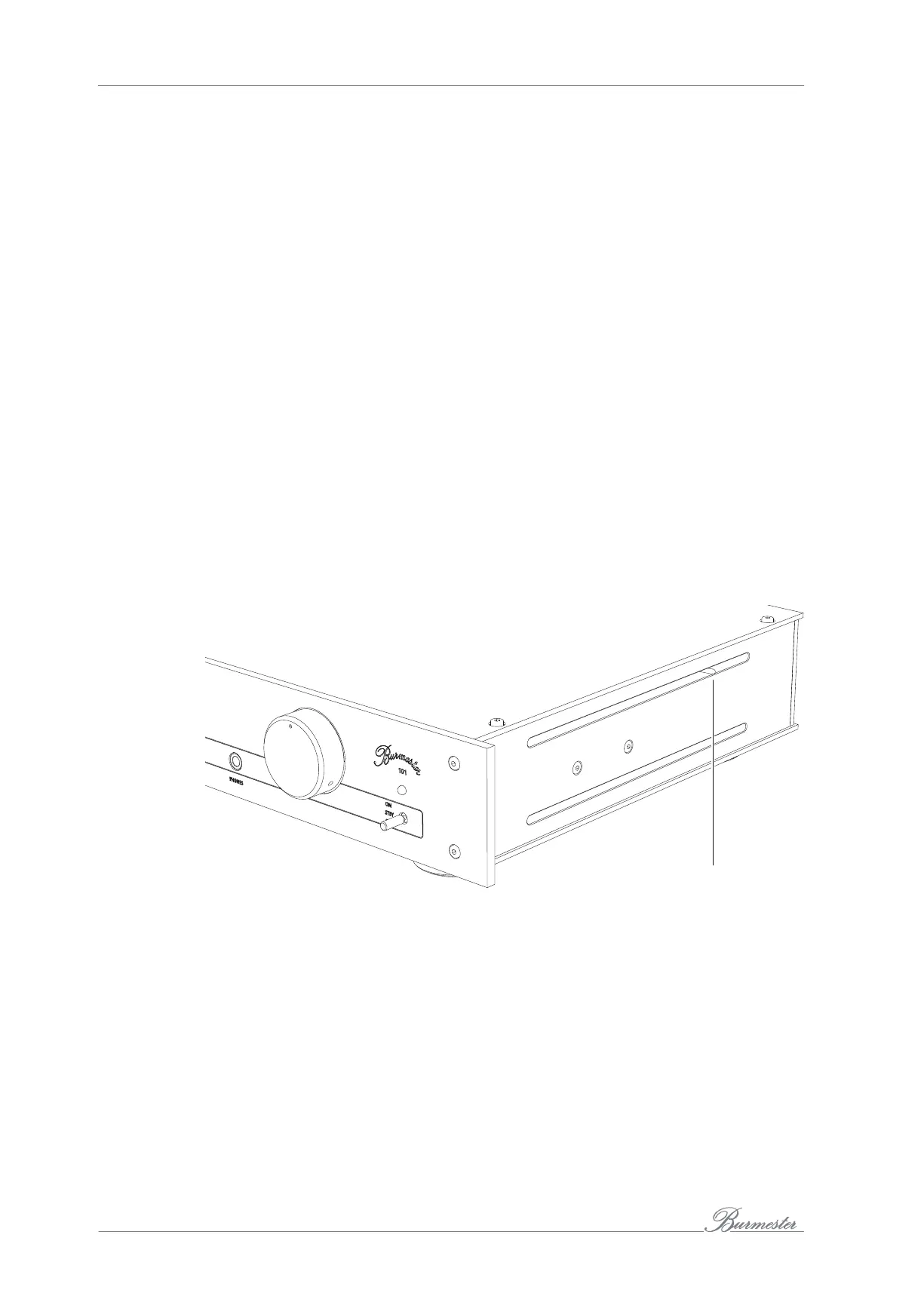
Use the little toggle switch (31) on the right side wall in the upper venting slot.
Moving the toggle switch towards the rear panel means that the subsonic filter is
turned on.
Moving the toggle switch towards the front panel means that the subsonic filter is
turned off.
31
NOTE: The subsonic filter is available as an option and not included in the standard delivery
contents. If you have any questions, please contact your authorised specialist dealer.
The subsonic filter must be installed or changed only by an expert technician.



 To Next Page