CONNECTING THE DEVICE
101 Integrated Amplifier
17
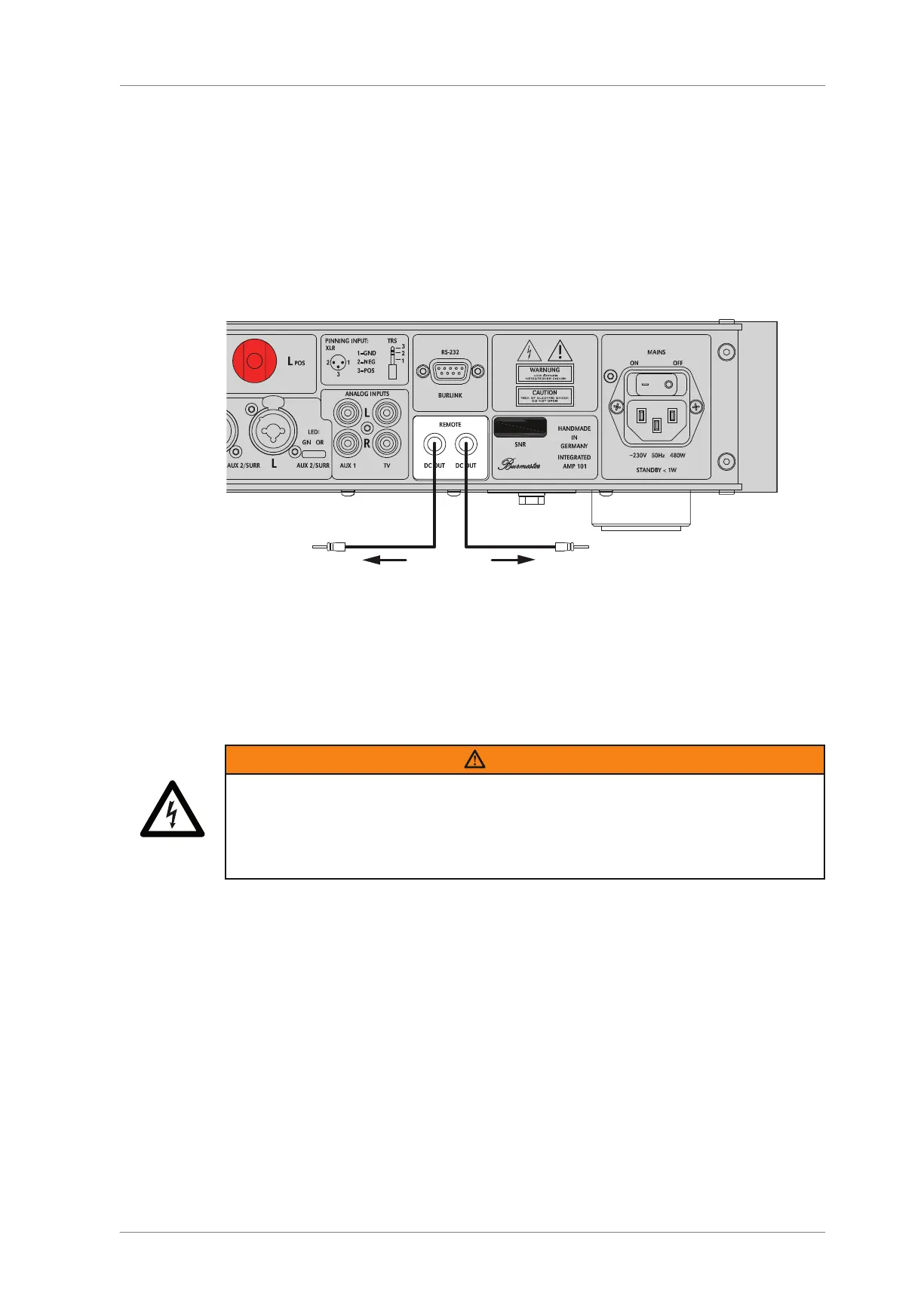
Connecting the remote output
The 101 integrated amplifier is equipped with two remote control connections for the
remote control of up to 2components:
By connecting the REMOTEDC OUT (23) socket to the corresponding REMOTEDC IN
socket on a BURMESTER device, the device can be switched on or off remotely when
switching the 101 on and off. In this operating mode, the 101 assumes the master
function.
To connect the remote control connections to the components, you need remote
cables optionally available from your specialist dealer.
Switching another component on or off remotely via the integrated
amplifier
►
Connect one of the REMOTEDC OUT (23) sockets on the 101integrated amplifier
to the component's REMOTEDC IN socket using a remote cable.
Connecting the power cord
WARNING
Missing or defective protective earth contact
A missing or incorrectly connected protective earth contact poses a danger to life.
►
Before connecting the device, ensure that the protective earth contact in your
outlet is active.
►
Should you have any doubts, contact a qualified professional.
NOTE: Before connecting the device, check whether the power supply indicated on the back
side of the device below the mains socket (16) matches that of the power supply
available at the set-up location. If you are unsure of which power supply is available at
the set-up location, please consult your responsible power supply company.
Connecting the power cord:
1. Make sure that the power switch (15) is set to OFF.
2. Connect the power cord to the mains socket (16). Then, insert the power plug into
the outlet.



 To Next Page