BYK-Gardner GmbH Quick Measurements | 4
301 200 085 E 2403 wave-scan 3 / wave-scan 3 dual 27
4.4 Results
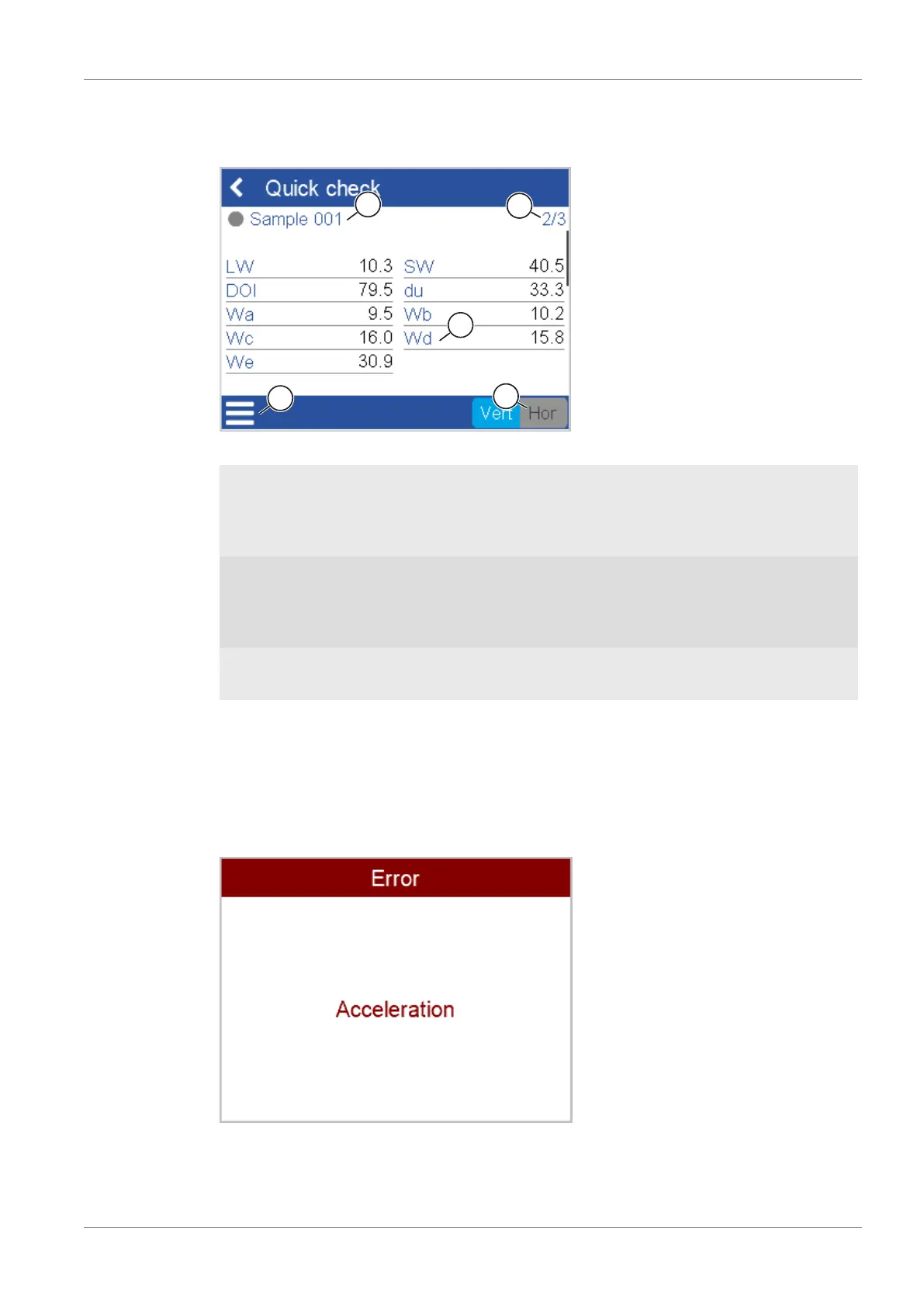
After successful measurement the result screen may look like this.
The items on the screen have the following meaning.
1 Name
The name of the sample currently mea-
sured, see also Standard Measure-
ments [}29] > Overview [}29].
2 Statistics
Measures taken and measures to be
taken, see Statistics [}48].
3 Scales
Scales can be configured in the mea-
surement parameters, see Scales
[}48].
4 Context Menu
Contains the measurement options cur-
rently available, see Final Menu
[}28].
5 Orientation
Can be switched to the correct value, if required, see Orientation Detection [}52].
After required number of measurements on the current sample place instrument on the next
sample and measure it.
4.5 Messages
Performing a successful measurement requires some practice. Error messages indicating the
type of error may appear during the first trials.
The LED light on the instrument turns to red and a warn signal is given out, see Configuration
[}45] > Sound. Check the message and repeat.



 To Next Page
 Loading...



