3-4 FlexNet
®
700 Series Line Extender Rev F
3
Housing Opening
The electronic components of the FlexNet
®
700 Series Line Extender are enclosed in a specialized,
diecast aluminum housing. Proper installation and other housing related procedures are important to
ensure the integrity of the electronics in the housing.
➤ To open the housing
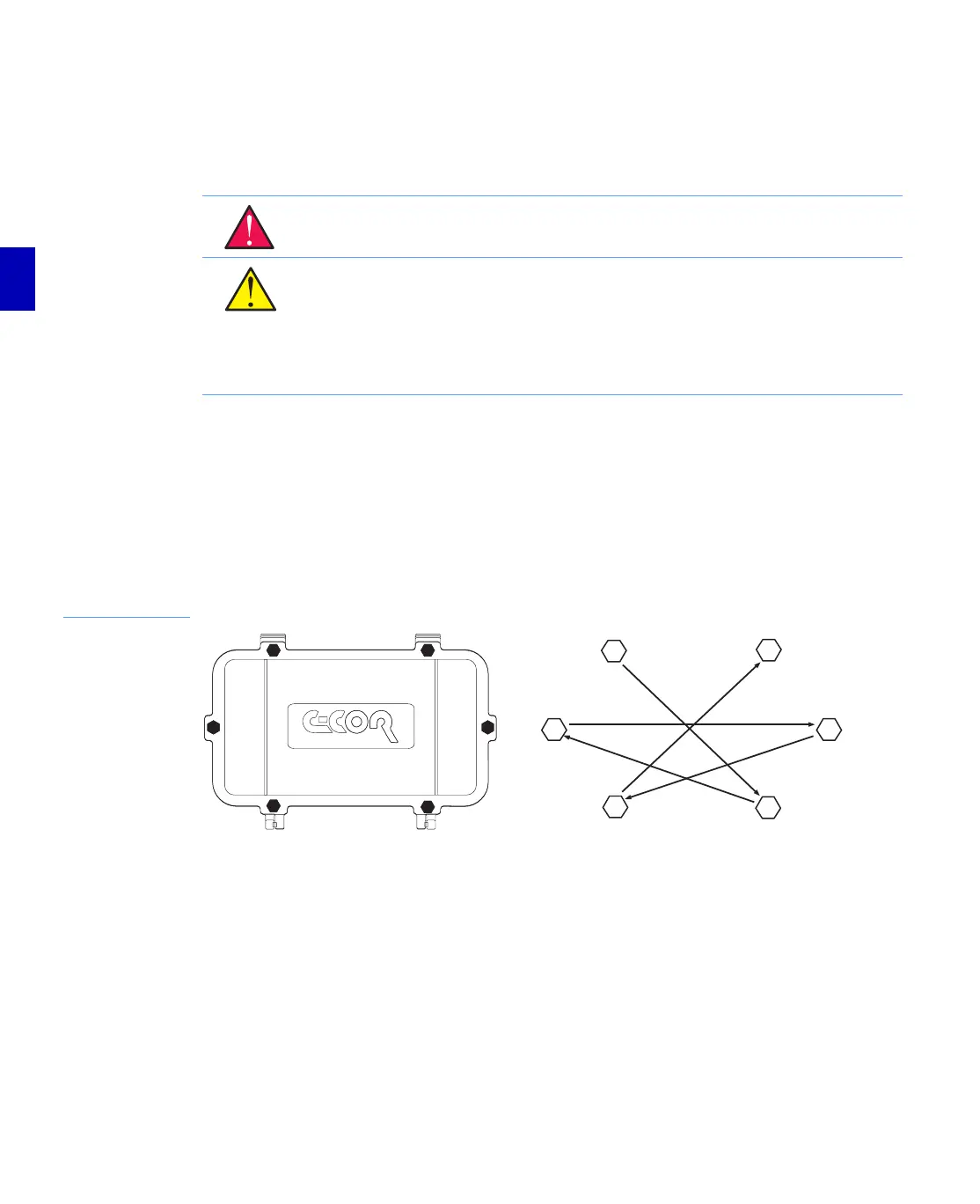
1. Loosen the six captive lid bolts with a 7/16-inch (11 mm) nutdriver using the sequence shown
in Figure 3.12 on page 3-16.
2. Hand loosen and release the two captive cover bolts next to the cover hinges. Hand loosen
and release the captive cover bolts at the ends of the unit.
3. While holding the cover closed with one hand, release the last two captive cover bolts, and
open (lower) the cover.
Figure 3.3
Housing Lid Bolt
Loosening Sequence
Housing Mounting
Depending on the requirements of the system, the E7 Line Extender can be mounted in any one of the
following ways:
■ strand/pedestal mount
■ strand/pedestal mount with Extension Mounting Brackets
■ wall mount
■ wall mount with Extension Mounting Brackets
WARNING: Hazardous voltages are present. Use approved safety equipment and
procedures.
CAUTION: Amplifier electronic components can be damaged by the environment. Close
the housing whenever it is left unattended to keep moisture out of the station and to
protect the network from RF interference.
CAUTION: When opening a housing, a vacuum may exist. If it is necessary to pry open
the lid, do so at the lid bolt bosses which offer additional structural support. Prying the
lid at another location may damage the housing.
4
5
6
3
2
1


 To Next Page