C-4 FlexNet
®
700 Series Line Extender Rev F
C
Soldered-in Jumper Removal
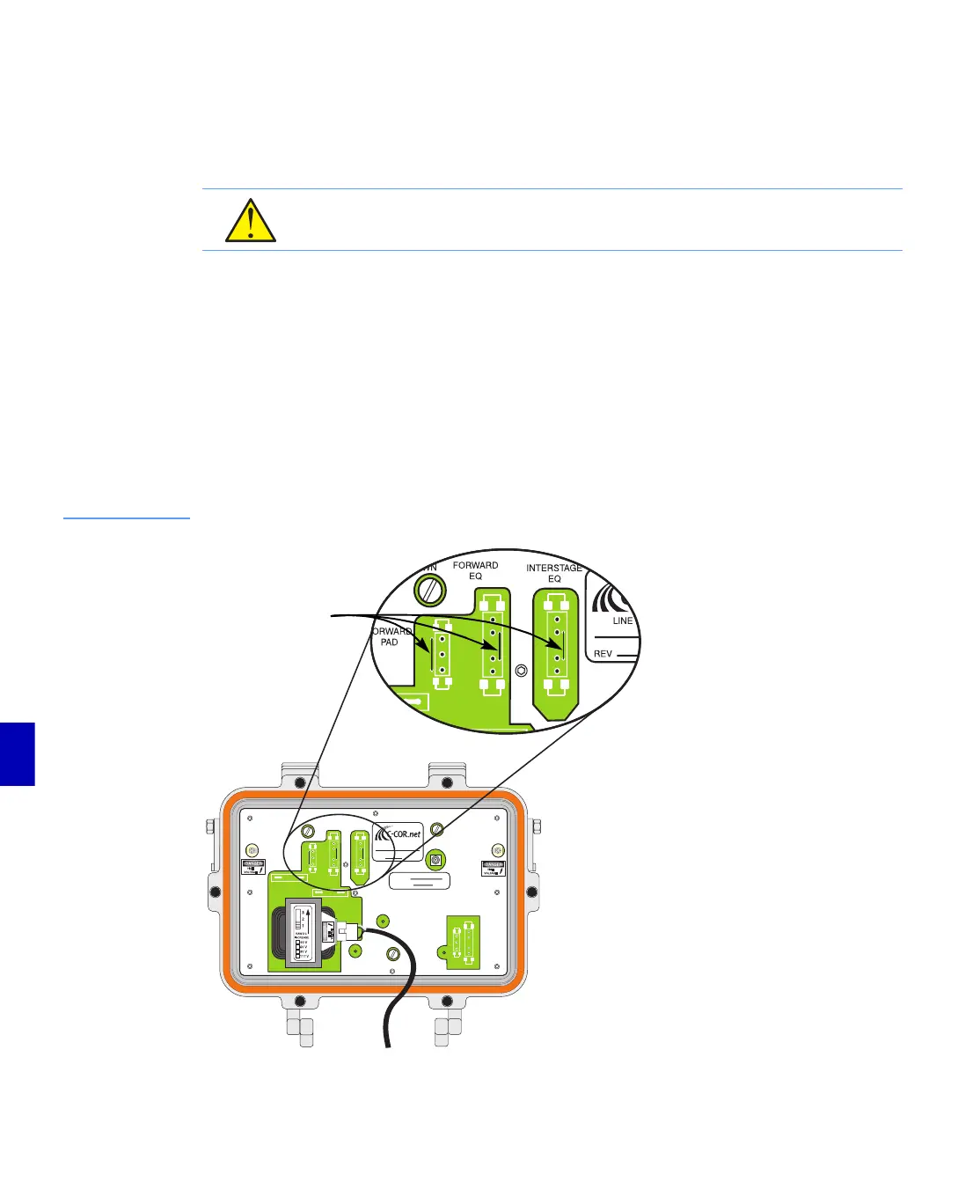
Some plug-in locations have soldered-in jumpers next to a plug-in location. If an accessory will be
installed in any plug-in location that has a soldered-in jumper, the soldered-in jumper must first be
removed completely before installing the accessory.
➤ To remove a soldered-in jumper
1. Find the jumper wire in a plug-in location(PAD, EQ).
2. Use wire cutters to cut one end of the jumper.
3. Use needlenose pliers to grasp the jumper at the cut end.
4. While firmly grasping the jumper, use wire cutters to cut the remaining soldered end of the
jumper.
5. Remove the jumper with the needlenose pliers.
Figure C.1
Example of
Soldered-in Jumpers
CAUTION: Use caution when removing soldered-in jumpers to ensure that no loose wire
scraps remain on the RF module printed circuit board.
x
THRU
POWER
FUSE
MAIN FUSE
SER. NO.
MHz
SPACING
PORT
1
PORT
3
FORWARD
PA D
MODULE
HOLDDOWN
MODULE
HOLDDOWN
MODULE
HOLD
DOWN
-25dB
FORWARD
BALANCING
T. P.
FORWARD
EQ
REVERSE
EQ
REVERSE
PA D
REVERSE
B+ T.P.
B+
T. P.
RAW DC
T. P.
INTERSTAGE
EQ
LINE EXTENDER
REV
Soldered-in Jumpers
(All jumpers may not
be present on one
line extender)


 To Next Page