6-6 FlexNet
®
700 Series Line Extender Rev F
6
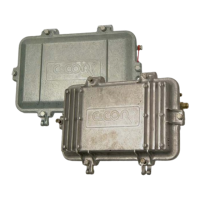
Housing Replacement
➤ To replace the housing
1. Remove the RF module and power supply module as described in RF Module Replacement
on page 6-2 and H. E. Power Supply Replacement on page 6-3
2. Beginning at Port 1 and using a #2 Phillips screwdriver, loosen the centerseizure screw no
more than two full turns.
3. Loosen the connector back nut and main nut on the external cable connector.
4. Pull the cable with connector main nut straight out of the connector body.
5. Loosen and remove the connector body from the housing cable entry port.
6. Disconnect Port 3 by repeating Steps 2 through 5.
7. When all cabling is disconnected, loosen the attaching bolts that secure the housing to the
strand, or remove bolts for housings mounted to EMBs or a wall.
8. Install the replacement housing in accordance with installation procedures given in Housing
Mounting on page 3-4.
9. Install the RF module and power supply as described in RF Module Replacement on page 6-2
and H. E. Power Supply Replacement on page 6-3 or Integrated Power Supply Replacement
on page 6-4.
WARNING: Hazardous voltages are present. Use approved safety equipment and
procedures. Sheath currents may flow through the amplifier housing. Establish a second
current path around the housing before disconnecting any cables. Automotive jumper cables
are recommended.
CAUTION: Amplifier electronic components can be damaged by the environment. Close
the housing whenever it is left unattended to keep moisture out of the amplifier and to
protect the network from RF interference.
CAUTION: DO NOT back centerseizure screws completely out of the seizure
mechanism. Centerseizure screws are not captive. Screws loose in the housing can cause
short circuits.


 To Next Page