9–3
Chapter 9: Replacement Parts
9
EA1-MG6-USER-M Hardware User Manual, 1st Ed. Rev C, 09/10
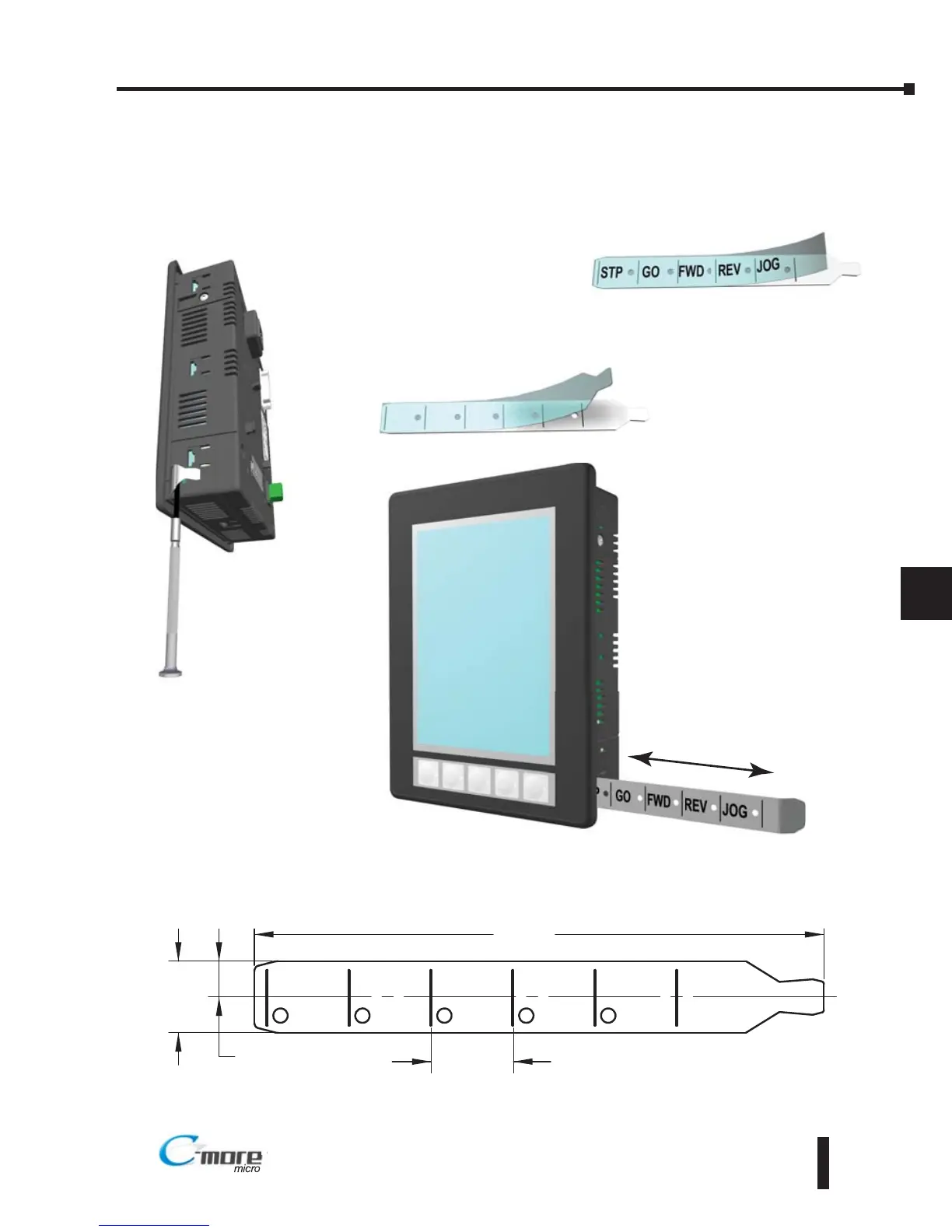
Step 1 - Remove existing
function key label insert
using a small tool such as
jeweler’s screw driver.
Step 2 - Remove the
protective film from the
blank key label insert.
Step 3 - If desired, print and
apply self adhesive labels to
the blank insert.
Step 4 - Install the new insert
into the slot in the side of the
panel and lock tab into place.



 To Next Page