EasyManua.ls Logo

C-more micro EA1-S6ML - Step 4 - Install C-More 6 Micro-Graphic Panel

Default Icon
189 pages
Print Icon
To Next Page IconTo Next Page
To Previous Page IconTo Previous Page
Loading...
EA1-MG6-USER-M Hardware User Manual, 1st Ed. Rev C, 09/10
1–9
Chapter 1: Getting Started
1
®
Step 4 – Install C-more 6” Micro-Graphic Panel
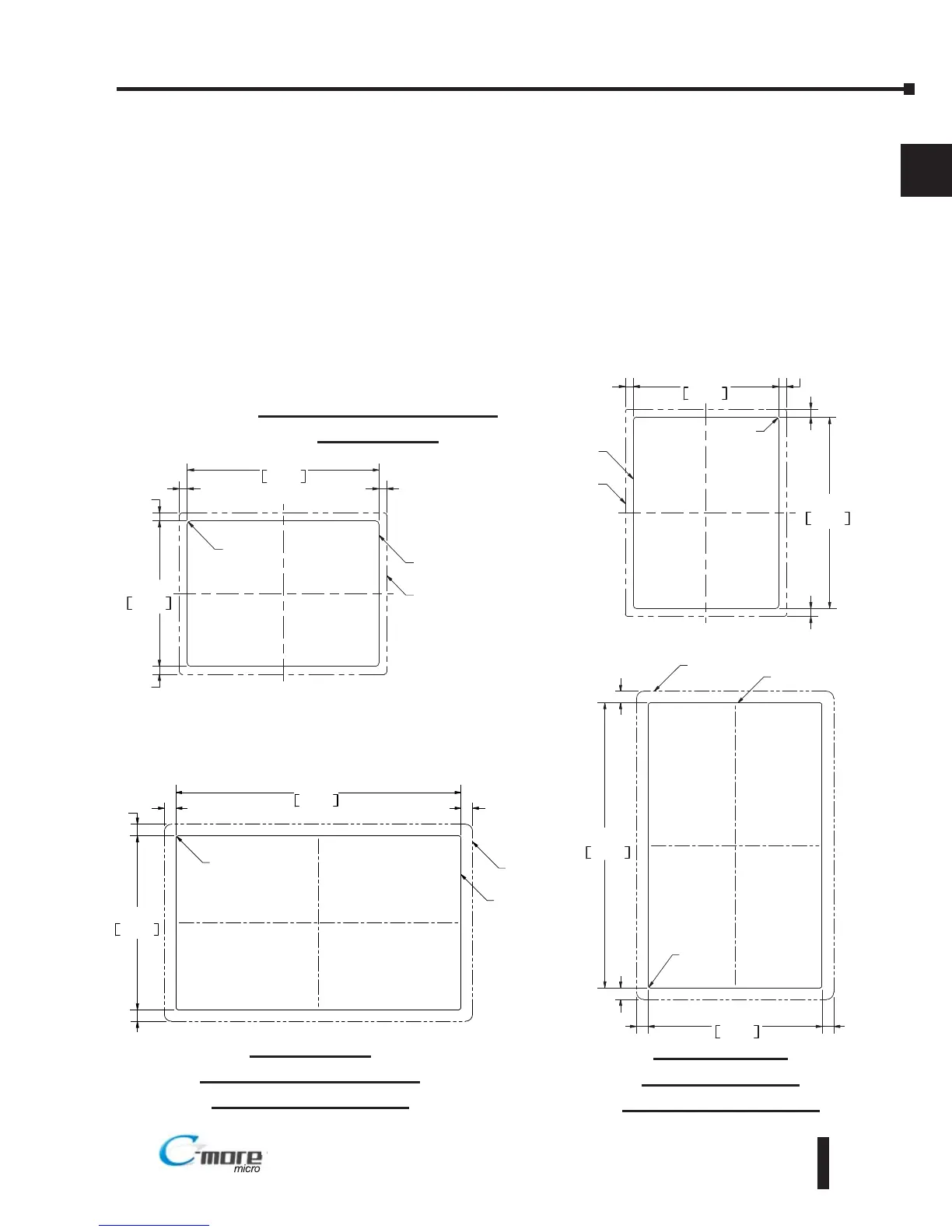
The C-more 6” Micro-Graphic panel can be mounted through a cutout in an enclosure by using
the template that is provided with the panel, or using the dimensions shown below. Cutout
dimensions for the 20-button landscape and 21-button portrait keypad bezel options are also
shown below. The keypad bezels also include a template that can be used. The enclosure
mounting thickness range for the panels and the keypad bezels is 0.04”–0.2” [1–5 mm].
The screw torque range for the screws used on the panel mounting clips and the keypad bezel
mounting clips is 21-28 oz-in [0.15-0.2 Nm].
See Chapter 2: Specifications for additional product dimensions.
Chapter 3: Accessories for accessory specifications and dimensions.

0 260
[6 6]
0 256
[6 5]
0 256
[6 5]
0 260
[6 6]
R 118 [R3]
CUTOUT
CUTOUT
OUTLINE
BEZEL
OUTLINE
122 2
+1
0
+0 04
0 00
4 811
161 0
+1
0
+0 04
0 00
6 339
Units Inches [mm]
0 382
[9 7]
0 382
[9 7]
0 382
[9 7]
0 382
[9 7]
143 0
+1
0
+0 04
0 00
5 630
CUTOUT
234 6
+1
0
+0 04
0 00
9 236
R0 59 [R1 5]
CUTOUT
OUTLINE
BEZEL
OUTLINE
EA1-S6ML & EA1-S6MLW
Panel Cutout
BEZEL
OUTLINE
0 382
[9 7]
0 382
[9 7]
0 382
[9 7]
0 382
[9 7]
143 0
+1
0
+0 04
0 00
5 630
CUTOUT
234 6
+1
0
+0 04
0 00
9 236
R0 59 [R1 5]
CUTOUT
OUTLINE
EA-MG6-BZ2
Landscape (Horizontal)
Keypad Bezel Cutout
EA-MG6-BZ2P
Portrait (Vertical)
Keypad Bezel Cutout
Landscape Mode (Horizontal)
Portrait Mode (Vertical)

Table of Contents