EasyManua.ls Logo

C-more micro EA1-S6ML - Information Menu; Memory; Protocol; Extensions

Default Icon
189 pages
Print Icon
To Next Page IconTo Next Page
To Previous Page IconTo Previous Page
Loading...
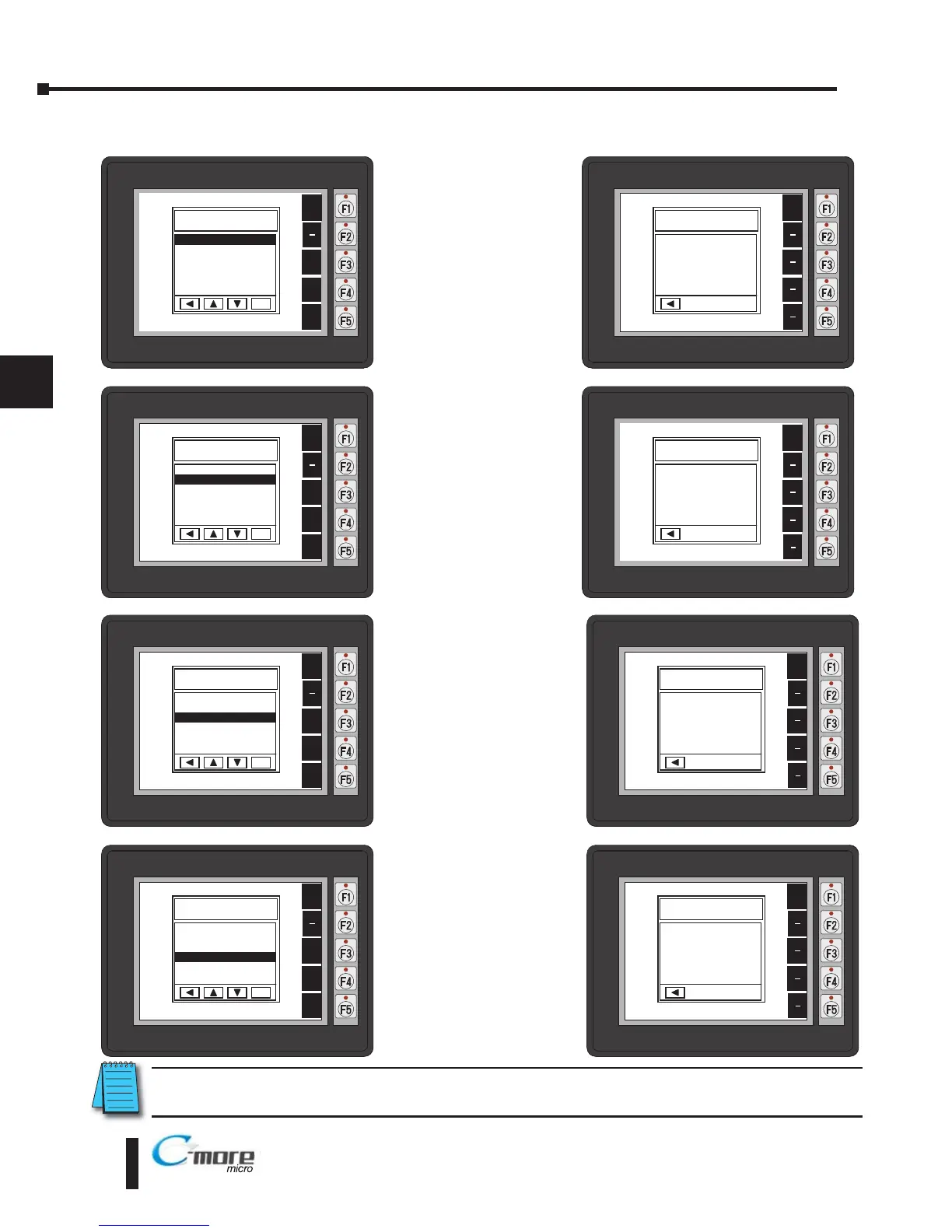
Information Menu
Pressing ENT [F5] with
Memory highlighted
will show the total
memory available,
memory usage and free
memory available for
the project.
Pressing ENT [F5] with
Protocol highlighted
will show the PLC
Protocol that has been
assigned to the panel
and the protocol
version.
Pressing ENT [F5] with
Extensions highlighted
will show if an optional
keypad bezel is installed
on the panel. The
example here shows the
EA-MG6-BZ2.
Pressing ENT [F5] with
Versions highlighted will
show the panels firmware
and boot loader versions.*
*Note: Firware Version 2.0 or later is required with models EA1-S6ML and EA1-S6MLW. Available for free
download at www.automationdirect.com
5–6
Chapter 5: System Setup Screens
5

®
EA1-MG6-USER-M Hardware User Manual, 1st Ed. Rev C, 09/10
BAK
UP
DWN
ENT
ENT
INFORMATION
1 Memory >
2 Protocol >
3 Extensions >
4 Versions >
BAK
UP
DWN
ENT
ENT
INFORMATION
1 Memory >
2 Protocol >
3 Extensions >
4 Versions >
BAK
UP
DWN
ENT
ENT
INFORMATION
1 Memory >
2 Protocol >
3 Extensions >
4 Versions >
BAK
UP
DWN
ENT
ENT
INFORMATION
1 Memory >
2 Protocol >
3 Extensions >
4 Versions >
BAK
Total
1835008 Bytes
Usage
26206 Bytes
Free
1808802 Bytes
MEMORY
BAK
PROTOCOL
Protocol Type
DirectLogic K Sequence
Version 0 6 3
BAK
EXTENSIONS
Detected Devices
BZ2
BAK
VERSIONS
Firmware 1 50 8 40
Boot Loader V2 00

Table of Contents