Setup
18 ©2021 CAE 905K720652 v1.0
CAESimEquip
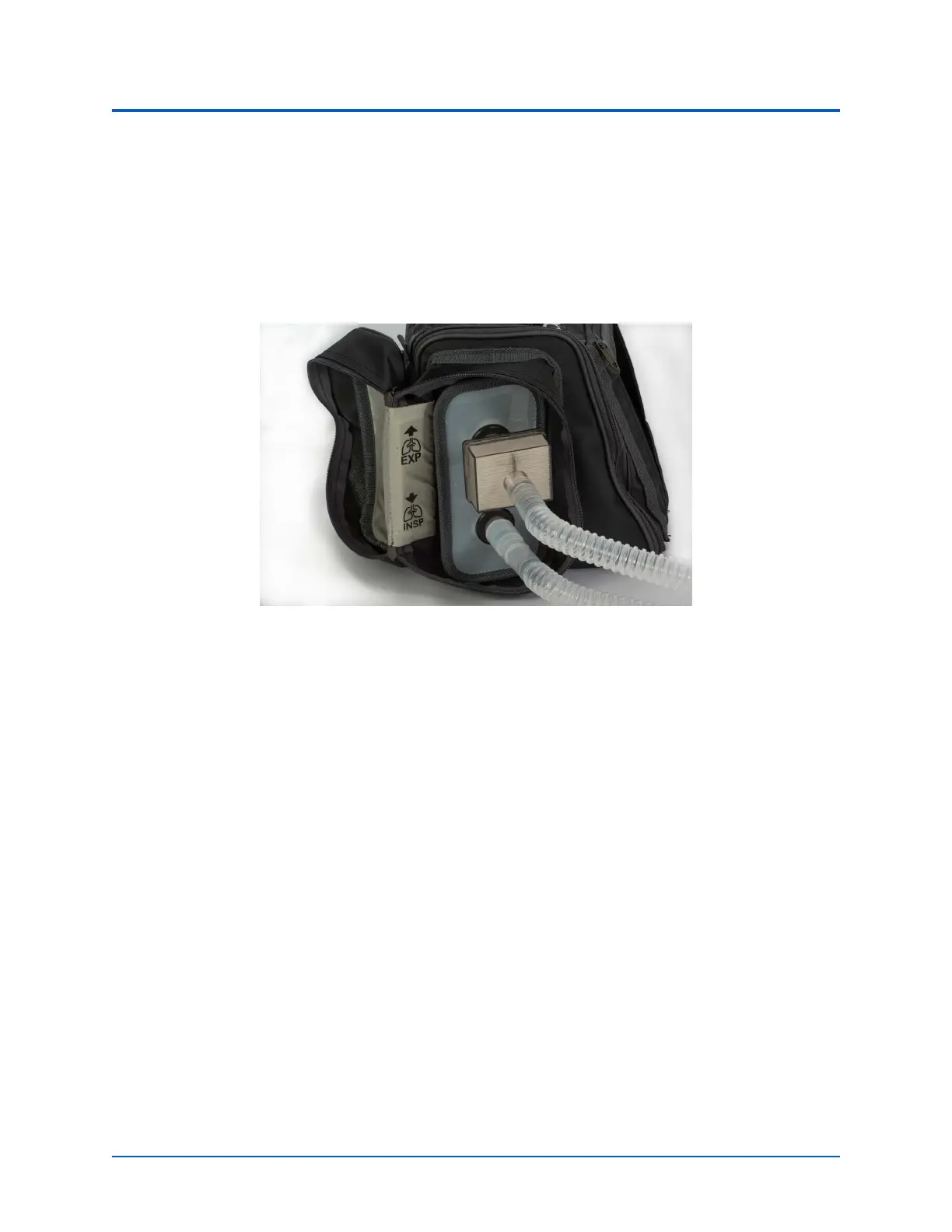
5. Using the metal snap, secure the open flap to the back of the transport bag.
6. Attach a plastic adapterr to each of the ports.
7. Attach the filter to the port on the bag labeled EXP.
8. Attach the plastic cuff to the port on the bag labeled INSP.
9. Attach the breathing circuit limbs to the filter and cuff.
Transport Bag - Expiratory and Inspiratory Connections
10. Open the side compartment on the opposite side of the transport bag and pull the O
2
hose through the elastic opening.
11. Pull the SpO
2
probe through the same elastic opening on the right side of the bag.
12. Attach the exposed end of the O
2
hose (outside of the bag) to a simulated oxygen source.
WARNING: Never attach the hose to a real O
2
source. The medical gas hoses included
with SimEquip are intended for simulation purposes only.



 To Next Page