©2021 CAE 905K720652 v1.0 37
Setup
Monitor A
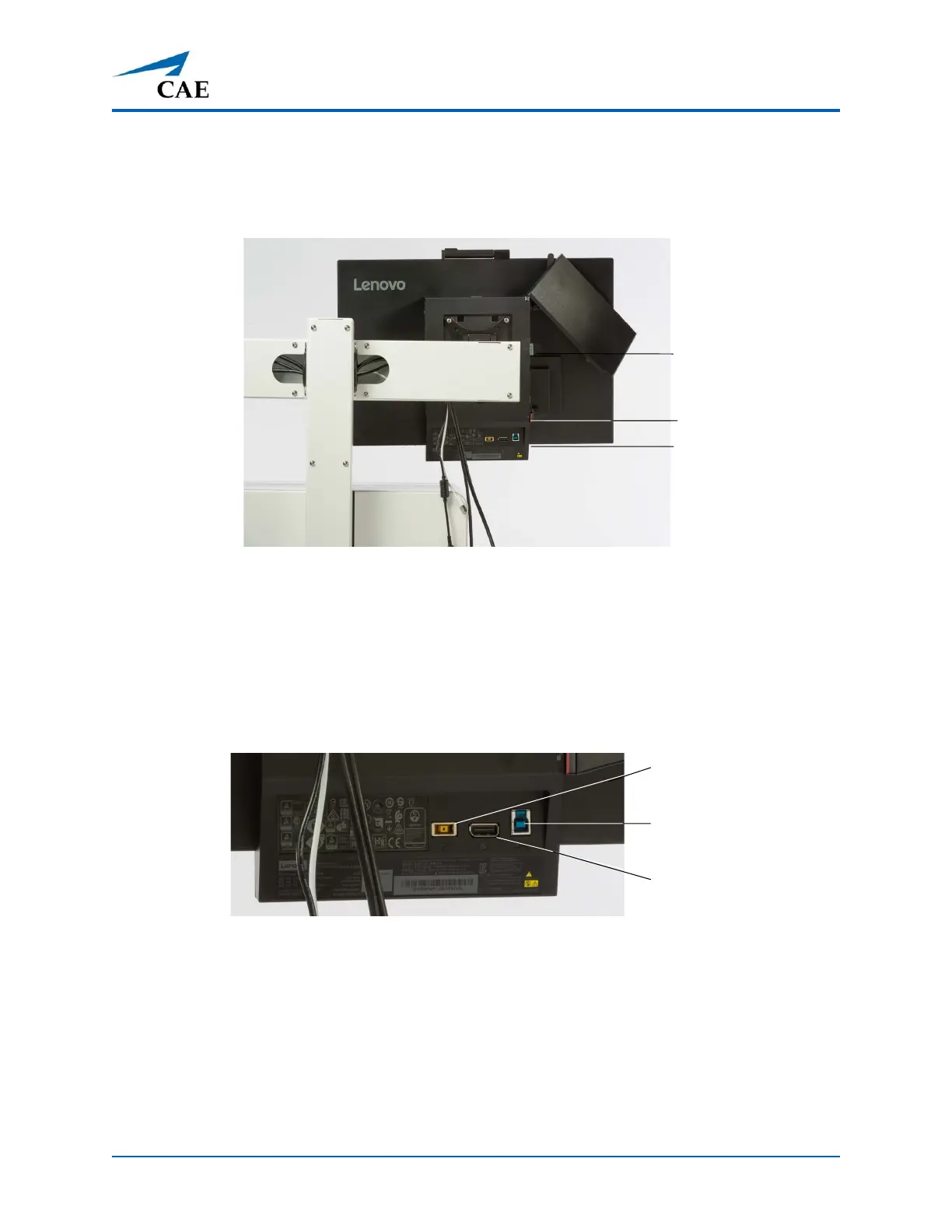
1. Open the cover on the back of the monitor panel by pressing on the red tab. The cover is
hinged at the top, flip the cover up. This will expose the computer ports.
Open Computer Cover
2. Locate the Display Port Adapter cable attached to the port on the computer.
3. Plug the Display cable from the Medical Cart into the Display Port Adapter cable (identified
in the previous step).
4. Plug in the USB cable from the Medical Cart into the USB port on the monitor.
Monitor Ports
5. Plug in the router USB cable (white) into the front of the computer.
Note: Router cables are included with the Medical Cart, regardless if running standalone
and using a router, or if using a patient simulator where there is no external router.
6. Plug the power cords from the Medical Cart into the appropriate port on the monitor.
Red Tab
Monitor
Ports
Computer
Ports
Monitor
Power
USB
Display



 To Next Page