Setup
36 ©2021 CAE 905K720652 v1.0
CAESimEquip
Anesthesia Machine
Equipment cords and cables are routed through the vertical support column on the Medical Cart.
There will be two of each cord, one on each side of the horizontal mounting bar.
Locate the following:
º Monitor Power cords
º USB cables
º Display cables
Monitor B
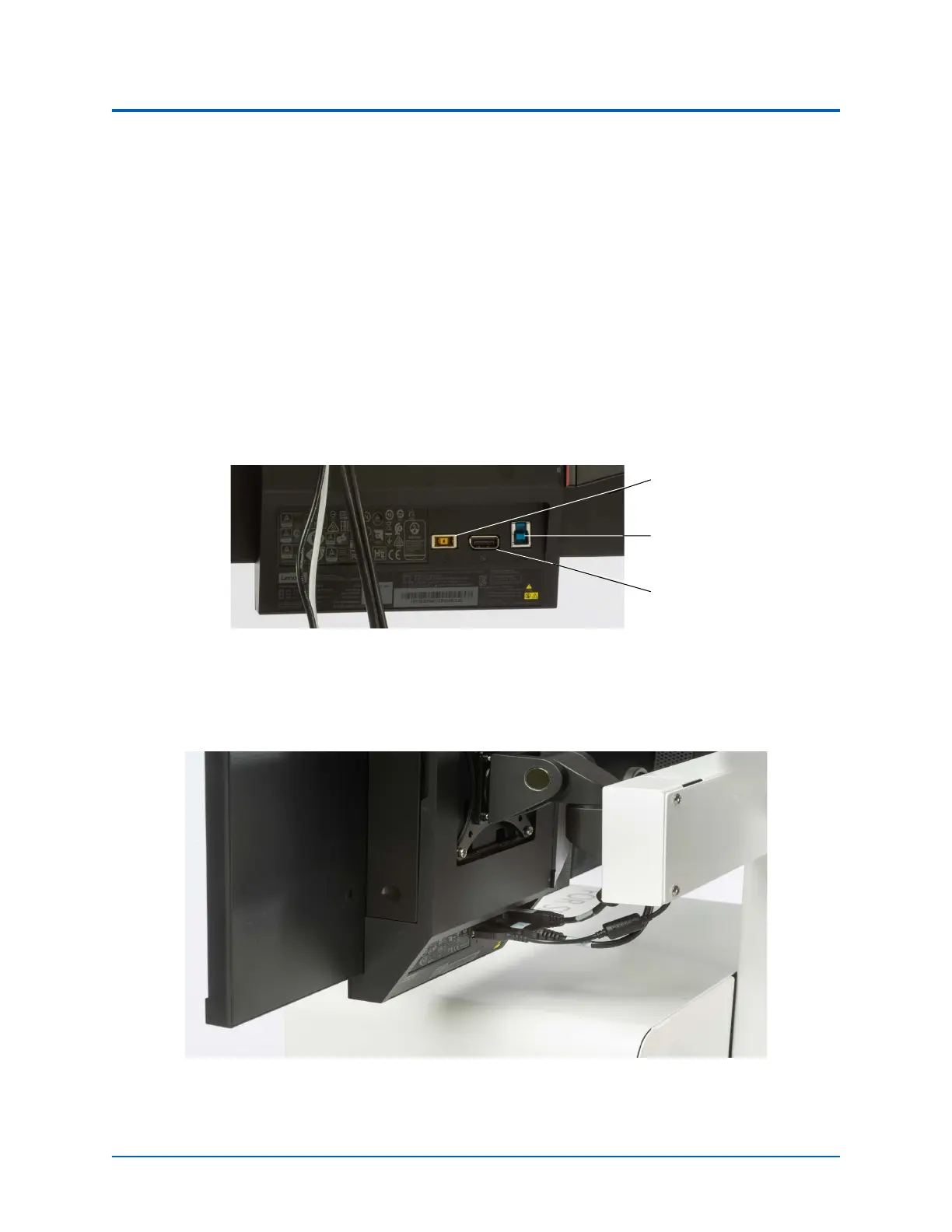
1. Plug the display cord from the Medical Cart into Monitor B display port.
Monitor Ports
2. Plug the USB cable from the Medical Cart into the USB port.
3. Plug in the power cord from the Medical Cart to the power port.
Connections - Monitor B
Monitor
Power
USB
Display



 To Next Page