22
ENGLISH
Using an iPod with the supplied DD30 docking station
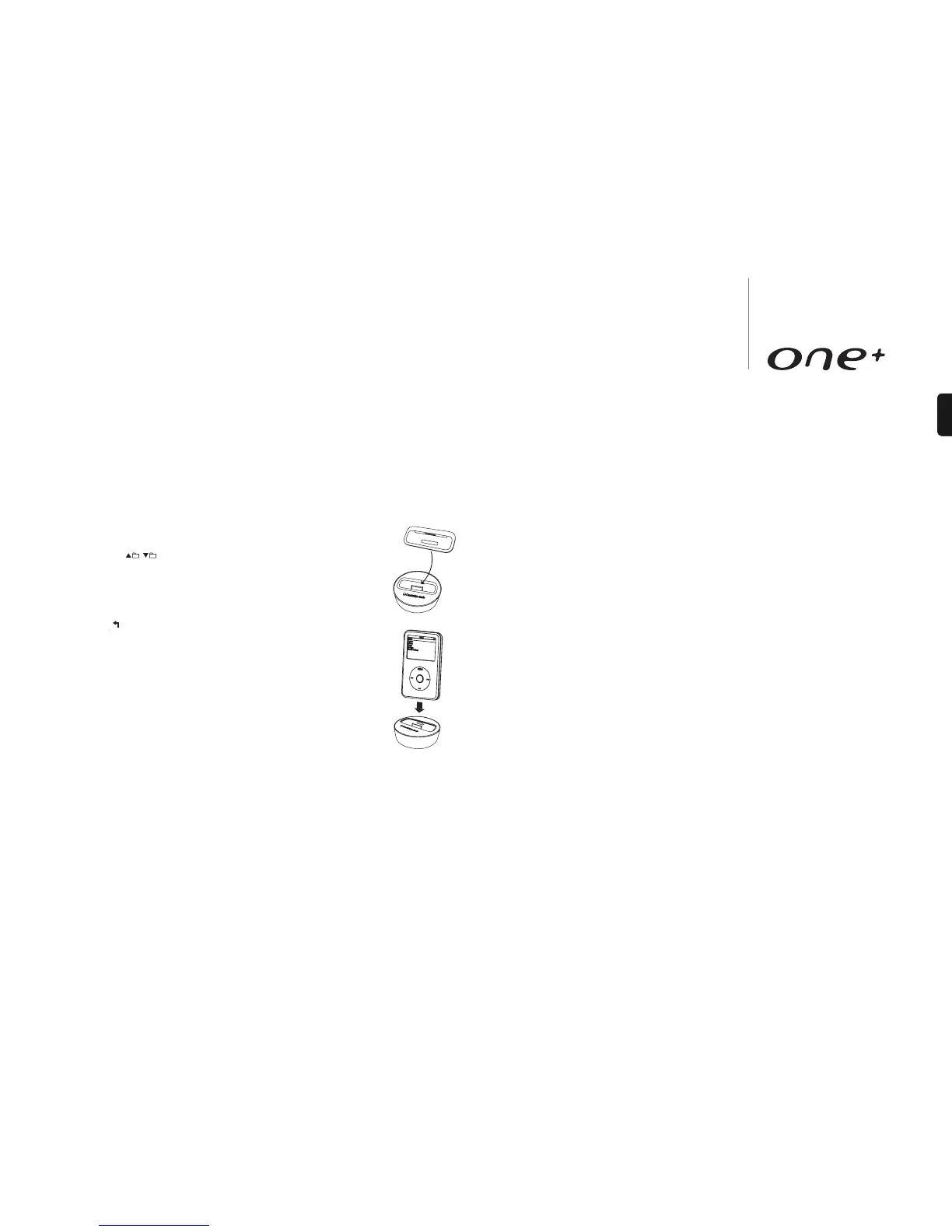
One+ comes with the DD30 docking station for iPod. Connect the DD30 to the
connector located at the rear and insert an appropriate iPod dock adaptor for your
iPod. The DD30 is compatible with Apples standard dock adaptors, supplied with all
new iPod.
1. Press Source button until iPod source is displayed.
2. Use the buttons on the remote control to navigate
through iPod library.
3. Press button to start playback.
4. Press Menu button to access iPod menu settings.
5. Press button to go back to previous settings/functions.
iPod compatibility
The DD30 is able to communicate with and control the following
iPod models:
iPod nano (1st, 2nd, 3rd and 4th generation)
iPod (4th generation, photo and 5th generation)
iPod classic
iPod touch (1st and 2nd generation)
Note: DD30 dock station also charges your iPod when docked even
when One+ is in Standby mode. This function will not work if 'Power' on the back of the
unit turned off.
Repeat, Random and Program have no function in iPod mode.
Advanced menu settings
One+ allows you to change the default regional settings of the unit and set the DAB
function on or off. These features are useful if the unit has been moved to a region
where DAB services are not available or regions with a different band of frequencies
to that of the default region.
Note: Changing the default regional settings of the unit will also change the DAB and
FM band frequencies to match the selected region.
Changing default regional settings
1. Press and hold the Standby button on the front of the unit for approx. 8 seconds.
Display will show ‘Region selection’ and press the Volume dial to select.
2. Rotate the Volume dial to toggle between Europe, Korea, USA, Australia, Canada
and China. Select the correct region by pressing the Volume dial.
3. After selecting a new region, the unit will perform a ‘System Reset’ and will initiate
a full scan.
Note:
– Choosing USA region will disable the DAB function.
– For Taiwan region, choose USA region to set the correct FM settings and then enable
DAB function. See below section for DAB function.
– All presets and stored settings will be lost when changing the region.
Enabling or disabling the DAB function
1. Press and hold the Standby button on the front of the unit for approximately 8
seconds. Rotate the Volume dial until ‘DAB mode set’ is displayed and press the
Volume dial to select.
2. Rotate the Volume dial to toggle between ‘Enable DAB mode’ and ‘Disable DAB
mode’. Press the Volume dial to accept selection.





 To Next Page