The hardware
13
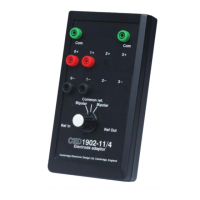
The 1902 is built on a multilayer printed circuit motherboard, to
which a daughterboard may be attached to provide one of the
various isolation options. This is contained in a two-part folded-
steel inner can that provides electromagnetic containment. This
assembly is mounted in the outer case, also of folded steel, that
provides mechanical protection.
It is often the case that 1902s are purchased as multiple units.
Usually these will be dual or quad 1902s; they are
accommodated with external cases bolted together as a stack,
inside which the separate inner cans are mounted. Multiple
units are powered from a single power supply and cable, and
are driven from a single RS232 port in ‘multi-drop’ mode.
Typically, the bottom unit will be the ‘master’, to which the
cables are attached. Usually this will be set to the highest
channel number. For more on channel numbers, see below.
Rack-mount installations can accommodate up to four 1902s in
a traditional 19-inch rack. The folded-steel case is 2U (89mm)
high; inside this the 1902s are mounted in their inner cans. The
power-supply is internal to the case and there is also a cooling
fan. A rack-mount case presents only one load to an RS232 port
and may contain buffers to drive other racks of 1902s.
Computers, especially laptops, are increasingly being supplied
without an RS232 port. In this case, the 1902 can be connected
to one of the USB ports via a “USB virtual com port”. This is a
cable that plugs into a USB port, with a 9-way RS232 plug at
the other end. The RS232 port is powered from the USB socket.
It connects with the RS232 cable supplied by CED (a standard
RS232 cable will not work). This hardware is inexpensive and
readily obtainable.
The USB virtual com port should be installed before the 1902.
During installation, it will be assigned a com number, e.g.
Com5, which can be found by looking in
Control Panel, Device
Manager, Ports
. This is the com port that should be set during
1902 installation (see page 5).
Installations with
multiple 1902s


 To Next Page
 Loading...