Application software
21
1902 Stand-alone Control Panel
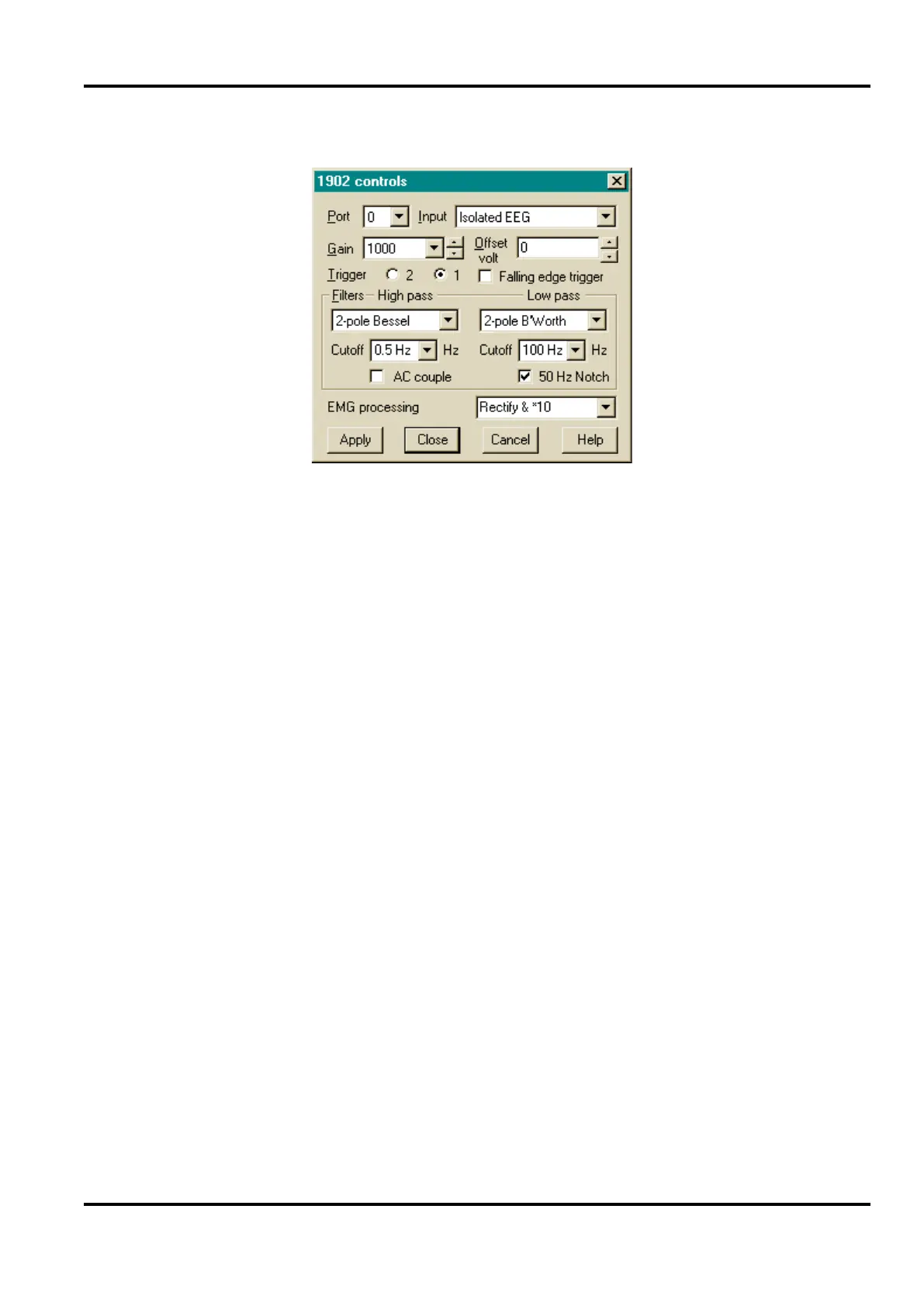
For digital filters, the corner frequencies are selected from
dropdown lists, or users may type in their own values. They can
also select slope (2-pole or 3-pole) and filter type (Bessel or
Butterworth). If this channel has analogue filters rather than
digital, the two dropdown lists have just four values each. The
choice of corner frequencies depends ultimately on the values
of components fitted on the filter daughterboard. One choice is
always ‘None’ or ‘DC’, i.e. straight through.
The signal can be rectified (i.e. all negative excursions of the
signal are inverted). This is mainly of interest during EMG
studies. As well as rectifying, you can choose ×10 gain.
This is a filter to attenuate mains pickup. It is set during
manufacture to either 50 Hz or 60 Hz; the check box switches it
in or out. Note that this is provided for diagnostic purposes
only; it is not intended for use during experiments. See page 43.
AC coupling blocks the DC component of a signal. It can be
very useful, for instance, if your signal happens to be a small
ripple on a large DC level. It does attenuate very low
frequencies: the corner frequency is approximately 0.16 Hz.
Note that DC values of greater than ±150 mV applied to the
isolated electrode input may cause saturation in the input
amplifier, even with AC coupling selected.
Low-pass &
high-pass filters


 To Next Page