Installing the Scanner 17
2.
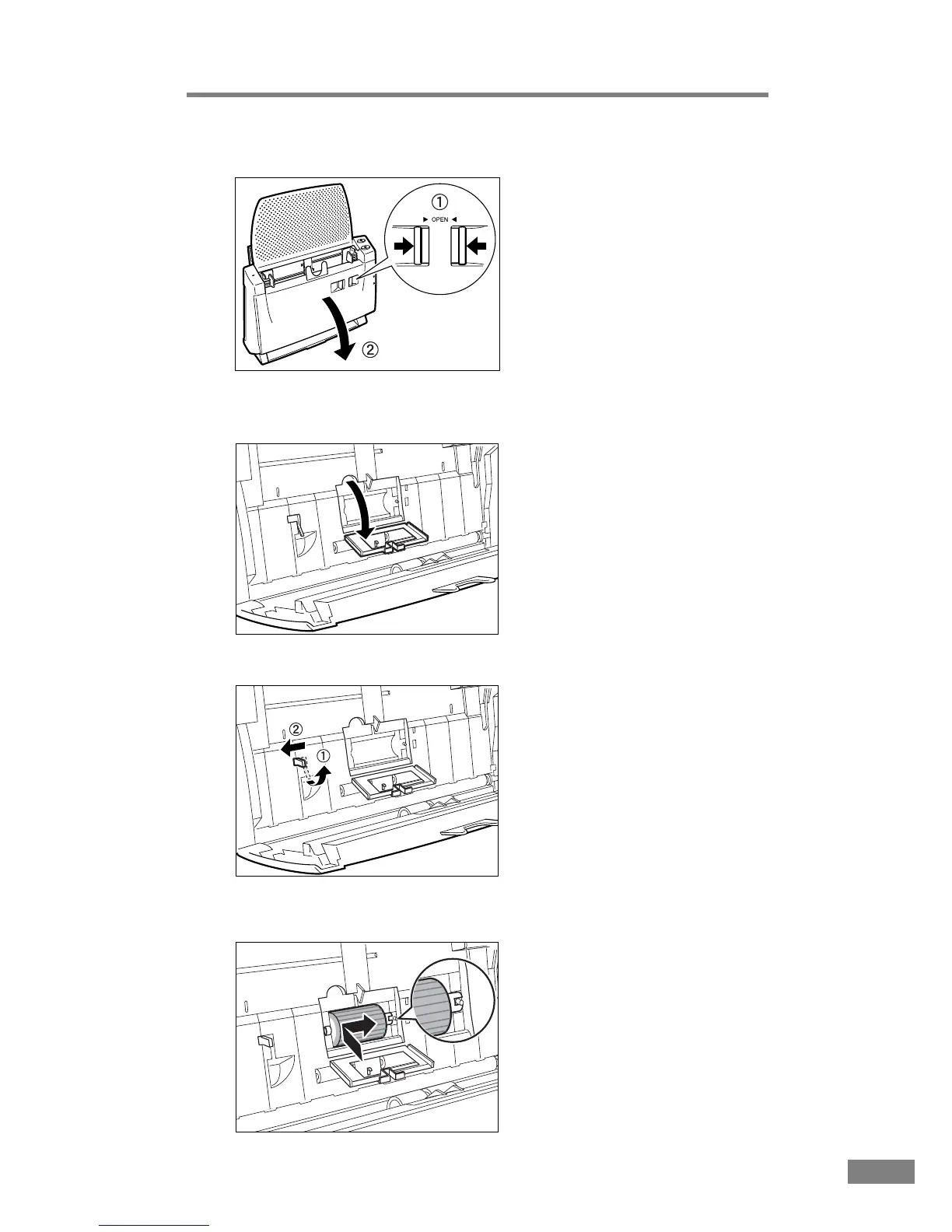
While squeezing the OPEN release (➀), open the front unit towards you (➁).
3.
Open the roller cover inside the scanner. To open the cover, set your finger in
the groove and lift.
4.
Raise the roller lock lever (➀), and slide it in the direction of the arrow (➁).
5.
Insert the feed roller into the groove inside the roller cover, and align the
notch in the roller with the spindle in the front unit.













 To Next Page