Before Using the Unit 5
Before Using the Unit
To Ensure Safe Operation
In order to ensure safe operation, be certain to read the cautions described
below.
Installation Location
The performance of this unit is affected by the environment in which it is
installed. Make sure that the location where the unit is installed meets the
following environmental requirements.
● Do not setup the unit on a non-slip surface that may affect document
output.
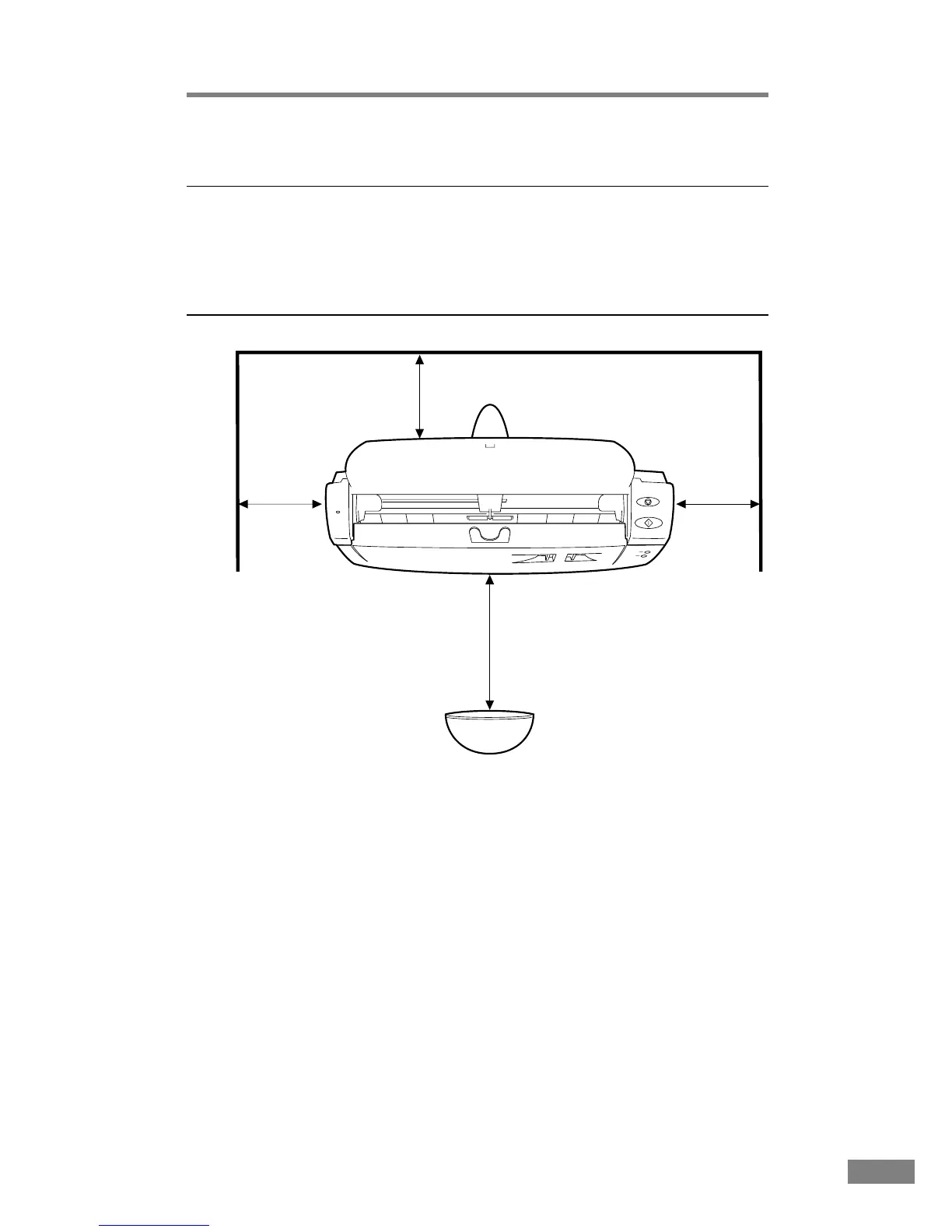
● Provide adequate space around the unit (as indicated in the above diagram)
for operation, maintenance and ventilation purposes.
● Avoid locations exposed to direct sunlight. If the unit must be placed in
such a spot, hang a heavy curtain, etc., to shade the unit.
● Avoid dusty locations. Dust can get inside of the unit and cause problems.
● Avoid warm or humid locations, such as in the vicinity of a water faucet,
water heater, humidifier, etc., and avoid locations where there fumes from
ammonia, paint thinner, etc., may be present.
At least 4 in.
(100 mm)
At least 4 in.
(100 mm)
Longer than the document size
At least 4 in. (100 mm)
(Document stop)













 To Next Page