58 Regular Maintenance
Reinstalling the Retard Roller
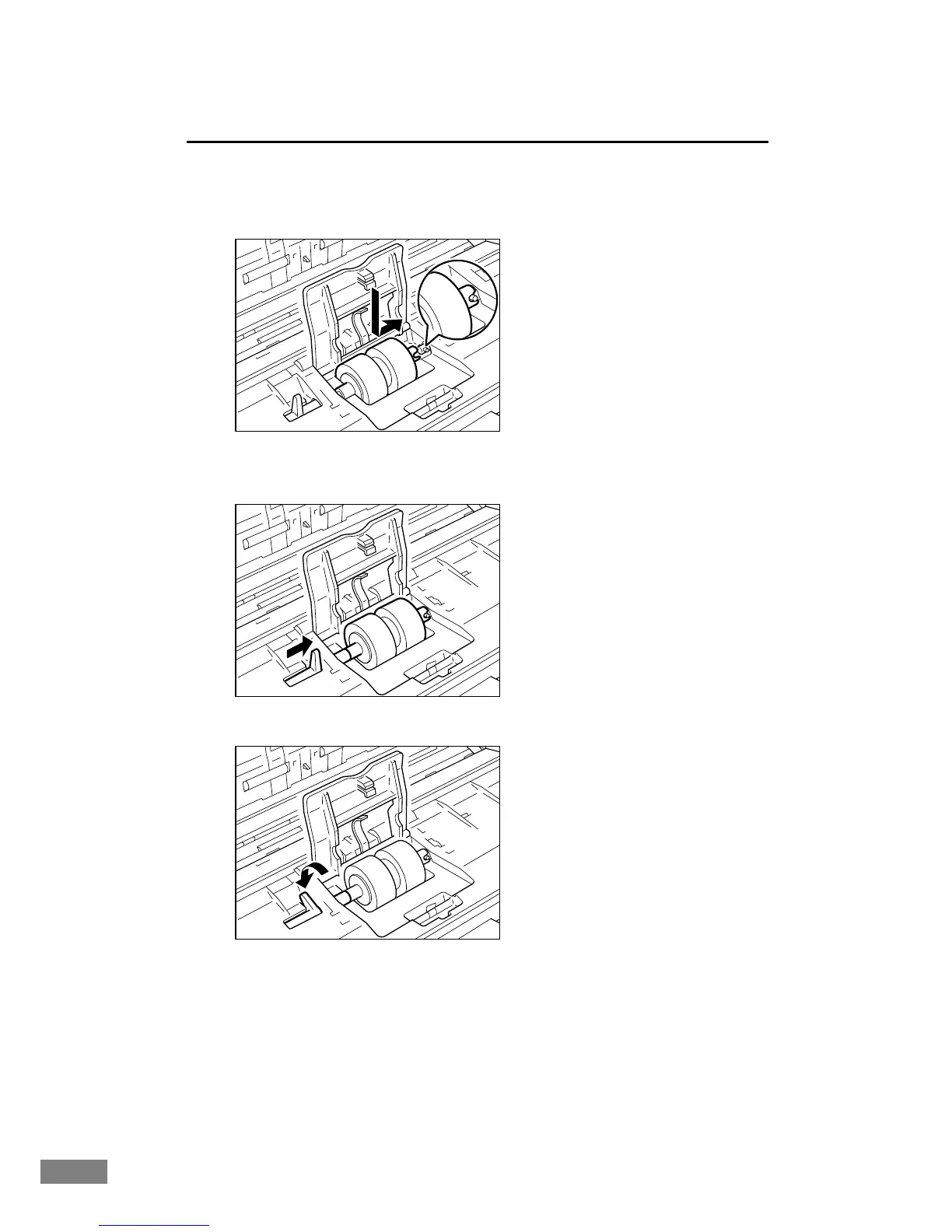
1.
Insert the retard roller into the groove inside the roller cover, and align the
notch in the roller with the spindle on the front unit.
2.
Slide the roller lock lever to the right, and set it into the hollow to the left of
the retard roller.
3.
Lower the lever to fasten the roller spindle.













 To Next Page