Handy Features
226
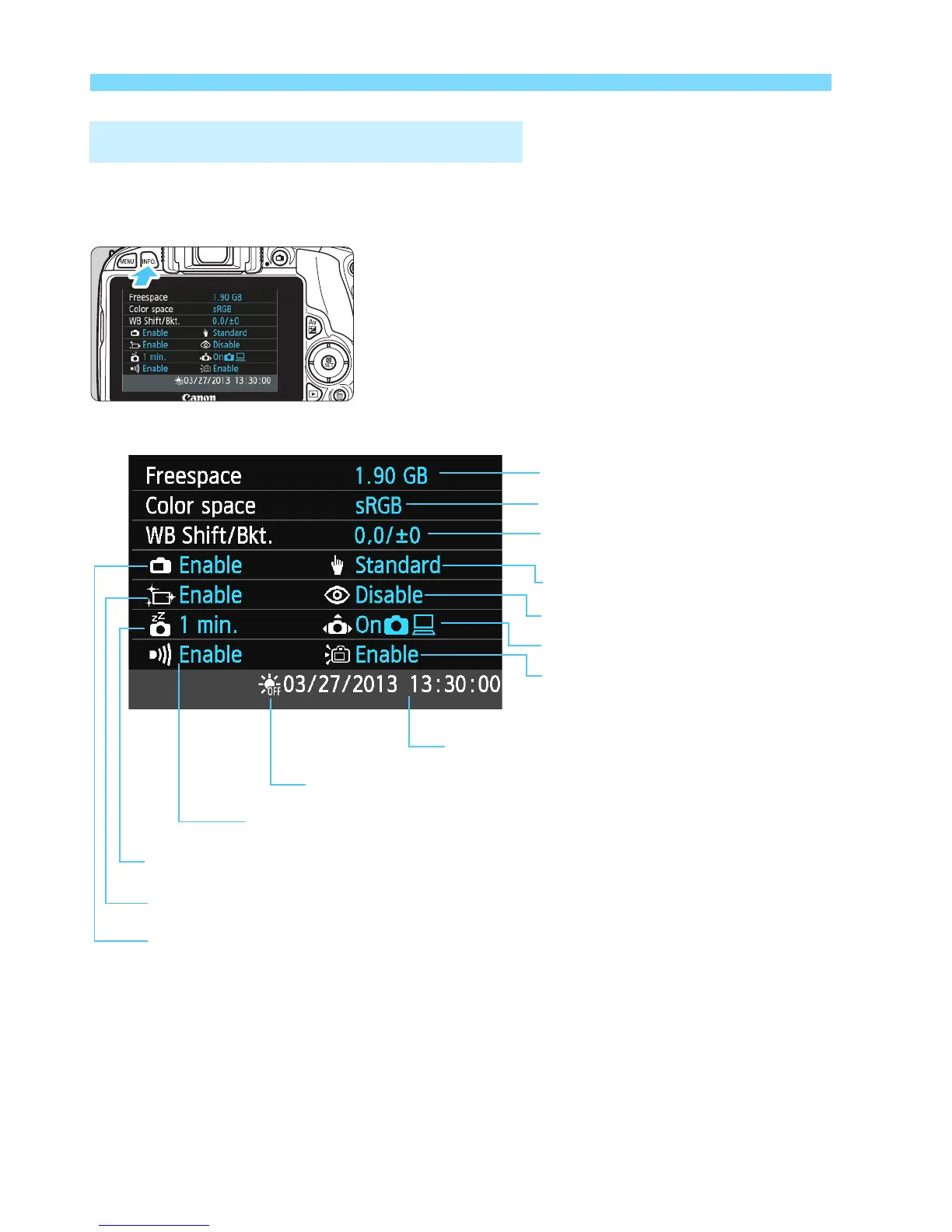
While the shooting settings (p.50) are displayed, press the <B>
button to display the camera’s major function settings.
B Checking Camera Settings
Date/Time (p.37)
WB correction (p.144)/
WB bracketing (p.145)
Color space (p.146)
Auto rotate display (p.225)
Auto power off (p.217)
Card remaining capacity
Settings display
Red-eye reduction (p.112)
Beeper (p.216)
Sensor cleaning (p.236)
Touch control (p 55)
Live View shooting (p.149)
LCD auto off (p 230)
Daylight saving time (p 37)



 To Next Page