77
You can select an AF method to suit the shooting conditions and your
subject. The following AF methods are provided: [u(face)+Tracking],
[FlexiZone - Multi] (p.79), [FlexiZone - Single] (p.81), and [Quick
mode] (p.82).
If you want to achieve precise focus, set the lens focus mode switch to
<MF>, magnify the image, and focus manually.
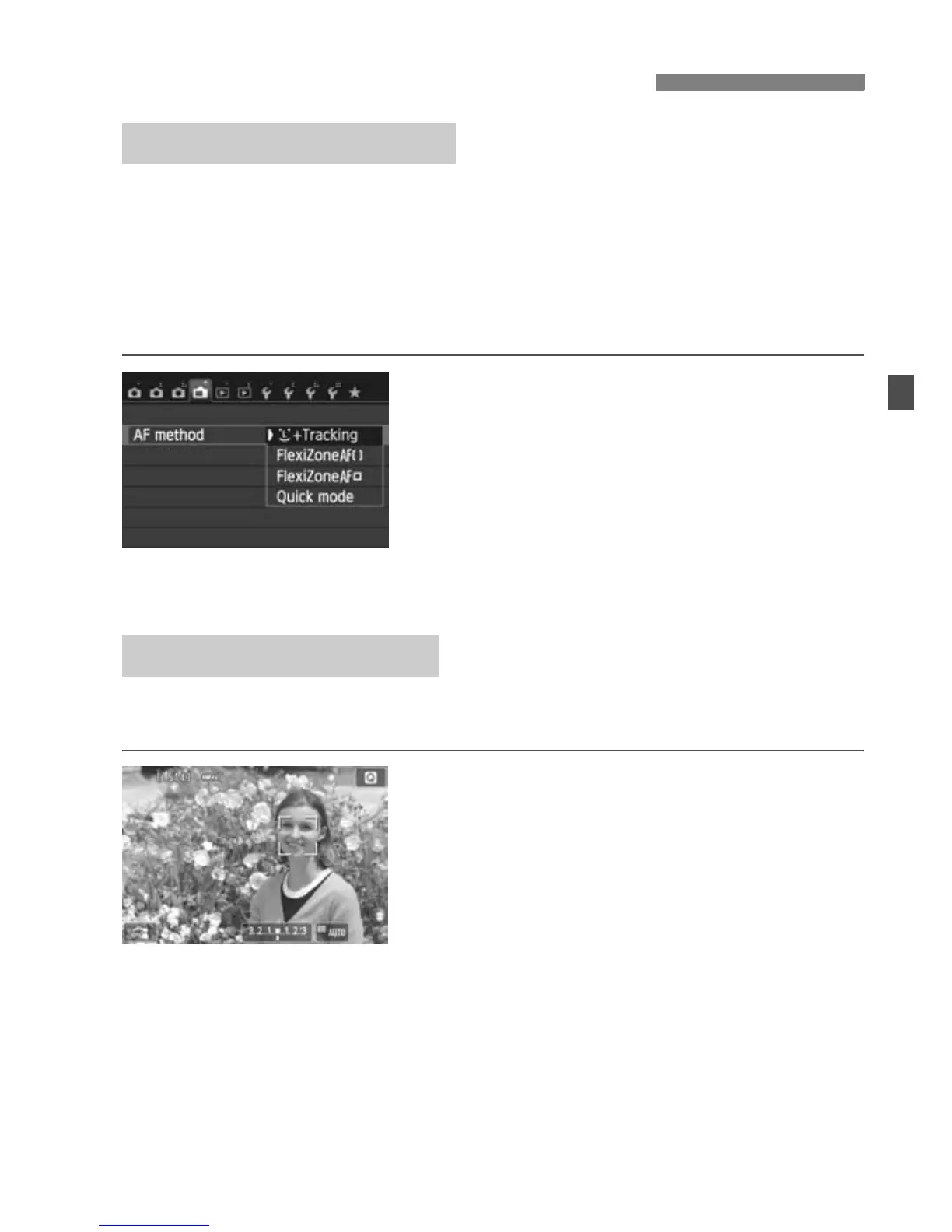
Select the AF method.
Under the [
A
] tab, select [
AF method
].
Select the desired AF method, then
press <0>.
While the Live View image is
displayed, you can also press the
<Q> button to select the AF method
on the Quick Control screen.
The camera detects and focuses human faces. If a face moves, the AF
point <p> also moves to track the face.
1
Display the Live View image.
Press the <A> button.
X The Live View image will appear on
the LCD monitor.
2
Select an AF point.
When a face is detected, the <p>
frame will appear over the face to be
focused.
If multiple faces are detected, <q>
will be displayed. Use <Y> <Z> to
move the <q> frame over the face
you want to focus on.
Using AF to Focus (AF Method)
Selecting the AF Method
u(face)+Tracking:
c



 To Next Page