371
Quick Reference Guide
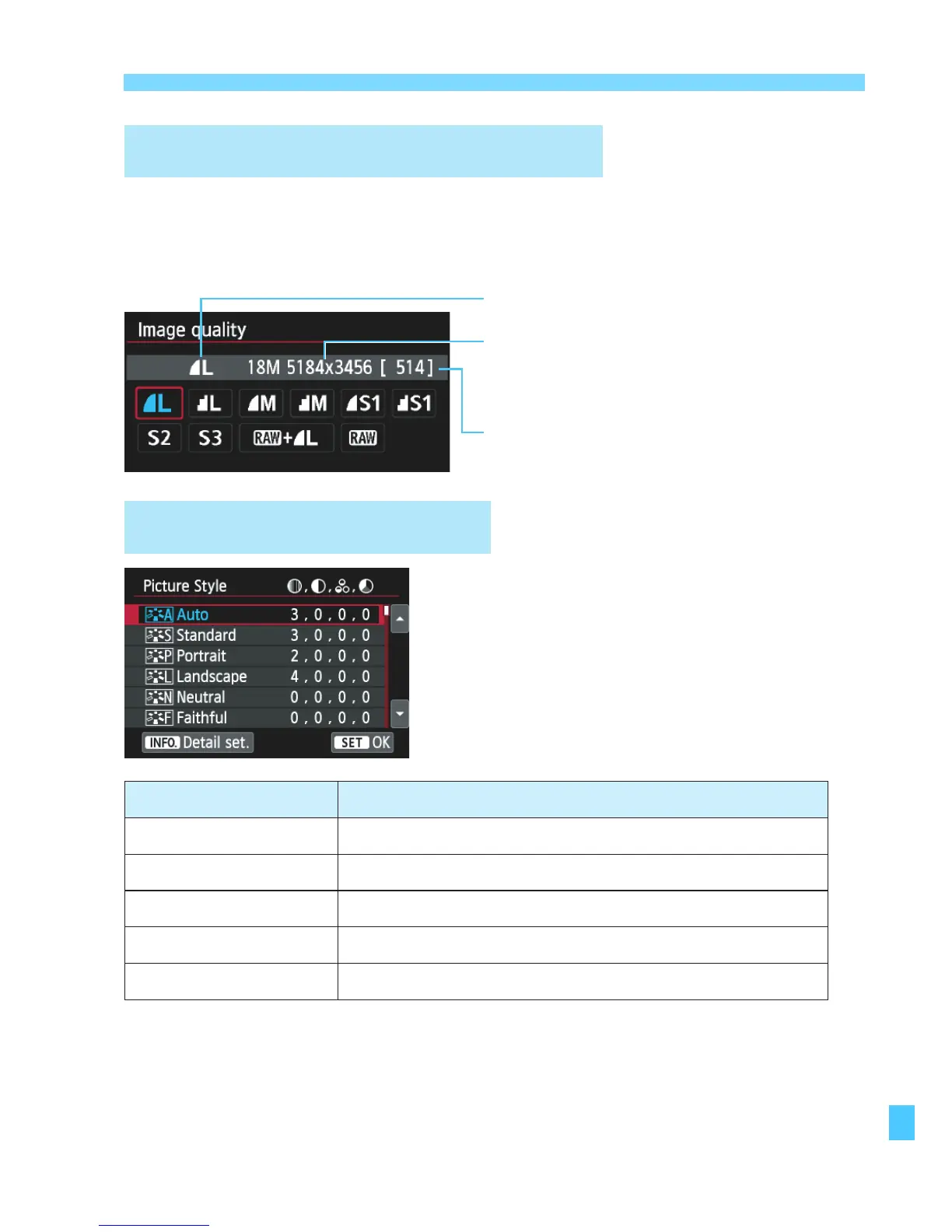
Image-Recording Quality
A
Picture Style
N
Image-recording quality
Recorded pixels
Possible shots
o
Select [
z
1: Image quality], then press <
0
>.
o
Press the <
Y
> <
Z
> keys to select the quality, then press
<
0
>.
o
Select [
z
3: Picture Style],
then press <
0
>.
o
Press the <
W
> <
X
> keys to
select the Picture Style, then
press <
0
>.
Style Description
D
Auto Color tones optimized for the particular scene.
P
Standard Vivid colors and sharp images.
Q
Portrait Nice skin tones and slightly sharp images.
R
Landscape
Vivid blue skies and greenery and very sharp images.
V
Monochrome Black and white images.
o
For <
S
> (Neutral) and <
U
> (Faithful), see page 102.



 To Next Page