Handy Features
230
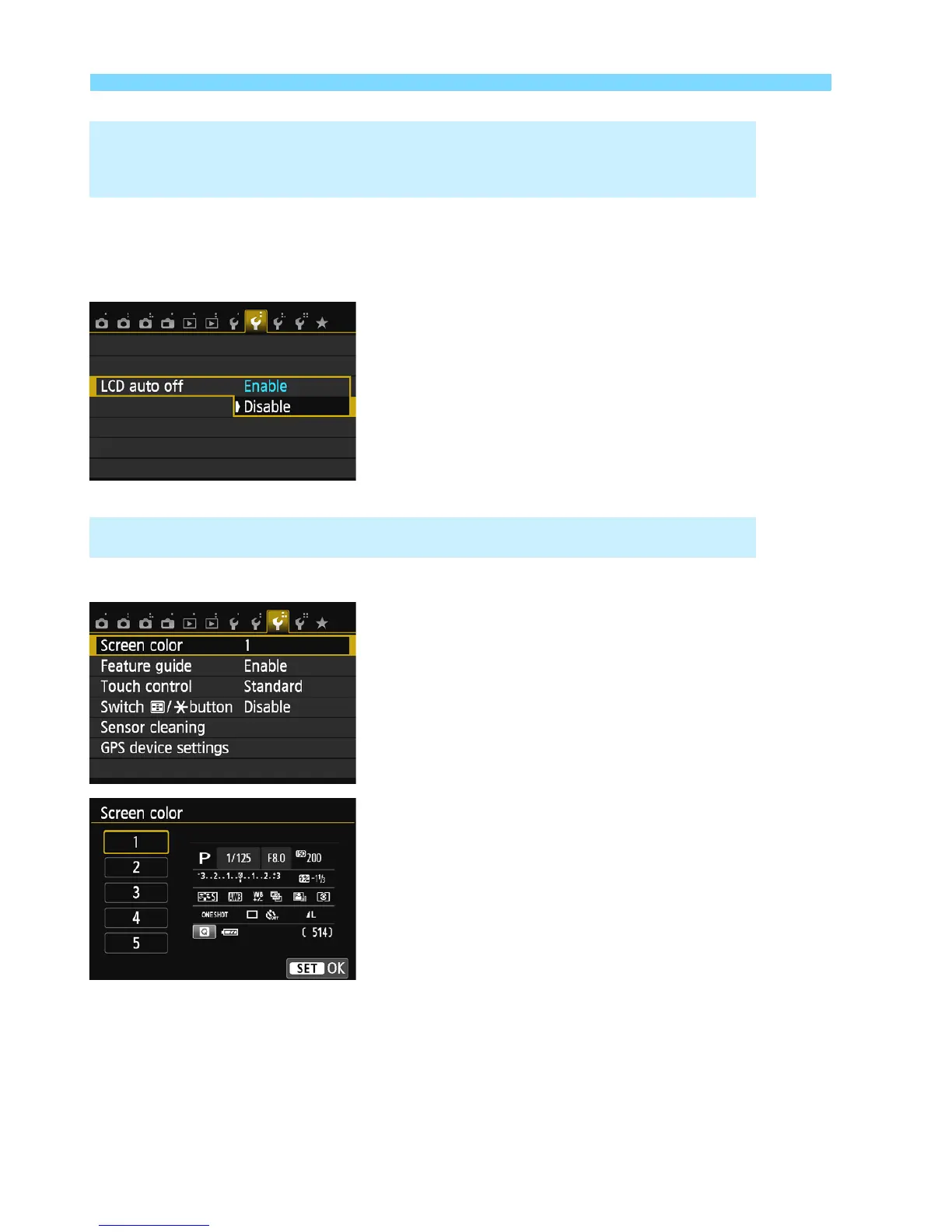
You can prevent the display-off sensor from turning off the shooting
setting display on the LCD monitor when your eye approaches the
viewfinder.
Under the [52] tab, select [LCD auto
off], then press <0>. Select
[Disable], then press <0>.
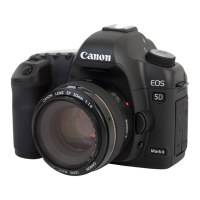
You can change the background color of the shooting settings screen.
Under the [53] tab, select [Screen
color], then press <0>. Select the
desired color, then press <0>.
When you exit the menu, the selected
color will be displayed for the shooting
settings screen.
3 Preventing the LCD Monitor from Turning Off
Automatically
3 Changing the Shooting Settings Screen Color



 To Next Page