95
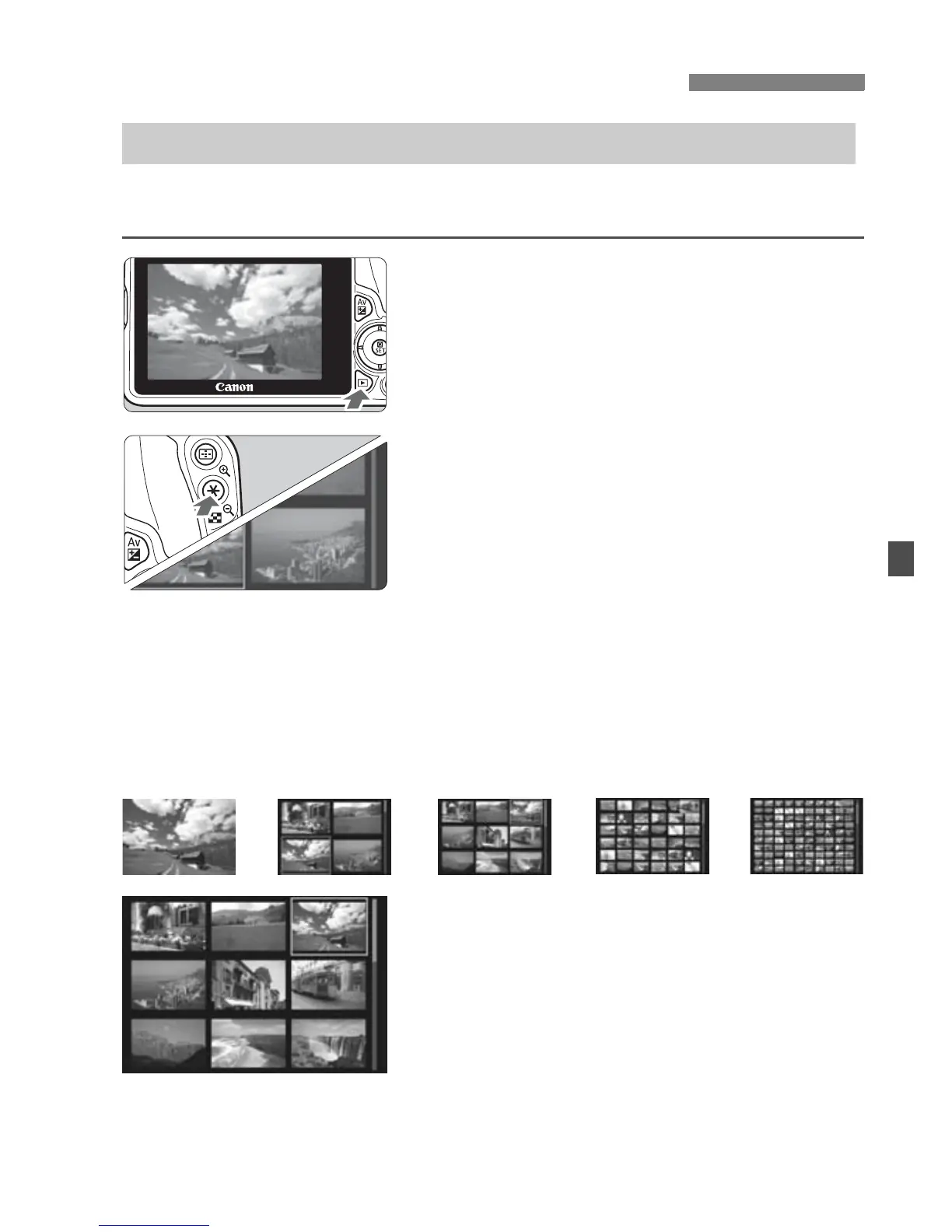
Search for images quickly with the index display showing 4, 9, 36, or
100 images on one screen.
1
Play back the image.
When you press the <x> button, the
last image captured will be displayed.
2
Switch to the index display.
Press the <Hy> button.
X The 4-image index display will
appear. The selected image is
highlighted in an orange frame.
Pressing the <Hy> button will
switch the display from 9 images to
36 images and then to 100 images.
Pressing the <u> button will switch
the display from 100 images to 36
images to 9 images to 4 images and
then to 1 image.
3
Select an image.
Press the <S> cross keys to move
the orange frame to select an image.
Turning the <6> dial will display
image(s) on the next or previous
screen.
Press <0> in the index display to
display the selected image as a
single image.
x Searching for Images Quickly
H Display Multiple Images on One Screen (Index Display)
Î
Î
Î
Î



 To Next Page