370
Quick Reference Guide
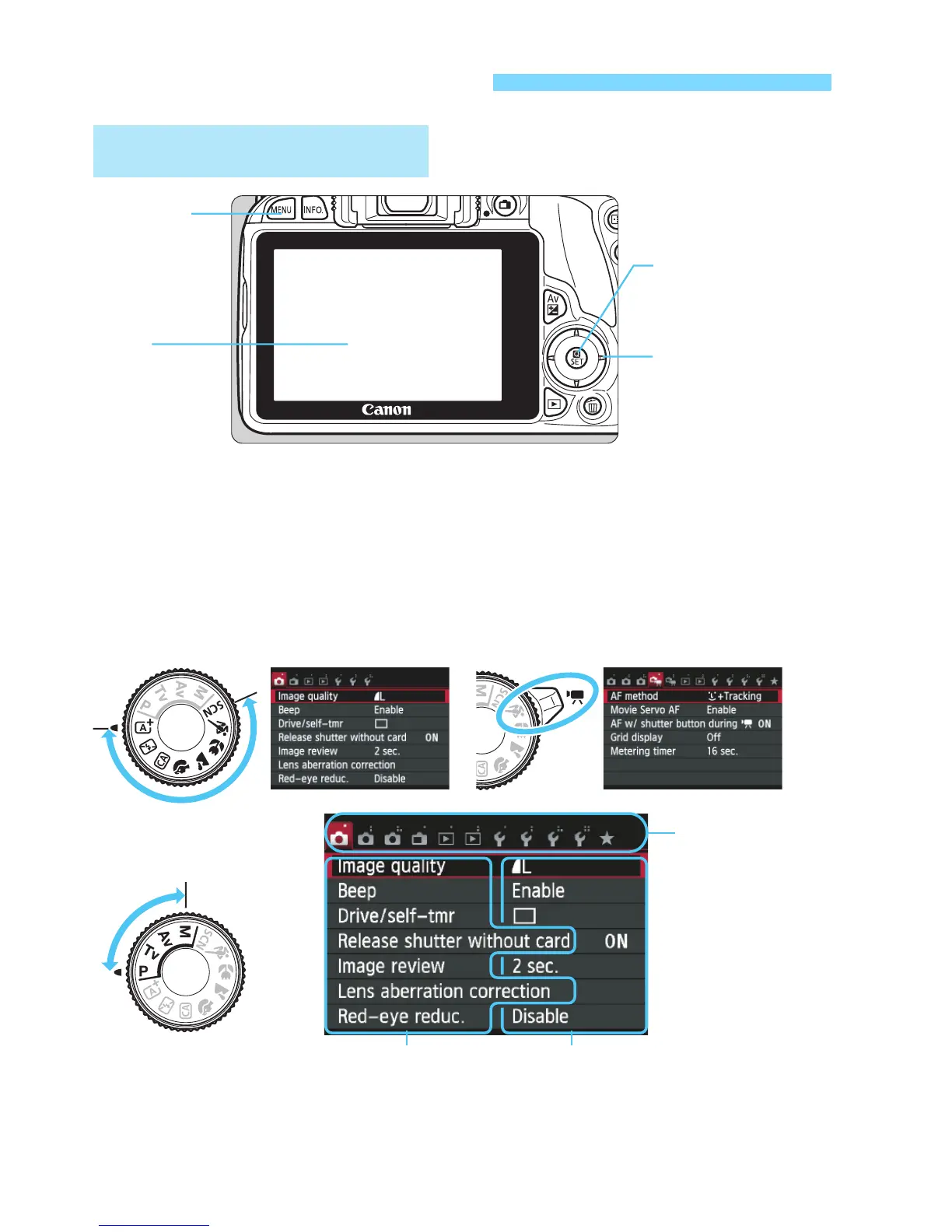
Menu Operations
Basic Zone Modes Movie Shooting
Creative Zone
Modes
Menu items Menu settings
Tabs
1. Press the <
M
> button to display the menu.
2. Press the <
Y
> <
Z
> keys to select a tab, then press the
<
W
> <
X
> keys to select the desired item.
3. Press <
0
> to display the setting.
4. After setting the item, press <
0
>.
<
M
>
button
LCD
monitor/
Touch
screen
<
S
>
cross keys
<
0
>
button



 To Next Page