76
Connecting via WPS (PBC Mode)
4
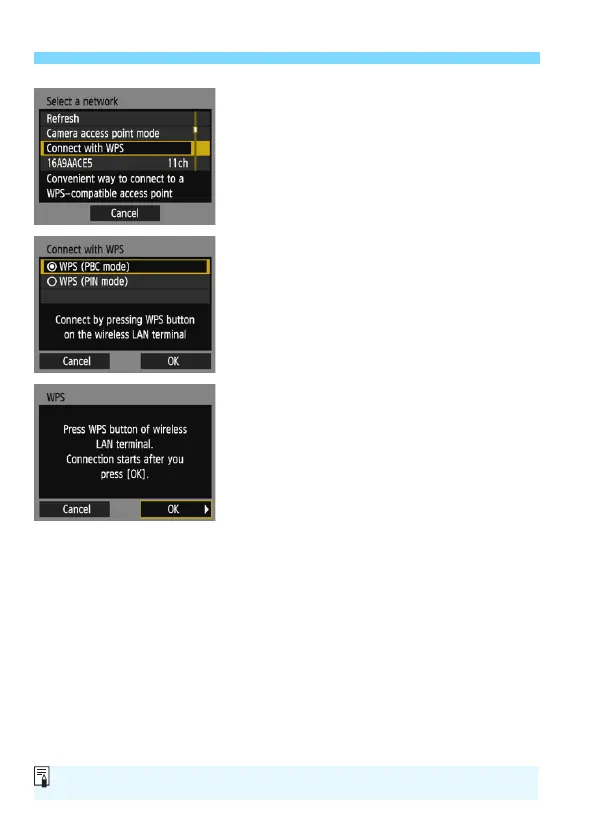
Select [Connect with WPS].
Select [Connect with WPS] and
press <0>.
5
Select [WPS (PBC mode)].
Select [WPS (PBC mode)] and press
<0>.
Select [OK] and press <0> to go to
the next screen.
6
Connect to the access point.
Press the access point’s WPS button.
For details about where the button is
located and how long to press it, refer
to the access point’s instruction
manual.
Select [OK] and press <0> to
establish a connection with the
access point.
When a connection with the access
point is established, the next screen
is displayed.
For [Camera access point mode] displayed in step 4, see page 88.















 To Next Page