5. Interchanging the Focusing Screen
The camera’s focusing screen can be interchanged to suit the picture-
taking application. You must also set Custom Function CF-0 so that the
standard exposure standard suits the focusing screen.
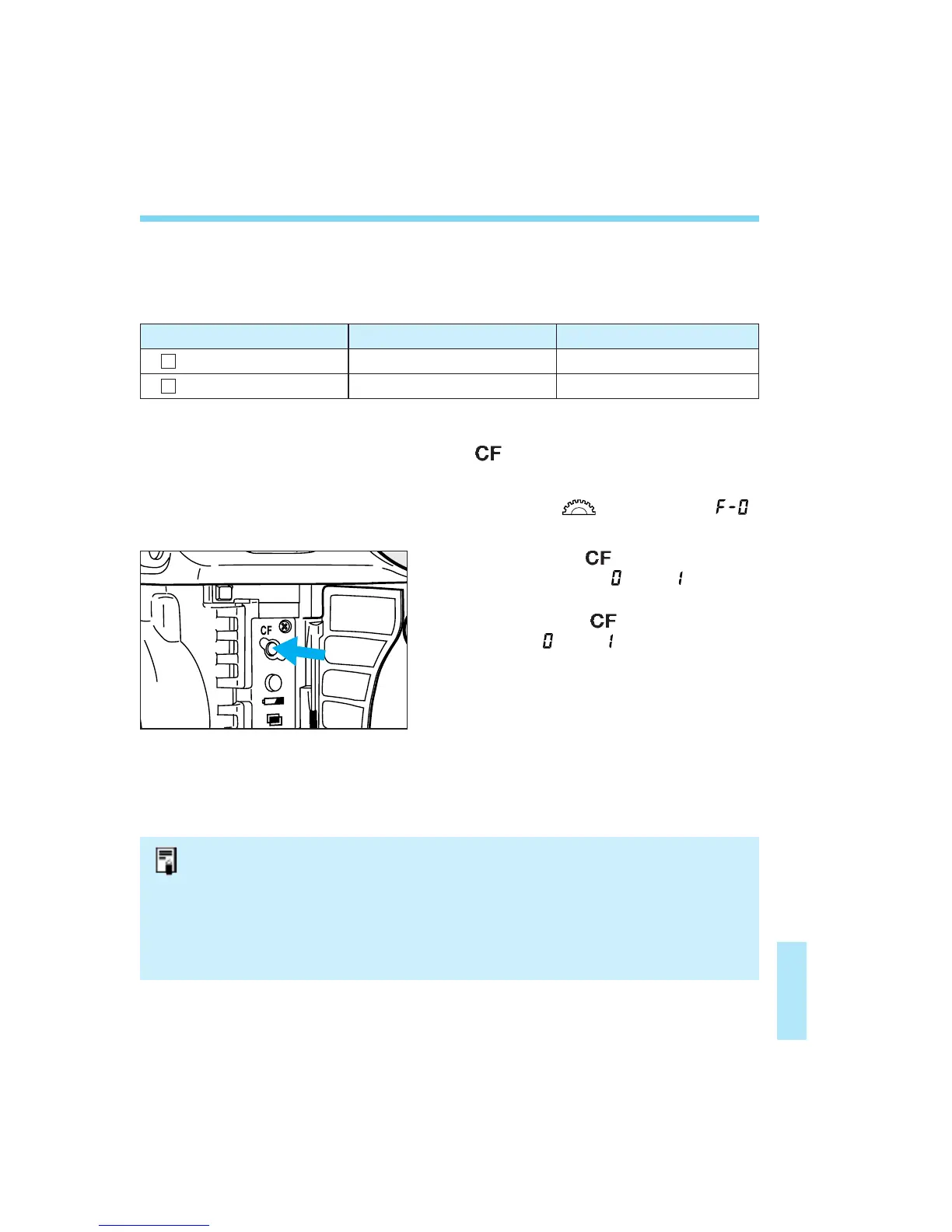
Open the side door and press the
<> button.
• The Custom Function No. appears.
Turn the < > dial until “ ”
appears.
Press the < > button for 2
seconds. Either “ ” or “ ” will be
displayed on the LCD panel.
Pressing the < > button toggles
between and .
133
Press the shutter button halfway.
The LCD panel’s normal display
reappears.
Focusing Screen Type Screen Designation Custom Function CF-0 Setting
: New Laser-matte Screen Ec-N, Ec-R 0
: Laser-matte Screen Ec type (A, B, C, CII, D, H, I, L) 1
L
N
1
2
3
4
• If you do not replace the focusing screen that came with the camera, you need
not change Custom Function CF-0’s setting.
• To change the focusing screen, refer to the Instructions that comes with the
focusing screen.
• The Ec-A, Ec-B, Ec-I, and Ec-L focusing screens has a prism at the center. This
prism cannot obtain standard exposure readings during evaluative and spot
metering. Use centerweighted averaging metering or off-center spot metering
instead.
09. C836-E (127~) 28-01-2003 13:03 Pagina 133


 To Next Page