11. Switching the Film Advance Mode
The film advance mode can be set to single-frame shooting or continuous
shooting.
Single-frame Shooting ( )
After a picture is taken, the film advances by one frame automatically.
Continuous Shooting ( )
The film advances at a rate of 4.3 frames per second while you hold down
the shutter button completely.
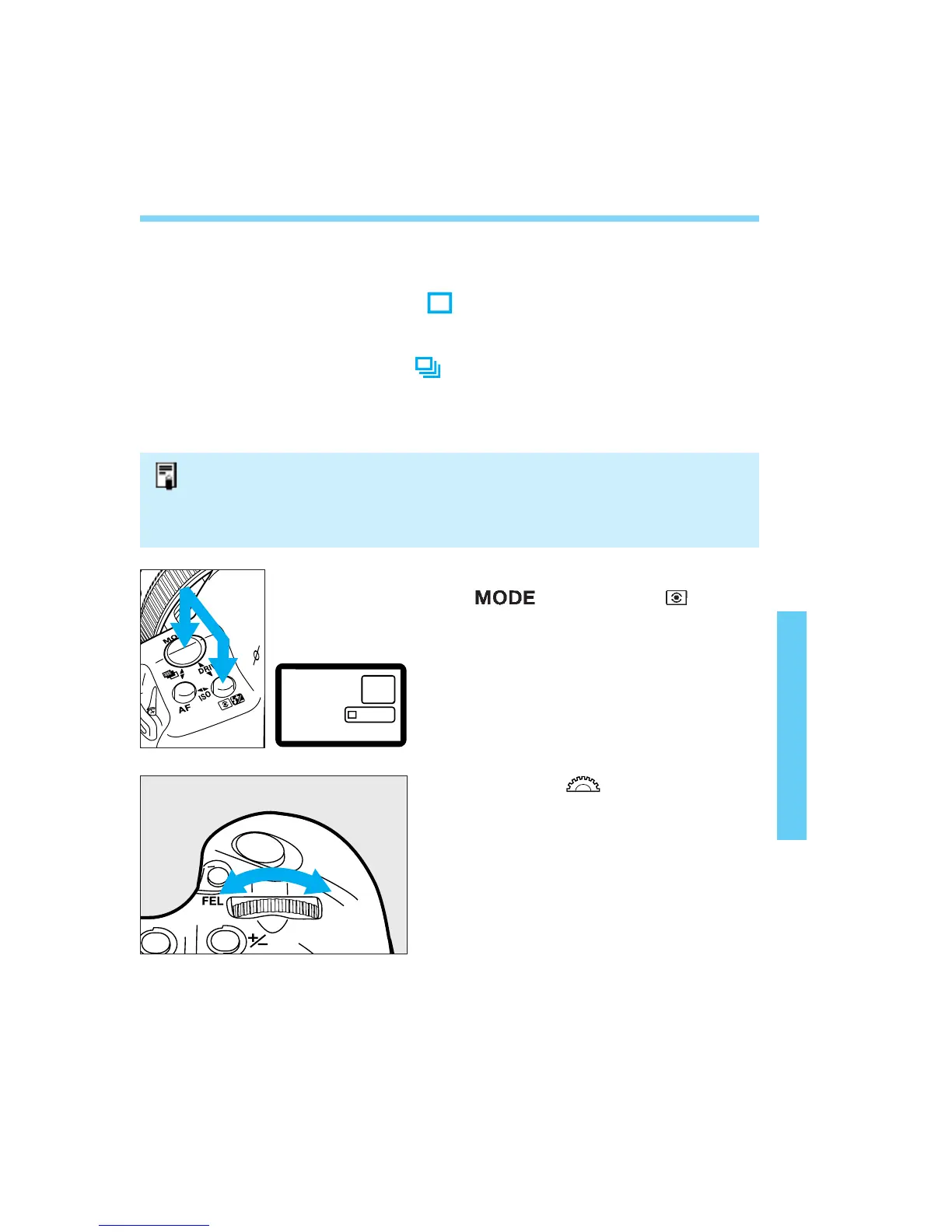
Press and hold down the
<> button and < > button
simultaneously.
• The current film advance mode is
displayed.
85
Turn the < > dial to set the
desired film advance mode.
Release the two buttons.
• The rate of 4.3 frames per second applies when the shutter speed is 1/250 sec. or
faster.
• With One-Shot AF and evaluative metering set, if you stop continuous shooting by
returning the shutter button to the halfway position, you can maintain the AE lock
for the next time you start shooting.
1
2
3
06. C836-E (61~) 28-01-2003 11:49 Pagina 85



 To Next Page