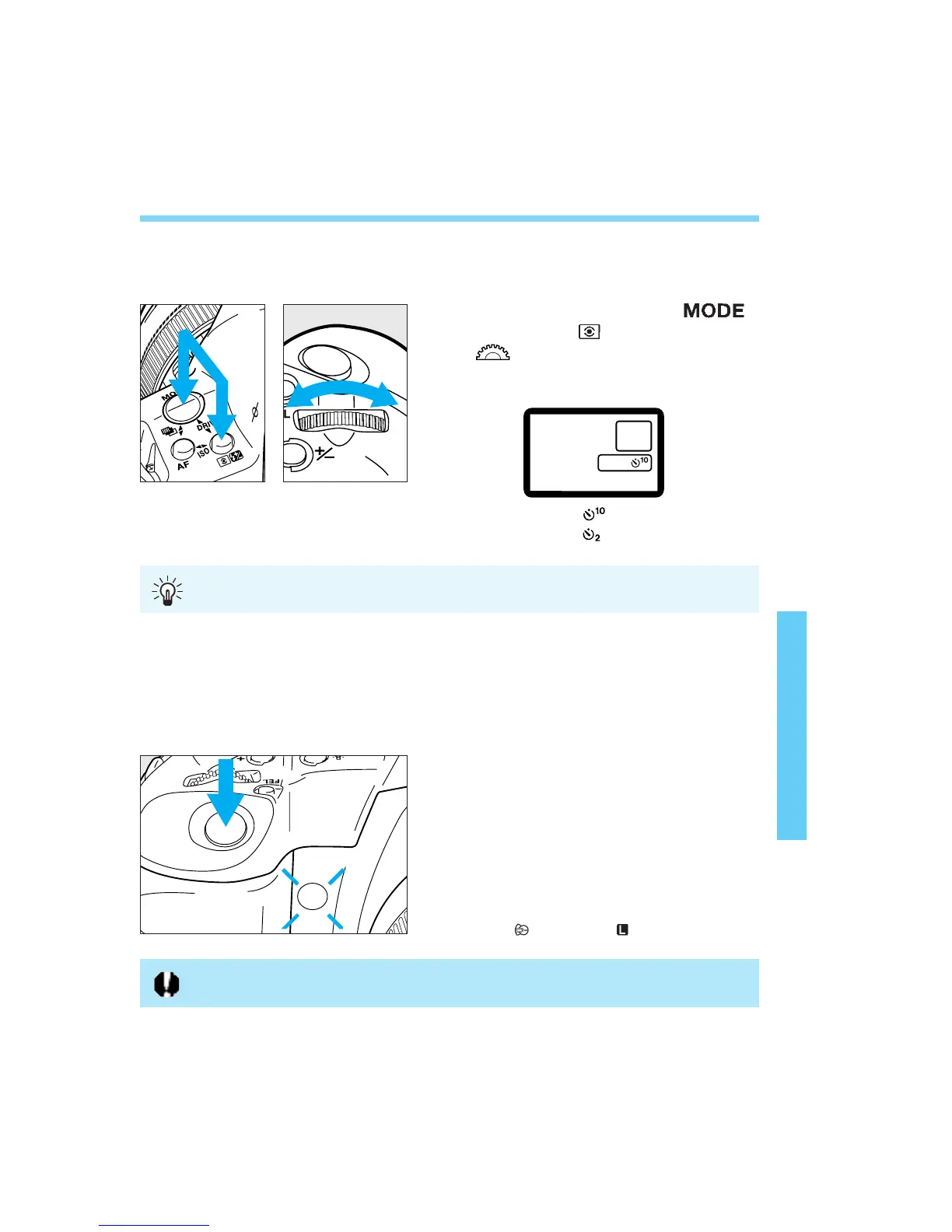
While pressing the < >
button and < > button, turn the
<> dial and set the desired
self-timer delay time.
: 10-second delay
: 2-second delay
12. Self-timer Operation
The self-timer can be set to either a 2-second or 10-second delay. When
using the self-timer, you should mount the camera on a tripod.
87
Look through the viewfinder and
press the shutter button halfway.
Make sure the in-focus indicator
and exposure setting are
displayed.
Press the shutter button
completely. The self-timer lamp will
start blinking to indicate that the
self-timer has started. The lamp
blinks faster during the two
seconds before the picture is
taken.
• To cancel the self-timer after it starts, set
the < > switch to < >.
The 2-second delay is effective for close-ups or photo duplicating work to prevent
camera shake (camera movement while the shutter button is pressed).
1
2
3
Do not stand in front of the camera when you press the shutter button to start the
self-timer. Doing so will throw off the focus.
06. C836-E (61~) 28-01-2003 11:49 Pagina 87



 To Next Page