Focusing Point Selection
43
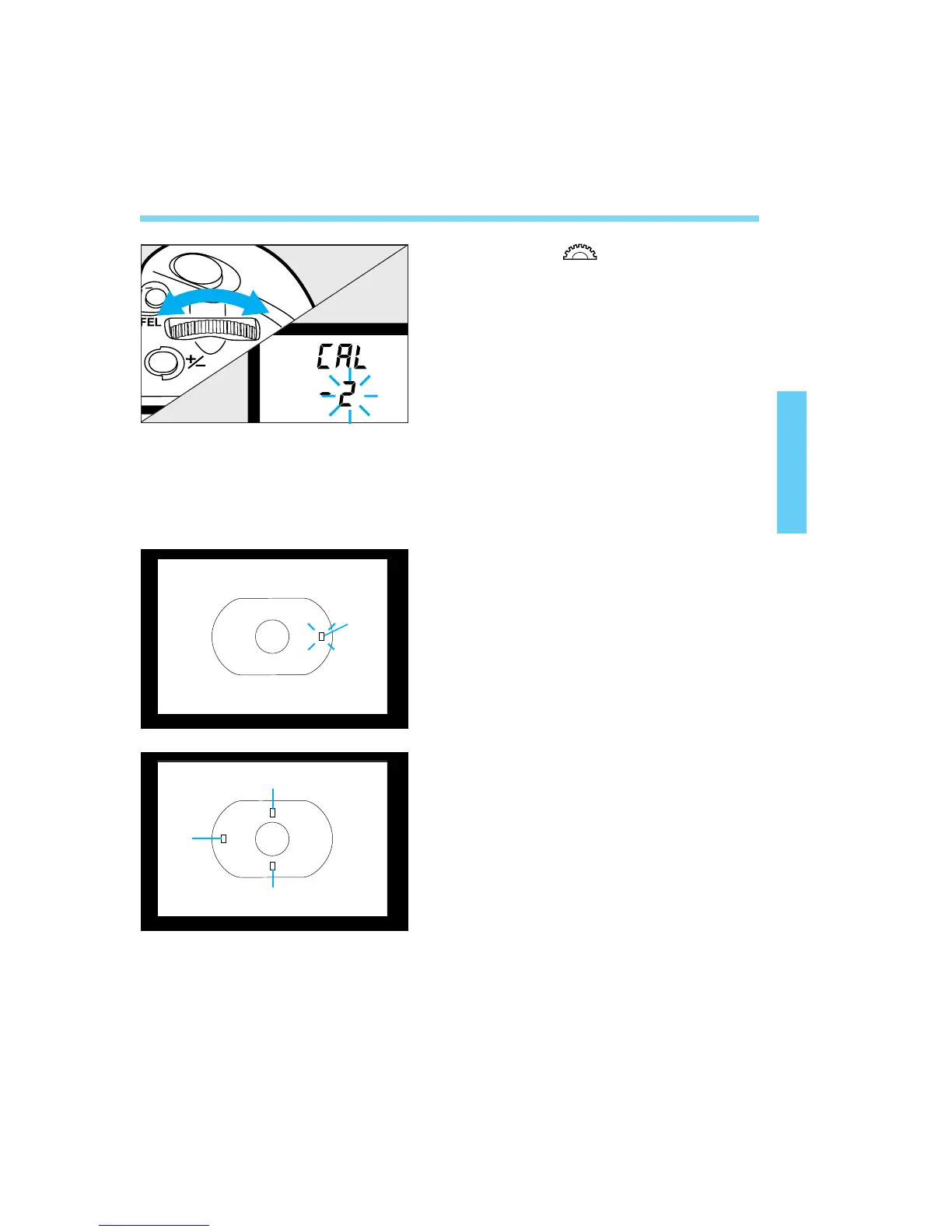
Turn the < > dial to select a
blinking channel No.
• If there is no blinking channel No., see
“Deleting Eye-Control Calibration Data” on
page 46.
Hold the camera horizontally. The
calibration sequence corresponds to
the focusing points numbered from (1)
to (4) in the figures.
Keep looking at the blinking
focusing point (1) in the viewfinder,
then press the shutter button.
• The focusing point will stop blinking and
stay lit.
• Keep looking at the lit focusing point for 1
to 2 seconds until the beeper sounds and
the focusing point turns off.
After you release the shutter
button, the next focusing point (2)
will start blinking. Repeat step 4.
Repeat steps 4 and 5 for focusing
points (3) and (4).
3
4
5
(1)
(3)
(2)
(4)
04. C836-E (33~) 28-01-2003 11:10 Pagina 43



 To Next Page