<ADJUSTMENT>
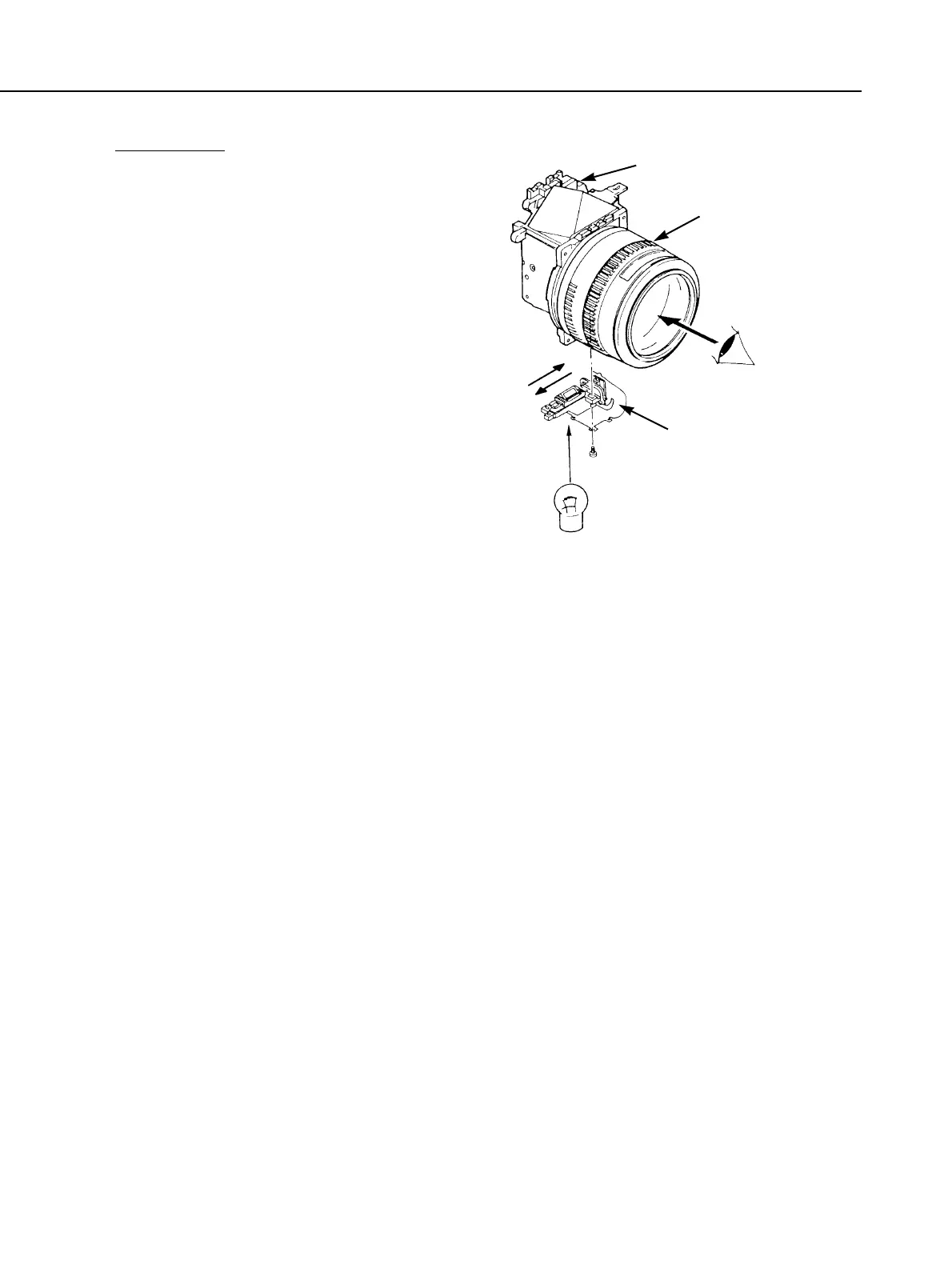
1. With the mirror unit, focusing screen,
and AF unit (attached temporarily)
attached to the front panel unit, attach
an EF 50mm f/1.8 lens to the front
panel unit.
2. With the mirror down, use a penlight to
shine the light at the AF unit. When
you look through the lens, you can see
the focusing points and BASIS image
as shown above.
3. Move the AF unit left or right so that
the BASIS image is centered within the
focusing points.
4. Tighten the screw to fix the AF unit in
place. (Use a new screw.)
5. Apply Diabond 1663G Black on the
screw head.
Part 3: Repair Information
3-38
Fig. 3-52 AF sensor positioning
Front panel
AF sensor unit
Light
EF50mm/f1.8



 To Next Page