• E-TTL Level Shift
PURPOSE:
To compensate the level of E-TTL flash gain. This operation is used when the user
request that the camera be set for over- and under-exposure.
STANDARD:
Average ±1 EV
P
REPARATIONS:
1) Attach the camera on the tripod, EF 50 mm f/1.8 tool lens and Speedlite.
2) Set TV=1/125, AV=F5.6 in the manual mode.
3) Set the measuring tool to ISO 100.
ADJUSTMENT:
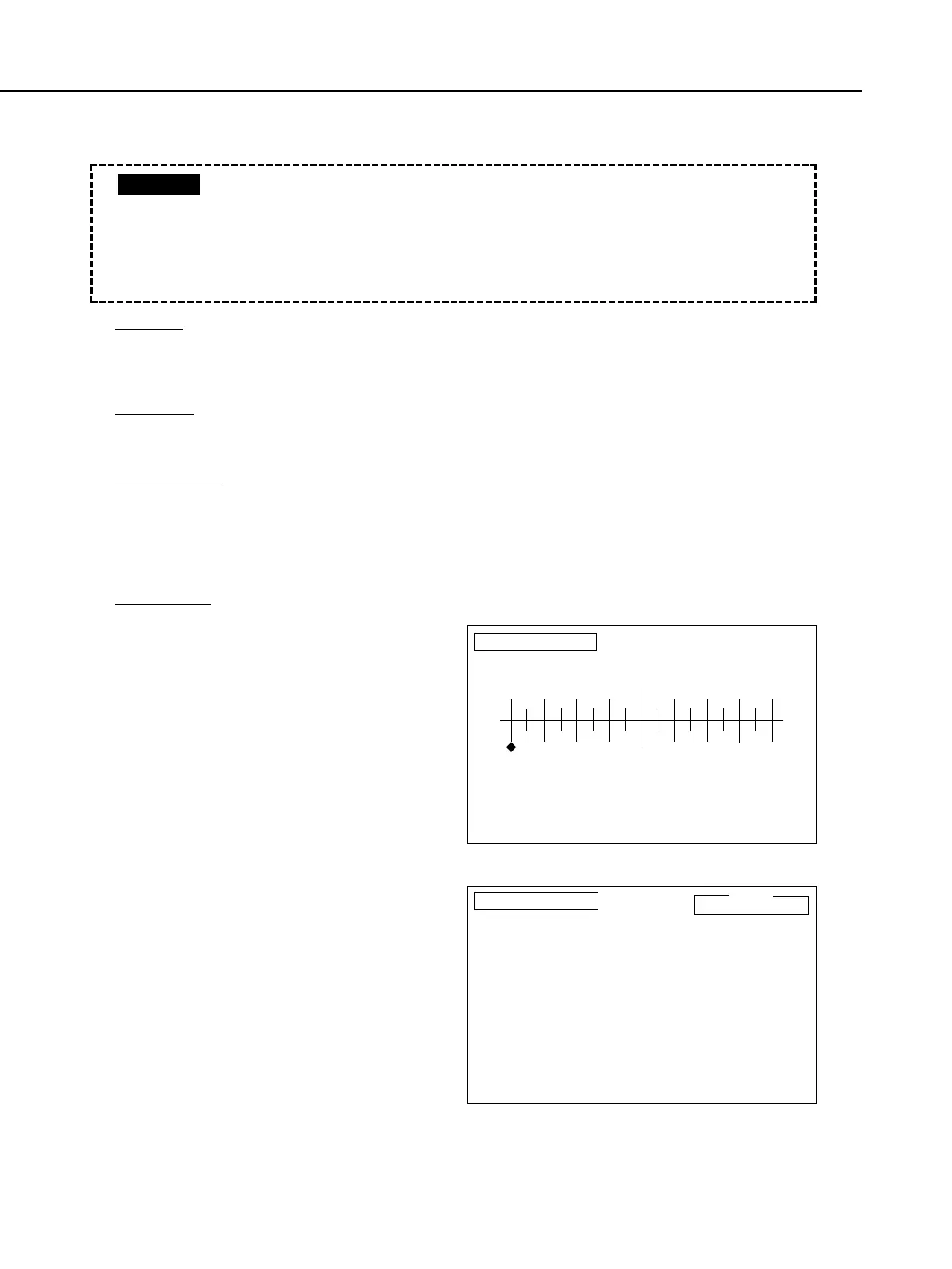
1) Select [F3] E-TTL Level Shift in the
Flash Adjustment menu.
2) Move the cursor key to select the
compensation amount.
• Compensation is possible in
approximately 0.25 stops. To set
an overexposure of 1 stop, set the
compensation amount to +1.
3) When communications ends, release
the shutter. Make sure that the flash
is fully charged.
4) If the result is within the standard,
press the RETURN key to end the
adjustment.
Part 4: Electrical Adjustment
4-32
ETTL_F1
0
Use E-TTL flash!
-2 -1 +1 +2
E-TTL Level Shift
Turn Speedlite main switch on and adjust TTL Level.
Set standard reflector 2m from camera, and fire flash.
input correction with the cursor keys.
Pree RETURN to make correction.
To return to Flash Metering Adjustment menu, press SPACE bar.
ETTL_F2
E-TTL Level Shift
Use the E-TTL speedlite
and check the image plane light level.
Be sure to turn the Speedlite main switch off once and then on again,
or the shutter cannot be released.
Check the image plane illumination.
If OK, press RETURN.
If NG, press SPACE bar to make readjustment.
Limit:
±1.0 EV
Be sure to use the E-TTL flash (550 EX, 380 EX, etc.)
There is no E-TTL basic adjustment. This is determined by AE basic adjust-
ment.
• If the adjustment value is changed, the shutter may no longer fully close.
So, when the adjustment value has been changed, the flash must be
turned OFF then ON again.
CAUTION



 To Next Page