Part 4: Electrical Adjustment
4-33
E-TTL ACCURACY ADJUSTMENT
PURPOSE:
To conduct a simple check on E-TTL accuracy
STANDARD:
Average +/- 1EV
PREPARATIONS:
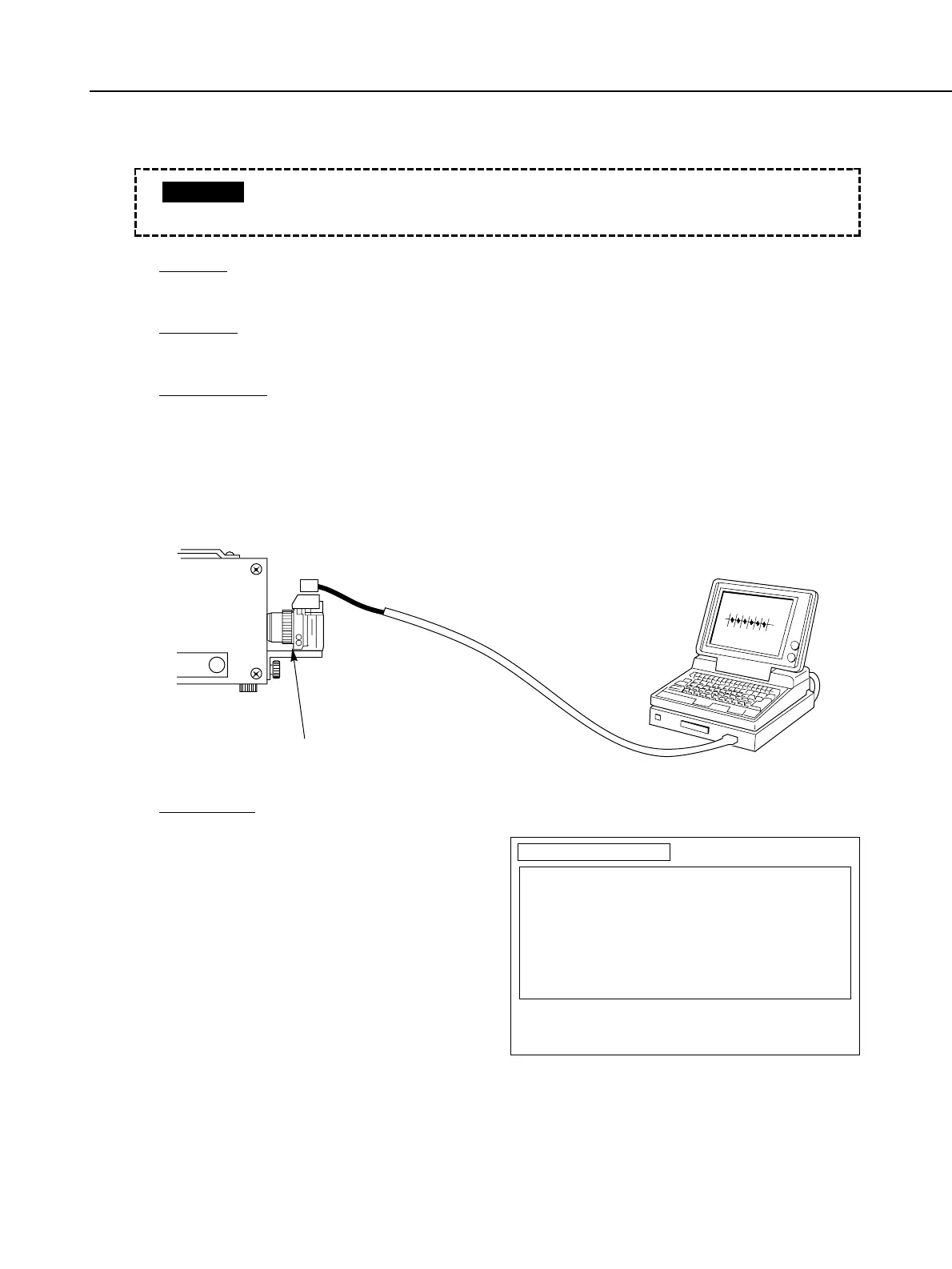
1) Attach the EF 50 mm, f/1.8 lens on the camera as shown in the figure below, and fix
it in position on a tripod facing the light source. We recommend covering the SPC
unit with a blackout curtain to prevent external light from entering the lens.
2) Start up the adjustment software, connect the Multiple Tool II or HS-I/F, and select
[F4] Flash Adjustment from the Main menu.
ADJUSTMENT:
1) Attach the EF 50 mm, f/1.8 lens on
the camera, and fix it in position on a
tripod facing the light source. We
recommend covering the SPC unit
with a blackout curtain to prevent
external light from entering the lens.
2) Start up the adjustment software,
connect the Multiple Tool II or HS-I/F,
and select [F4] Flash Adjustment from
the Main menu.
3) Select [F4] E-TTL Accuracy Adjustment
from the Flash Adjustment menu.
4) The EV values of each metering sensor
in the SPC unit are displayed. These
values are the E-TTL exposure levels.
• The following adjustment procedure is a simple check. For users with high
accuracy requirements, conduct the check using the regular E-TTL flash.
CAUTION
EF-8000
Mount the lens (EF 50 mm, f/1.8)
TTLSPC
E-TTL Accuracy Check
S57 S56 S55 S54 S53 S52 S51
00.0 00.0 00.0 00.0 00.0 00.0 00.0
S37 S36 S35 S34 S33 S32 S31
00.0 00.0 00.0 00.0 00.0 00.0 00.0
S17 S16 S15 S14 S13 S12 S11
00.0 00.0 00.0 00.0 00.0 00.0 00.0
S27 S26 S25 S24 S23 S22 S21
00.0 00.0 00.0 00.0 00.0 00.0 00.0
S47 S46 S45 S44 S43 S42 S41
00.0 00.0 00.0 00.0 00.0 00.0 00.0
Check the E-TTL(SPC) output for each brightness.
If the all values are normal, the flash metering level is also normal.
Press RETURN key to return to Flash Metering Menu.



 To Next Page