4-15
Sending Faxes
Adding New Recipients to Group
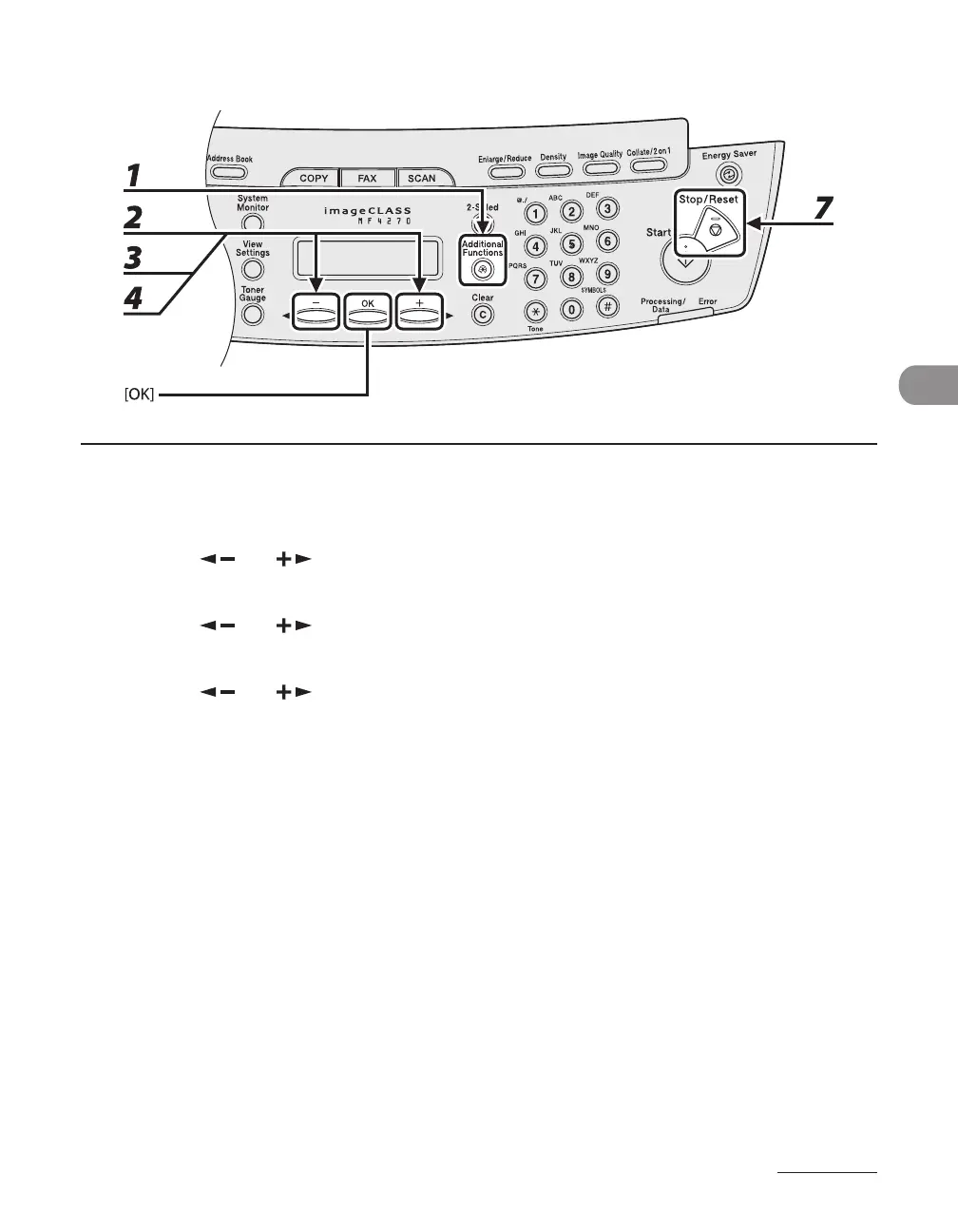
1 Press [Additional Functions].
2 Press [ ] or [ ] to select <ADDRESS BOOK SET.>, then press [OK].
3 Press [ ] or [ ] to select <GROUP DIAL>, then press [OK].
4 Press [ ] or [ ] to select a group to edit, then press [OK].
You can specify a group to edit by pressing the corresponding one-touch speed dialing key.
5 Press [OK].
6 Select the recipient you want to add to the group, then press [OK].
For details on specifying a recipient from Address Book, see “Registering Recipients for Group Dialing,”
on p.
4-13.
7 Press [Stop/Reset] to return to the standby mode.
●












 To Next Page